In this guide
OnlyFans is free to sign up for, but the content behind it certainly isn’t. How much you actually pay depends on the creator and on how you use the platform. In this guide we break down every cost — subscriptions, pay-per-view content and tips — along with the payment methods available to most subscribers. One thing to get straight up front: every price on OnlyFans is listed in US dollars (USD), even if you pay with a card in another currency. Your bank simply converts the amount at its own rate, so the final figure on your statement may differ slightly from the sticker price.
New to the platform? Our beginner’s guide explains what OnlyFans is and how it works before you spend anything on it.
Subscriptions
The baseline cost is the monthly subscription to a creator’s profile. Prices vary widely, but they typically sit somewhere between roughly $5 and $50 per month. Plenty of creators also offer a free profile (a $0 subscription), where the basic feed costs nothing and the creator instead earns through paid content and tips. Some run discounts for longer commitments — three months at once, for example — or occasional promotions. Because each creator sets their own price, two profiles that look similar can cost very different amounts once you add everything up.
Here is the short version of what each type of charge looks like, so you can see the whole picture before you spend anything.
| What you pay for | Typical range (USD) | How often |
|---|---|---|
| Monthly subscription | $0 (free profile) to about $50 | Every month until you cancel |
| Pay-per-view post or message | A few dollars to $100 or more | Every time you unlock something |
| Tip | Whatever you choose | Only when you send one |
| Card validity check | Around $0.10, refunded | Once, when you add a card |
The platform sets an upper and lower limit on what a creator may charge for a subscription, but within that band the price is entirely the creator’s decision. Nobody is charged a fee simply for having an OnlyFans account — signing up and browsing free profiles costs nothing.
Pay-per-view (PPV) content and messages
On top of the subscription, the biggest cost is often PPV — “pay per view.” These are individual pieces of content or messages that a creator locks behind an extra charge. A single PPV item can range from a few dollars to $100 or more, depending on the creator and the content. The important thing to understand is that your subscription does not cover these charges — you pay for PPV separately, every single time. This is the line item that surprises newcomers most, because it doesn’t show up as a fixed monthly number; it depends entirely on what you choose to unlock.
Tips
A tip is an optional extra payment a subscriber sends to reward a creator. Amounts are up to you, from a small token to something larger. Tips are entirely voluntary and are not a condition of access to content you’ve already subscribed to. They are, however, part of why one person’s monthly OnlyFans spend can look nothing like another’s, even on the same profile.
How billing works
When you first add a card, OnlyFans runs a short validity check — usually a small temporary hold (around $0.10) that is then refunded. This isn’t a subscription charge; it just confirms the card is valid. After that, subscriptions renew automatically each month until you cancel. This is worth repeating, because auto-renewal is the single most common thing new subscribers forget: a subscription keeps billing until you actively turn it off, not when you simply stop opening the app. PPV purchases and tips, by contrast, are charged immediately at the moment you buy.
Payment methods
OnlyFans’s own help centre was not reachable while researching this guide, so the payment details below rest on dated third-party sources, cited as we go. OnlyFans accepts credit and debit cards, the main and most reliable way to pay. Established card networks such as Visa and Mastercard are supported; American Express is accepted less reliably and is often declined (CardRates, 11 June 2026; exclu.at, 1 September 2026). The most common reason a card is declined is 3D Secure: OnlyFans requires it on every card payment, so check that online-payment confirmation is switched on in your banking app before assuming the problem is with the platform (CardRates, 11 June 2026).
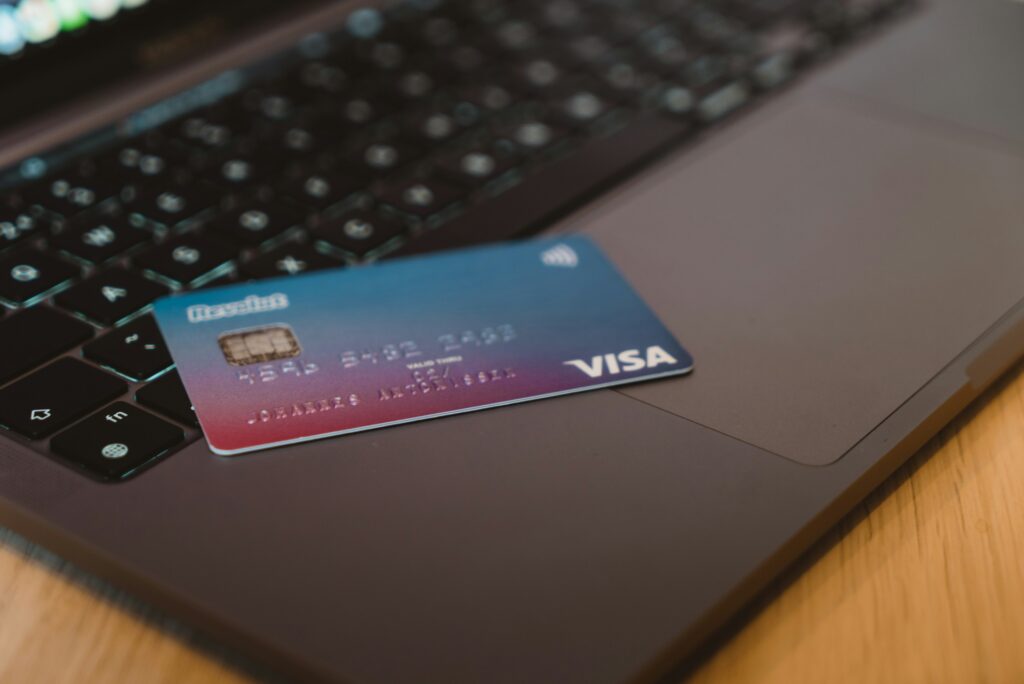
For those who would rather not use their main bank card, prepaid or virtual cards are an alternative. Services like Revolut let you create virtual (even single-use) cards that behave like an ordinary card but are easier to control and keep separate from your primary account. This won’t work with every prepaid card: it needs to be a Visa with 3D Secure enabled and a registered billing address, so check both before counting on it (CardRates, 11 June 2026; exclu.at, 1 September 2026).
What OnlyFans does not currently accept: PayPal, gift cards, Apple Pay or Google Pay, since none of these can carry the 3D Secure check the platform requires on every card payment (CardRates, 11 June 2026; exclu.at, 1 September 2026). In practice, payment almost always goes through a card, and this has held steady for years. If you always subscribe through official links, you also avoid the fake “alternative payment” pages that scammers set up to collect card details. You can read more about spotting the real thing in our guide to official creator links.
What shows up on your bank statement
Let’s be straight about this: transactions generally appear on your bank statement as “OnlyFans” or a similar merchant label. The platform does not promise anonymity toward your bank — anyone who can see your statement can see this line item too. For the full picture of what stays private and what doesn’t, see our guide on whether OnlyFans is anonymous. If privacy matters to you, that’s worth planning for before you subscribe rather than after. For a broader look at using the platform safely and privately, see our safety section.
The exact wording varies by bank and card issuer, and it has changed over the years, so it is not worth memorising one particular string. What matters is the pattern. According to a Privacy.com review of real statements (25 September 2025), the descriptor usually reads ONLYFANS.COM*A, ONLYFANS.COM*B or ONLYFANS.COM-G, and sometimes CCBill.com *OnlyFans when a different processor handles the charge. Between 2019 and 2024 it sometimes appeared as OF* followed by a username, and briefly in late 2023 as Fenix International Limited, the company that operates OnlyFans. Any of these is normal and none of them means something has gone wrong.
Two details are more useful than the exact spelling. The first is reassuring: the statement line identifies the platform, the amount and the date — it does not name the creator you paid. Whoever reads your statement cannot tell from it which profile the money went to. The second is less reassuring, and it is where a lot of online advice is simply wrong: Apple Pay and Google Pay are not a workaround at all. OnlyFans requires 3D Secure on every card payment, and CardRates (11 June 2026) notes that neither service passes that check through, so a payment attempted this way is declined rather than merely visible. If separating this spending from your main account genuinely matters to you, the thing that actually works is paying with a different card in the first place — a prepaid or virtual card, as described above.
One last thing that catches people out: a charge you do not recognise is not automatically a fake. The small refunded validity check, a renewal you forgot you had switched on, or a trial that rolled over will all appear as ordinary charges. Check your subscriptions before assuming fraud — and if the charge really is not yours, that is the situation your bank exists for.
How not to pay a fake profile
The most expensive mistake isn’t the price of a subscription — it’s paying the wrong person. Impersonators create fake profiles, collect a subscription or a payment for content, and disappear — a pattern Europol documents among common online fraud schemes. Before you pay, make sure the profile is genuine. A verified creator directory and a working knowledge of the warning signs both help here. Learn what to watch for in our guide to fake creator account red flags, and use the WinkView creator directory to reach profiles through links that have already been checked.
Free trials, discounts and the auto-renew trap
“OnlyFans free trial” is one of the most searched phrases around the platform, and it does describe something real. Creators can generate a free trial link that gives new subscribers access to their profile for a limited period at no charge. It is a promotional tool: creators share those links on their own social channels, because the platform itself has very little in the way of discovery.
The part that catches people out is what happens at the end. A trial does not simply expire into nothing, it rolls into a normal paid subscription at the creator’s full monthly rate unless you turn off auto-renew before the trial period ends. OnlyFans subscriptions renew automatically until cancelled, a practice a 2023 US class action against the platform specifically challenged (classaction.org, 21 April 2023). If you want to try a profile without committing, switch auto-renew off the moment you subscribe, not the day before it lapses. The same applies to discounted bundles: the discount usually covers the promotional period, and the price returns to normal afterwards.
Two things are worth saying plainly. First, a free trial is free access to a real creator’s real profile — it is not free access to content she sells separately, and PPV messages still cost money during a trial. Second, “free trial” is heavily abused as scam bait. A genuine trial link comes from the creator’s own verified account and leads to onlyfans.com. A link that arrives in an unsolicited DM, or that asks you to enter card details on some other site first, is not a trial — it is a phishing page.
Refunds and chargebacks
This is the question nobody advertises the answer to, so here it is: payments on OnlyFans are treated as final. The platform’s terms of service state that amounts paid to view content or to interact with a creator are non-refundable. OnlyFans’s help centre was not reachable while researching this guide, so treat this as the platform’s stated policy rather than something we could verify firsthand. That covers subscriptions, pay-per-view unlocks and tips alike. Practically speaking, if you unlock a PPV message and feel it was not worth the money, disliking it is not grounds for getting the money back.
Cancelling is a different thing from refunding. When you cancel a subscription you are switching off the next renewal — you normally keep access for the rest of the period you already paid for, and you are not refunded for the unused part. There is no penalty for cancelling, and you can resubscribe later.
The temptation, when a payment goes wrong, is to call your bank and reverse it. Be careful here. The same terms make clear that a payment reversed by chargeback can result in the account being permanently closed, which means losing access to everything you have ever bought there. A chargeback is a legitimate tool for genuine fraud — an unauthorised charge on your card, a payment you did not make — and in that situation you should absolutely contact your bank. It is a bad tool for buyer’s remorse. If you were charged by someone impersonating a creator on a site that was never OnlyFans in the first place, then you are dealing with card fraud rather than a platform dispute, and your bank is exactly the right first call.
What it costs the creator
People searching for what OnlyFans costs are often asking the other half of the question: what does it cost to be on the other side of it? Creating an account as a creator is free. There is no listing fee and no monthly charge. Instead the platform takes a commission of 20% of everything a creator earns — subscriptions, pay-per-view sales, tips and live streams — and pays out the remaining 80%.
That split is worth knowing as a subscriber, for one specific reason: it is the standard scammers exploit. An impersonator’s pitch is almost always some version of “pay me directly and skip the platform’s cut.” Gift cards, crypto, bank transfer, a payment app — anything that moves the money off OnlyFans and out of reach of any dispute process. A real creator has no interest in that arrangement, because payments made outside the platform come with no protection for either side.
Frequently asked questions
How much does an OnlyFans subscription cost?
Subscriptions typically range from roughly $5 to $50 per month, depending on the creator. Some profiles are free, with the creator earning through paid content and tips instead. All prices are listed in US dollars.
Can I pay for OnlyFans without a credit card?
The main payment method is a card, either credit or debit, with Visa and Mastercard the most reliable and American Express often declined. As an alternative, some prepaid Visa cards work if they support 3D Secure, for example through a service like Revolut. PayPal, gift cards, Apple Pay and Google Pay are not accepted (CardRates, 11 June 2026; exclu.at, 1 September 2026).
What does it say on my bank statement?
According to a Privacy.com review of real statements (25 September 2025), the charge usually reads ONLYFANS.COM*A, ONLYFANS.COM*B, ONLYFANS.COM-G or CCBill.com *OnlyFans. The platform doesn’t guarantee that this line will be hidden, so don’t expect full anonymity toward your bank.
What will I realistically spend per month?
It depends on the profile and on how much you spend on PPV and tips. The subscription is often just the starting point — pay-per-view unlocks and tips are what push the real monthly total higher, so it helps to set yourself a budget before you start.
Can I get a refund on OnlyFans?
Generally no. The platform’s terms treat payments for content and interaction as final and non-refundable, and that includes subscriptions, pay-per-view unlocks and tips. Genuine exceptions exist for unauthorised or duplicated charges, but not for changing your mind. Reversing a payment by chargeback can get your account permanently closed, so it is worth reserving for real fraud.
Is the OnlyFans free trial really free?
A trial link from a creator’s own verified account is real and genuinely free for its duration. But it converts into a paid subscription at the full monthly rate when it ends unless you turn off auto-renew first, and pay-per-view content still costs extra during the trial. Any “free trial” that arrives in an unsolicited message or asks for card details on a site other than onlyfans.com is a scam.
How much does OnlyFans take from creators?
The platform keeps 20% of what a creator earns and pays out the other 80%. Creating a creator account is free. Anyone asking you to pay them outside the platform “to avoid the fee” is not saving anyone money — that is the standard opening line of an impersonation scam.
Does cancelling stop the charge immediately?
Cancelling switches off the next renewal rather than refunding the current one. You normally keep access until the period you have already paid for runs out. Because subscriptions renew automatically by default, cancelling is something you have to do actively — simply not opening the site does not stop the billing.