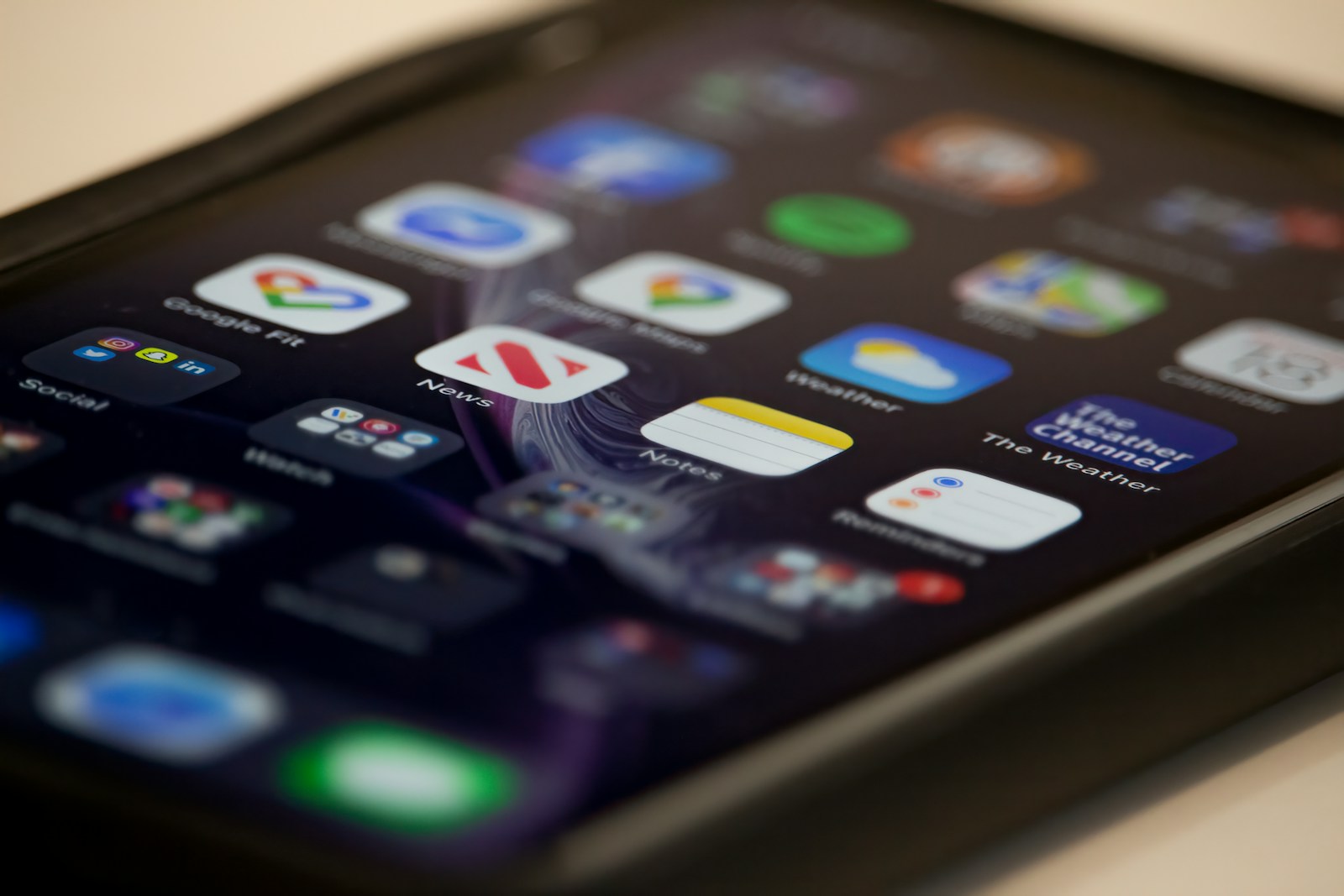
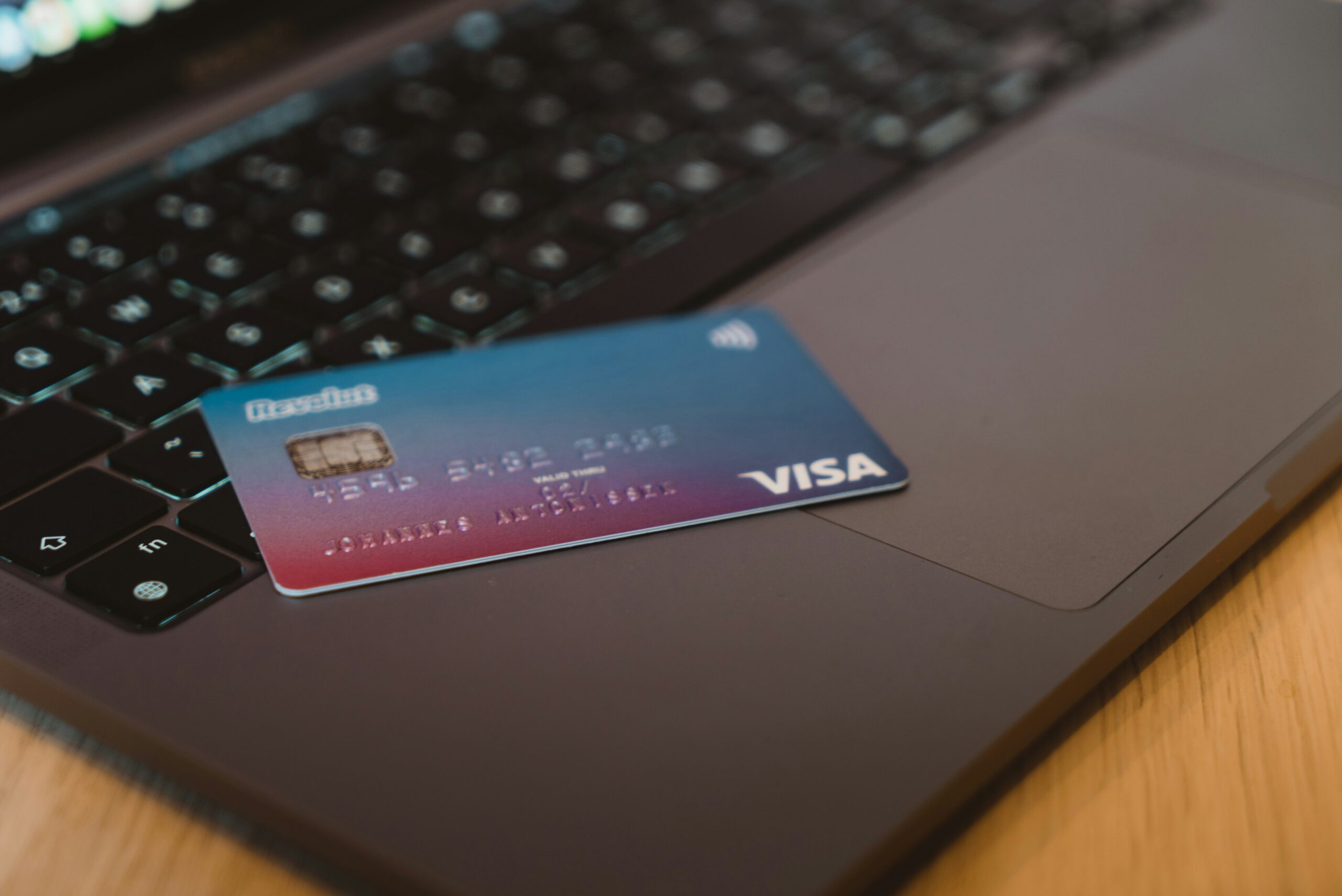
Is there an OnlyFans app? No. There is no official OnlyFans app for iPhone or Android, and there never has been: Apple and Google do not allow adult content in their stores, so OnlyFans runs in your phone’s browser instead. Anything called “OnlyFans app” in an app store, or offered as an APK, is not from OnlyFans. This guide covers why that is, how to use the site on your phone so it feels like an app, and what to do about the fake downloads. If you are still getting to know the platform, we also recommend our beginner’s guide to how OnlyFans works.
There is no official OnlyFans app
OnlyFans has no official app in the Apple App Store or on Google Play. The reason is straightforward: both stores enforce strict rules about adult content that the platform would not meet. As a result, OnlyFans is used exclusively through the onlyfans.com website in a browser.
This means that any “app” claiming to be the official OnlyFans is not genuine. There is no iPhone version you download from the App Store, and there is no official APK for Android. If you ever see one advertised, treat that as a warning sign rather than a lucky find.
Why “OnlyFans app” files are dangerous
If you type “OnlyFans app download” or “OnlyFans APK” into a search engine, you will find pages offering installation files. At best these files are useless; at worst they are dangerous.
The most common risks are:
Malware — the file installs malicious software that can steal passwords and card details or take control of your device.
Phishing — a fake “OnlyFans login” captures your real username and password.
Subscription scams — the app demands payment for access you never actually receive.
Scammers use the same logic with fake creator profiles — read more about those signals in our guide on the red flags of a fake creator account. To reach genuine profiles, work through the official links in our creator directory, and confirm you are in the right place using our guide to official links. General safe-use rules are collected in our safety section.
The rule is simple: install nothing. OnlyFans does not need any app to work.
How to use the platform properly on your phone
Instead of an app, use your mobile browser. Modern browsers let you add a website to your home screen, where it behaves almost like an app — with its own icon and a full-screen view. This is the safe and official way to do it, and it gives you the convenience of an app icon without installing anything.
iPhone (Safari)
Open Safari and go to onlyfans.com.
Log in to your account.
Tap the Share icon (the square with an upward arrow).
Choose “Add to Home Screen.”
Confirm the name and tap “Add.”
An icon appears on your home screen that opens the site directly.
Android (Chrome)
Open Chrome and go to onlyfans.com.
Log in to your account.
Tap the three-dot menu in the top right.
Choose “Add to Home screen.”
Confirm the name and tap “Add.”
The result is the same as on iPhone — a shortcut that behaves like an app but is really just a safe website. Because it always points at onlyfans.com, you also avoid the risk of mistyping the address and landing on a copycat site later.
Privacy settings on your phone
Because you use OnlyFans through a browser, it is worth adjusting a few settings:
Screen lock — turn on a passcode, Face ID or fingerprint so only you can access the device.
Private browsing — if you share the device with others, use a private tab or clear your history after use.
Notifications — check whether message previews appear on your lock screen and turn them off if needed.
Saved passwords — use a password manager rather than writing your password somewhere visible.
Search for an OnlyFans app and you will find plenty of pages that look like app stores, complete with version numbers, file sizes, star ratings, screenshots and a large download button. None of them are distributing an official OnlyFans application, because there is not one to distribute. They are built to rank for a search with high demand and no legitimate supply.
The tell is structural rather than visual, and it is easy to remember. Real mobile apps are distributed by exactly two channels on each platform: the App Store on iOS, and Google Play on Android. Anything else — a download portal, a mirror site, a “modded” version, an APK from a forum or a Telegram link — is by definition not the official route. You do not need to evaluate whether a particular download site looks trustworthy. If the file is not coming from the platform’s own store, the question is already answered.
The same reasoning disposes of the related category: apps and sites promising free access to paid content. There is no technical mechanism by which a third-party app unlocks content someone else is selling. What those files actually do is covered above — credential theft, malware, or a payment for access that never arrives.
Age checks on your phone
One thing has changed for mobile users recently and it is worth knowing before it surprises you. In the UK, and in a growing number of US states, adult platforms are now legally required to verify that users are adults. Ofcom set the UK standard for services allowing pornography from July 2025, and the US position followed the Supreme Court’s ruling in Free Speech Coalition, Inc. v. Paxton in June 2025.
On a phone this usually means a short check in the browser — often a selfie-based age estimate, since that is the easiest method on a mobile device — before you can view content. Being asked is normal. What is not normal is being asked anywhere other than on the site itself. A message or email claiming your account needs re-verification, with a link to a page requesting your ID, your card or your password, is a phishing attempt that has become considerably more common since the checks were introduced. Open the site yourself and check from there.
Frequently asked questions
Is there an official OnlyFans app?
No. OnlyFans has no app in the App Store or Google Play because of store rules on adult content. It is used exclusively through the browser at onlyfans.com.
Is it safe to install an “OnlyFans APK”?
No. Any APK or installation file presenting itself as OnlyFans is fake and may contain malware or phishing. Install nothing.
How do I get an OnlyFans icon on my phone without an app?
Open onlyfans.com in your browser and use the “Add to Home Screen” feature. This creates a shortcut with an icon that behaves much like an app.
Does paying through the browser expose me more than an app would?
No. Payments go through a secure connection on the official site whether you use a phone or a computer. For privacy tips, see our separate guide on privacy for subscribers.
“Will anyone see this?” is one of the most common questions new OnlyFans subscribers ask. The honest answer sits somewhere in the middle: the platform gives you a reasonable amount of privacy toward the creator, but it does not offer complete anonymity. In this guide we explain plainly what a creator actually sees about you, what cannot be hidden, and where the real risks are — because those are almost always found off the platform, not on it.
What a creator sees about a subscriber
When you subscribe to a creator or send a message, they see your username and display name — in other words, whatever you entered yourself. They do not see your real name (unless you used it as your display name), they do not see your card number, and they do not see your home address. What they can see is your activity on their profile: that you are subscribed, which paid messages you have opened, any tips you have sent, and any comments you have left.
The good-practice takeaway is simple: use a nickname instead of your real name, and create a separate email address just for this purpose. That keeps your main digital identity separate from your subscription without breaking any rules — it is simply sensible privacy hygiene, the same thing you might do for plenty of other online services.
It is also worth remembering that display names can be changed later, so there is no harm in starting cautiously. If you ever decide to interact more openly with a creator you trust, that is your choice — but the default should lean toward less personal information, not more.
What cannot be hidden
Here we have to be honest, because many websites promise “complete anonymity” that does not really exist. Two things stay visible:
Your bank statement. As we cover in more detail in our guide on how much OnlyFans costs and how payment works, transactions usually appear on your statement as “OnlyFans.” Anyone with access to your bank statement can see that line item.
The link between your card and your identity. The payment system has to know the cardholder because of fraud-prevention and anti-money-laundering rules. This is not public and the creator never sees it, but it does mean that, in a legal sense, the payment is not anonymous.
So the realistic expectation is clear: privacy toward the creator — yes; complete anonymity toward your bank and the payment network — no. People who want an extra layer of separation often use a dedicated virtual card (for example, through a service like Revolut), but even that does not erase the trail on the banking side. It can keep your main current account tidy, but the transaction still exists somewhere.
If a private, discreet statement matters a lot to you, think about who realistically has access to it. For most adults with their own account, that access is limited to themselves and their bank — which is usually enough privacy in practice, even if it is not literal invisibility.
Is the platform safe?
As far as the payment itself goes, OnlyFans is considered a safe platform. Card details are handled by an established payment processor, the data is encrypted, and it never reaches creators directly. From a fraud standpoint, the platform itself is not the main risk.
The real danger is off the platform. Three traps are the most common:
Fake profiles and impersonators. Scammers copy a genuine creator’s photos and collect money for content you never receive. Our guide on the red flags of a fake creator account explains how to spot them.
Phishing messages. A message that lures you with a link to a “special offer” or asks you to log in somewhere off the platform is often an attempt to steal your password or card details. Never log in through links sent in private messages.
“Free OnlyFans” sites and fake apps. Websites that promise free access to paid content are almost always a trap — ranging from malware to data theft and blackmail. The same goes for any APK or “official OnlyFans app”: there is no official mobile app, and the platform works on your phone only through the browser. We explain this in full in our guide on whether there is an OnlyFans app.
In short: the best thing you can do for your own safety is to stay on the official platform and pay only genuine, verified profiles. The easiest way to reach real profiles is through official links — our creator directory lists verified creators, and our guide to official links shows how to confirm you are in the right place before you pay.
Age verification: the thing that changed
Most articles about OnlyFans privacy were written before the rules changed, and it shows. If you are in the UK or in a growing number of US states, the honest answer to “is OnlyFans anonymous?” now has an extra clause: before you see anything at all, you may have to prove you are an adult.
In the UK this comes from the Online Safety Act. Ofcom, the regulator, published guidance requiring services that allow pornography to have “highly effective age assurance” in place by July 2025 at the latest. Ticking a box that says you are over 18 is explicitly not good enough — Ofcom names self-declaration as a method that does not count. The methods it does accept include photo ID matching, facial age estimation from a live selfie, open banking, credit card checks, mobile network operator checks and digital identity services.
In the United States the picture is set state by state rather than nationally. The Supreme Court settled the constitutional question in Free Speech Coalition, Inc. v. Paxton, decided on 27 June 2025, which upheld a Texas law requiring age verification on sites carrying a substantial amount of sexual material. Since that ruling more states have brought similar laws into force, so whether you are asked to verify depends on where you are.
What does this mean for your privacy in practice? It is a real change, and pretending otherwise would be dishonest. Verification is normally handled by a specialist third-party provider rather than by the platform itself, and the usual design is that the provider checks the document and passes back only a yes-or-no answer plus basic details, without the platform keeping your ID image. That is a meaningful protection, but it is not the same as nothing having happened: an age check means one more company has processed a document with your face and date of birth on it. If that matters to you, prefer a method that reveals less — facial age estimation without a document, or an open banking or card-based check — over uploading a passport, where those options are offered.
A word on VPNs, since it is the first thing people ask. A VPN changes which country a site thinks you are connecting from; it does not change the law, and it does not stop a platform asking you to verify. It also does nothing about the part that actually identifies you — the card payment. And the market for “free” VPNs is full of products whose real business is collecting the browsing data you installed them to protect, which is a poor trade for a privacy tool. We are not going to pretend a VPN is a solution to age verification, because it is not one.
There is one genuinely useful safety point buried in all this. Age checks have become a very effective phishing lure: a message telling you your account needs “re-verification,” with a link to a page asking for your ID and card, is now a common scam. A real age check happens on the platform when you try to access content — it does not arrive unprompted in your inbox or DMs, and it never needs your password.
A quick privacy checklist
Use a nickname as your display name rather than your real name.
Register with a separate email address kept just for this.
Accept that a statement line reading “OnlyFans” is normal and cannot be hidden.
Never follow login links from private messages, and never install a “free access” app.
Pay only verified creators reached through official links.
Conclusion
OnlyFans is not completely anonymous, but with a little sensible caution it is private enough for most subscribers. Use a nickname and a separate email, do not expect to be invisible on your bank statement, and stay alert to scams off the platform. For more on verification and subscribing safely, see our safety and verification page.
Frequently asked questions
Can a creator see my real name?
No, unless you enter it as your display name yourself. A creator sees your username, display name and your activity on their profile — not your real name, address or card details. Using a nickname is recommended.
Does OnlyFans show up on a bank statement?
Yes. Transactions usually appear on your bank statement as “OnlyFans.” The platform does not provide anonymity toward your bank, so do not expect the line item to be invisible.
Is OnlyFans safe to pay on?
Payments are handled by an established payment processor and are considered safe. Most of the risk is not on the platform itself but off it — fake profiles, phishing messages and “free OnlyFans” sites. Stay on the official platform and pay only verified profiles.
Do I have to upload my ID to use OnlyFans?
It depends where you are. Under the UK Online Safety Act, services allowing pornography have had to run highly effective age checks since July 2025, and a number of US states now require the same. Uploading a document is only one of the accepted methods — facial age estimation, open banking and card-based checks are others, and they reveal less. The check is normally run by a third-party provider that returns a pass or fail rather than handing your document to the platform.
Does a VPN make OnlyFans anonymous?
No. A VPN hides which network you connect from. It does not hide the payment, which is the part that actually links the account to you, and it does not remove a platform’s obligation to verify your age. Treat any service marketing itself as a way to make adult subscriptions anonymous with scepticism — particularly free VPNs, which frequently monetise the very browsing data you installed them to protect.
Can I make my subscription more private?
Yes, up to a point. A nickname, a separate email and a dedicated virtual card all add separation between your everyday identity and your subscription. None of them make the payment truly anonymous toward your bank, but together they keep things tidy and discreet.
If most of what you know about OnlyFans comes from headlines and jokes, you’re probably not entirely sure what the platform actually is or how it works. This guide explains the basics calmly and honestly — no hype, no promises and no explicit content. It’s written for readers who want to understand how the whole thing works from a subscriber’s point of view.
What is OnlyFans?
OnlyFans is a subscription platform where creators post content that only paying subscribers can access. The model is simple: instead of ads or a one-off purchase, you pay a monthly subscription and in return you get access to a particular creator’s profile.
The key difference compared with ordinary social media is the direct relationship between creator and subscriber. There’s no algorithm deciding what you see; you subscribe to a specific person and you see what that person posts. The platform itself is simply the intermediary that handles payments, access and the technical side.
Although OnlyFans is publicly associated mainly with adult content, fitness trainers, musicians, chefs and other creators use it too. For the purposes of this guide we focus on how the platform works, not on the type of content.
How OnlyFans works
Money flows through the platform in three main ways. They’re worth knowing before you create an account, because the costs add up quickly.
Monthly subscription
Each creator sets their own monthly subscription price. Some profiles are free to view but lock most of their content behind extra charges. The subscription usually renews automatically every month until you cancel it — something newcomers often forget.
PPV — paying for individual content
PPV (pay-per-view) means you unlock a single photo, video or message with a one-off payment, separate from your subscription. This is often the largest part of the cost that newcomers don’t see coming.
Tips and private messages
Subscribers can send creators a tip or pay for private communication. All of this is optional, but it’s part of why a monthly total can differ so much from the advertised subscription price.
Creators on OnlyFans are a very diverse group — from international profiles with millions of followers to smaller creators with a modest but loyal audience. Local creator scenes exist all over the world, and they vary a lot in size; for one example of how a smaller national scene works, see our guide to the OnlyFans creator economy in Slovenia.
If you’re looking for verified profiles and want to avoid impersonators, take a look at our creator directory, which collects links to confirmed accounts.
What you see on a creator’s profile
A profile on OnlyFans is made up of a public part and a locked part. The public side usually shows the username, a short bio, the subscription price and a few promotional posts. Everything else becomes available only after you subscribe or pay for individual content.
Some creators offer a free profile, where the subscription costs nothing and the money comes in through PPV and tips instead. Others charge a monthly subscription just for basic access. This difference explains why two profiles with a seemingly identical price can end up costing very different amounts.
Before you subscribe, take a moment to check what a profile actually offers and which model it runs on. That’s the easiest way to avoid disappointment and unexpected costs.
How to sign up as a subscriber
The process is simple for a subscriber and doesn’t require anything shady:
Visit the official website, onlyfans.com, through your browser.
Create an account with an email address and password, and confirm your age — the platform is for adults only.
Add a payment method. Cards are used; OnlyFans does not support cash or cryptocurrency.
Find the profile you want to subscribe to. Use the creator’s official link, not a random search result.
Click subscribe and confirm the payment.
Tip: always make sure you’re on the right profile. We explain how to verify official links in a separate guide. On your phone, you use OnlyFans through the mobile browser — there is no official app in the App Store or Google Play, so treat any “OnlyFans app” you find there with suspicion. We cover this in full in our guide on why there is no OnlyFans app and how to use it safely on your phone.
Age verification: what to expect when you sign up
Depending on where you are, signing up now involves a step that older guides do not mention. OnlyFans has always required subscribers to be adults, but in a growing number of places that requirement is now enforced by law rather than by a checkbox.
In the UK, the Online Safety Act obliges services that allow pornography to run age checks that the regulator, Ofcom, calls “highly effective” — a standard that has applied since July 2025 and explicitly rules out simply declaring your age. In the United States the rules vary by state, following the Supreme Court’s decision in Free Speech Coalition, Inc. v. Paxton in June 2025, which upheld a state age-verification law.
In practice this means you may be asked to confirm your age through a third-party provider before you can see content — typically by a quick selfie-based age estimate, a card or banking check, or a document scan. It is a normal part of signing up in those regions, not a sign that something has gone wrong. Two things are worth knowing: where you get a choice of method, the ones that do not involve uploading a passport reveal less about you; and a genuine check happens on the platform itself when you try to access content. If an “age verification” request arrives by email or DM with a link, it is a phishing attempt.
How OnlyFans compares to Fansly, Fanvue and Patreon
OnlyFans is the best-known name, but it is not the only subscription platform, and knowing the difference helps you recognise when a link is pointing somewhere it should not. All four work on the same basic principle — a creator sells access to a feed, plus extra paid content on top — and differ mainly in who uses them and what is allowed.
Platform
Typical use
Adult content
OnlyFans
The largest and most recognised subscription platform; broad mix of creators
Allowed
Fansly
Closest direct alternative, with more granular subscription tiers
Allowed
Fanvue
Newer competitor positioned around creator tools
Allowed
Patreon
Membership funding for artists, writers, podcasters and musicians
Not permitted
The practical takeaway for a beginner is about links rather than features. Many creators are genuinely active on more than one platform, so a second link is not by itself suspicious. What matters is where you got it. A creator who uses both OnlyFans and Fansly will say so on her own verified channels. An impersonator, by contrast, uses the existence of multiple platforms as cover — “my OnlyFans got taken down, subscribe to me here instead” is a well-worn line for steering people onto a page the scammer controls.
The most common beginner mistakes
Most problems come down to two things: paying the wrong profile too quickly, and unrealistic expectations.
The most common and most expensive mistake is paying a fake profile. Scammers copy a real creator’s photos, build an appearance of authenticity and collect the money. We break down the signs of these profiles in detail in our guide to fake creator account red flags — we recommend reading it before your first subscription.
Why “free OnlyFans” doesn’t exist
If you type “free OnlyFans” into a search engine, you’ll run into pages promising access to paid content without paying. These pages don’t work — and that’s not an accident.
In practice it’s almost always one of the following: phishing (stealing your login or card details), installing malware, or endless “surveys” and redirects that try to sell you something else. Content locked behind a subscription cannot be legitimately unlocked with these tools.
The rule is simple: the only place you subscribe is the official site. Anything else that promises something “free” is either a scam or a risk to your device and your money. You’ll find more on safe use in our safety section.
Realistic expectations
OnlyFans isn’t a magic shortcut to something that doesn’t exist elsewhere. It’s a subscription relationship: you pay for access to a particular person’s content and for the chance to communicate with them within the limits they set.
A healthy approach is the same as with any other online service — set yourself a monthly budget in advance, only subscribe to official profiles, and never share personal or payment details outside the platform.
It’s also worth knowing that content on the platform doesn’t become your property — you’re paying for access while the subscription lasts, not for a permanent copy. Screenshotting, saving and re-sharing someone else’s content breaks the platform’s rules and can break the law too.
Frequently asked questions
Is OnlyFans free?
The account itself is free, but access to content generally isn’t. Some profiles offer free viewing, but most lock the bulk of their content behind a subscription or PPV. Pages promising “free OnlyFans” are scams.
Does OnlyFans work in my country?
In most countries, yes. OnlyFans is available across Europe and much of the world, with payments made by card. You don’t need a VPN or any special tools for access. A small number of countries restrict the platform, so if it won’t load, check local availability.
Can creators identify me?
Your full name generally isn’t visible to a creator, though your username does show on the profile. If privacy matters to you, plan for it before subscribing and avoid sharing identifying details in messages.
How much does it realistically cost per month?
It depends on the profile and on how much you spend on PPV and tips. The subscription is often just a starting point; we break down realistic monthly spending and payment methods in our guide to OnlyFans costs.
OnlyFans is free to sign up for, but the content behind it certainly isn’t. How much you actually pay depends on the creator and on how you use the platform. In this guide we break down every cost — subscriptions, pay-per-view content and tips — along with the payment methods available to most subscribers. One thing to get straight up front: every price on OnlyFans is listed in US dollars (USD), even if you pay with a card in another currency. Your bank simply converts the amount at its own rate, so the final figure on your statement may differ slightly from the sticker price.
The baseline cost is the monthly subscription to a creator’s profile. Prices vary widely, but they typically sit somewhere between roughly $5 and $50 per month. Plenty of creators also offer a free profile (a $0 subscription), where the basic feed costs nothing and the creator instead earns through paid content and tips. Some run discounts for longer commitments — three months at once, for example — or occasional promotions. Because each creator sets their own price, two profiles that look similar can cost very different amounts once you add everything up.
Here is the short version of what each type of charge looks like, so you can see the whole picture before you spend anything.
What you pay for
Typical range (USD)
How often
Monthly subscription
$0 (free profile) to about $50
Every month until you cancel
Pay-per-view post or message
A few dollars to $100 or more
Every time you unlock something
Tip
Whatever you choose
Only when you send one
Card validity check
Around $0.10, refunded
Once, when you add a card
The platform sets an upper and lower limit on what a creator may charge for a subscription, but within that band the price is entirely the creator’s decision. Nobody is charged a fee simply for having an OnlyFans account — signing up and browsing free profiles costs nothing.
Pay-per-view (PPV) content and messages
On top of the subscription, the biggest cost is often PPV — “pay per view.” These are individual pieces of content or messages that a creator locks behind an extra charge. A single PPV item can range from a few dollars to $100 or more, depending on the creator and the content. The important thing to understand is that your subscription does not cover these charges — you pay for PPV separately, every single time. This is the line item that surprises newcomers most, because it doesn’t show up as a fixed monthly number; it depends entirely on what you choose to unlock.
Tips
A tip is an optional extra payment a subscriber sends to reward a creator. Amounts are up to you, from a small token to something larger. Tips are entirely voluntary and are not a condition of access to content you’ve already subscribed to. They are, however, part of why one person’s monthly OnlyFans spend can look nothing like another’s, even on the same profile.
How billing works
When you first add a card, OnlyFans runs a short validity check — usually a small temporary hold (around $0.10) that is then refunded. This isn’t a subscription charge; it just confirms the card is valid. After that, subscriptions renew automatically each month until you cancel. This is worth repeating, because auto-renewal is the single most common thing new subscribers forget: a subscription keeps billing until you actively turn it off, not when you simply stop opening the app. PPV purchases and tips, by contrast, are charged immediately at the moment you buy.
Payment methods
OnlyFans’s own help centre was not reachable while researching this guide, so the payment details below rest on dated third-party sources, cited as we go. OnlyFans accepts credit and debit cards, the main and most reliable way to pay. Established card networks such as Visa and Mastercard are supported; American Express is accepted less reliably and is often declined (CardRates, 11 June 2026; exclu.at, 1 September 2026). The most common reason a card is declined is 3D Secure: OnlyFans requires it on every card payment, so check that online-payment confirmation is switched on in your banking app before assuming the problem is with the platform (CardRates, 11 June 2026).
For those who would rather not use their main bank card, prepaid or virtual cards are an alternative. Services like Revolut let you create virtual (even single-use) cards that behave like an ordinary card but are easier to control and keep separate from your primary account. This won’t work with every prepaid card: it needs to be a Visa with 3D Secure enabled and a registered billing address, so check both before counting on it (CardRates, 11 June 2026; exclu.at, 1 September 2026).
What OnlyFans does not currently accept: PayPal, gift cards, Apple Pay or Google Pay, since none of these can carry the 3D Secure check the platform requires on every card payment (CardRates, 11 June 2026; exclu.at, 1 September 2026). In practice, payment almost always goes through a card, and this has held steady for years. If you always subscribe through official links, you also avoid the fake “alternative payment” pages that scammers set up to collect card details. You can read more about spotting the real thing in our guide to official creator links.
What shows up on your bank statement
Let’s be straight about this: transactions generally appear on your bank statement as “OnlyFans” or a similar merchant label. The platform does not promise anonymity toward your bank — anyone who can see your statement can see this line item too. For the full picture of what stays private and what doesn’t, see our guide on whether OnlyFans is anonymous. If privacy matters to you, that’s worth planning for before you subscribe rather than after. For a broader look at using the platform safely and privately, see our safety section.
The exact wording varies by bank and card issuer, and it has changed over the years, so it is not worth memorising one particular string. What matters is the pattern. According to a Privacy.com review of real statements (25 September 2025), the descriptor usually reads ONLYFANS.COM*A, ONLYFANS.COM*B or ONLYFANS.COM-G, and sometimes CCBill.com *OnlyFans when a different processor handles the charge. Between 2019 and 2024 it sometimes appeared as OF* followed by a username, and briefly in late 2023 as Fenix International Limited, the company that operates OnlyFans. Any of these is normal and none of them means something has gone wrong.
Two details are more useful than the exact spelling. The first is reassuring: the statement line identifies the platform, the amount and the date — it does not name the creator you paid. Whoever reads your statement cannot tell from it which profile the money went to. The second is less reassuring, and it is where a lot of online advice is simply wrong: Apple Pay and Google Pay are not a workaround at all. OnlyFans requires 3D Secure on every card payment, and CardRates (11 June 2026) notes that neither service passes that check through, so a payment attempted this way is declined rather than merely visible. If separating this spending from your main account genuinely matters to you, the thing that actually works is paying with a different card in the first place — a prepaid or virtual card, as described above.
One last thing that catches people out: a charge you do not recognise is not automatically a fake. The small refunded validity check, a renewal you forgot you had switched on, or a trial that rolled over will all appear as ordinary charges. Check your subscriptions before assuming fraud — and if the charge really is not yours, that is the situation your bank exists for.
How not to pay a fake profile
The most expensive mistake isn’t the price of a subscription — it’s paying the wrong person. Impersonators create fake profiles, collect a subscription or a payment for content, and disappear — a pattern Europol documents among common online fraud schemes. Before you pay, make sure the profile is genuine. A verified creator directory and a working knowledge of the warning signs both help here. Learn what to watch for in our guide to fake creator account red flags, and use the WinkView creator directory to reach profiles through links that have already been checked.
Free trials, discounts and the auto-renew trap
“OnlyFans free trial” is one of the most searched phrases around the platform, and it does describe something real. Creators can generate a free trial link that gives new subscribers access to their profile for a limited period at no charge. It is a promotional tool: creators share those links on their own social channels, because the platform itself has very little in the way of discovery.
The part that catches people out is what happens at the end. A trial does not simply expire into nothing, it rolls into a normal paid subscription at the creator’s full monthly rate unless you turn off auto-renew before the trial period ends. OnlyFans subscriptions renew automatically until cancelled, a practice a 2023 US class action against the platform specifically challenged (classaction.org, 21 April 2023). If you want to try a profile without committing, switch auto-renew off the moment you subscribe, not the day before it lapses. The same applies to discounted bundles: the discount usually covers the promotional period, and the price returns to normal afterwards.
Two things are worth saying plainly. First, a free trial is free access to a real creator’s real profile — it is not free access to content she sells separately, and PPV messages still cost money during a trial. Second, “free trial” is heavily abused as scam bait. A genuine trial link comes from the creator’s own verified account and leads to onlyfans.com. A link that arrives in an unsolicited DM, or that asks you to enter card details on some other site first, is not a trial — it is a phishing page.
Refunds and chargebacks
This is the question nobody advertises the answer to, so here it is: payments on OnlyFans are treated as final. The platform’s terms of service state that amounts paid to view content or to interact with a creator are non-refundable. OnlyFans’s help centre was not reachable while researching this guide, so treat this as the platform’s stated policy rather than something we could verify firsthand. That covers subscriptions, pay-per-view unlocks and tips alike. Practically speaking, if you unlock a PPV message and feel it was not worth the money, disliking it is not grounds for getting the money back.
Cancelling is a different thing from refunding. When you cancel a subscription you are switching off the next renewal — you normally keep access for the rest of the period you already paid for, and you are not refunded for the unused part. There is no penalty for cancelling, and you can resubscribe later.
The temptation, when a payment goes wrong, is to call your bank and reverse it. Be careful here. The same terms make clear that a payment reversed by chargeback can result in the account being permanently closed, which means losing access to everything you have ever bought there. A chargeback is a legitimate tool for genuine fraud — an unauthorised charge on your card, a payment you did not make — and in that situation you should absolutely contact your bank. It is a bad tool for buyer’s remorse. If you were charged by someone impersonating a creator on a site that was never OnlyFans in the first place, then you are dealing with card fraud rather than a platform dispute, and your bank is exactly the right first call.
What it costs the creator
People searching for what OnlyFans costs are often asking the other half of the question: what does it cost to be on the other side of it? Creating an account as a creator is free. There is no listing fee and no monthly charge. Instead the platform takes a commission of 20% of everything a creator earns — subscriptions, pay-per-view sales, tips and live streams — and pays out the remaining 80%.
That split is worth knowing as a subscriber, for one specific reason: it is the standard scammers exploit. An impersonator’s pitch is almost always some version of “pay me directly and skip the platform’s cut.” Gift cards, crypto, bank transfer, a payment app — anything that moves the money off OnlyFans and out of reach of any dispute process. A real creator has no interest in that arrangement, because payments made outside the platform come with no protection for either side.
Frequently asked questions
How much does an OnlyFans subscription cost?
Subscriptions typically range from roughly $5 to $50 per month, depending on the creator. Some profiles are free, with the creator earning through paid content and tips instead. All prices are listed in US dollars.
Can I pay for OnlyFans without a credit card?
The main payment method is a card, either credit or debit, with Visa and Mastercard the most reliable and American Express often declined. As an alternative, some prepaid Visa cards work if they support 3D Secure, for example through a service like Revolut. PayPal, gift cards, Apple Pay and Google Pay are not accepted (CardRates, 11 June 2026; exclu.at, 1 September 2026).
What does it say on my bank statement?
According to a Privacy.com review of real statements (25 September 2025), the charge usually reads ONLYFANS.COM*A, ONLYFANS.COM*B, ONLYFANS.COM-G or CCBill.com *OnlyFans. The platform doesn’t guarantee that this line will be hidden, so don’t expect full anonymity toward your bank.
What will I realistically spend per month?
It depends on the profile and on how much you spend on PPV and tips. The subscription is often just the starting point — pay-per-view unlocks and tips are what push the real monthly total higher, so it helps to set yourself a budget before you start.
Can I get a refund on OnlyFans?
Generally no. The platform’s terms treat payments for content and interaction as final and non-refundable, and that includes subscriptions, pay-per-view unlocks and tips. Genuine exceptions exist for unauthorised or duplicated charges, but not for changing your mind. Reversing a payment by chargeback can get your account permanently closed, so it is worth reserving for real fraud.
Is the OnlyFans free trial really free?
A trial link from a creator’s own verified account is real and genuinely free for its duration. But it converts into a paid subscription at the full monthly rate when it ends unless you turn off auto-renew first, and pay-per-view content still costs extra during the trial. Any “free trial” that arrives in an unsolicited message or asks for card details on a site other than onlyfans.com is a scam.
How much does OnlyFans take from creators?
The platform keeps 20% of what a creator earns and pays out the other 80%. Creating a creator account is free. Anyone asking you to pay them outside the platform “to avoid the fee” is not saving anyone money — that is the standard opening line of an impersonation scam.
Does cancelling stop the charge immediately?
Cancelling switches off the next renewal rather than refunding the current one. You normally keep access until the period you have already paid for runs out. Because subscriptions renew automatically by default, cancelling is something you have to do actively — simply not opening the site does not stop the billing.
Impersonation is not random mischief — it is a business model. Fake creator accounts exist because they make money, and the people running them rely on a handful of repeatable tricks. Understanding how those tricks work is the fastest way to avoid them. This is not a guide to finding a creator’s real links — for that, see our guide to official links — it is a look under the hood at how the scams themselves operate.
Step one: the clone account
Almost every scam starts with a clone. The scammer collects a creator’s public photos, copies their bio and profile picture, and sometimes mimics their writing style. To a casual eye the account looks identical to the real thing. The goal is to borrow the creator’s reputation just long enough to take a payment before anyone notices.
The lookalike handle
The giveaway is usually the username. A real handle like @creatorname becomes @creatorname_, @creatorname1, or @cr3atorname — a change small enough to miss at a glance. Because a display name can be set to anything, the @handle is your most reliable tell. If the username has extra characters, numbers, or swapped letters compared with the account the creator promotes themselves, treat it as suspect.
Stolen photos, borrowed trust
Fake accounts run on real images. Scammers reuse the creator’s own photos to look convincing, and in some cases resell stolen content outright. A quick reverse-image search on a profile picture will often surface the original account — and expose the copy. Genuine creators do not need to borrow their own pictures from somewhere else. The same logic runs through sites advertising “leaked” content under a creator’s name: attaching a trending name to old material is the cheapest way to capture search traffic, so the name in the title is frequently not the person in the file. We break that down in what “OnlyFans leaks” searches actually get you.
The unsolicited DM
One of the clearest red flags is contact you did not ask for. Established creators rarely slide into a stranger’s messages offering a personal discount. Scammers do it constantly: “limited-time 80% off,” “I noticed you liked my post,” “DM me for a special deal.” Urgency is the point — it pushes you to act before you think to check whether the account is even real.
The payment redirect
The most dangerous move is getting you to pay outside the platform. Gift cards, crypto, a bank transfer, or a “personal” payment link all share one feature: no protection and no paper trail. Subscription platforms handle billing for a reason. Any request to move payment off-platform — however friendly the message — is a stop sign, not a shortcut to a better price. For what a genuine subscription actually costs — subscriptions, pay-per-view and tips — see our guide to how much OnlyFans costs.
Red flags at a glance
A username with extra letters, numbers, or underscores versus the account the creator promotes.
The account messages you first, especially with urgent or “limited-time” discounts.
Pressure to pay by gift card, crypto, or bank transfer instead of the platform.
Links to a checkout or site you cannot independently verify.
A brand-new account with few posts but big promises.
Why the fakes keep getting better
Impersonation used to be crude — misspelled bios, low-resolution stolen photos, obvious bot behaviour. That has changed. Scammers now copy entire content libraries, schedule believable posts, and even reply to comments to seem active. Some run networks of clones, so that when one is reported and removed, three more are already waiting. Because the payoff per victim can be significant, there is real incentive to invest in looking legitimate. Smaller, high-density creator markets are hit especially hard — our guide to the Slovenian OnlyFans scene shows what that looks like in practice.
This is exactly why surface-level cues — a polished profile photo, a full feed, a high follower count — are no longer proof of anything. Followers can be bought, feeds can be copied, and photos can be stolen. The only signals that still hold up are the ones a scammer cannot easily fake: the exact handle the creator promotes from an account you already know is theirs, and an independent, verified confirmation of their official links. Everything else is decoration.
Two checks that take a minute
Most of the red flags above rely on noticing something. These two do not — they work even when the fake looks perfect.
Reverse image search the profile picture. Drop the avatar into Google Images or any reverse image tool. A real creator’s photo will trace back to her own accounts. A stolen one turns up under a different name, on a different platform, or across a scattering of unrelated profiles. This single check kills a large share of clone accounts, because impersonators almost never shoot their own material.
Follow the link chain backwards, not forwards. Never start from a search result, an ad, or a link someone sent you. Start from a channel the creator verifiably controls — her established, verified social account — and follow the link she publishes there. If a profile cannot be reached that way, it is not hers. This is the whole logic behind our creator directory: the point is not to list every account, it is to list the ones whose link chain has already been traced.
The move off-platform
One pattern deserves its own heading because it is the single most reliable tell there is: the attempt to move you somewhere else. It usually arrives as an invitation — to keep talking on Telegram, WhatsApp, Signal or by email, because it is “easier” there, or because she is “about to lose this account.”
There is no version of this that benefits you. On the platform, a payment is a card transaction with a record and a merchant behind it. Off the platform, a payment is a gift card code, a crypto transfer or a bank transfer to a stranger — irreversible, untraceable, and with nobody to complain to. That asymmetry is the entire business model. Scammers are not moving the conversation because the messaging is better; they are moving it because the payment protections do not follow.
Treat a request to pay by any method the platform itself does not offer as conclusive. Not suspicious — conclusive. It does not matter how convincing everything up to that point was.
If you already paid
Being scammed is not embarrassing and it is not rare; these operations are practised and they are designed to work. What matters is what you do next, and the first hours matter most.
Contact your bank or card issuer first. Before anything else. If you paid by card, an unauthorised or fraudulently obtained payment is exactly what the dispute process exists for, and the window to recover money narrows quickly. Say plainly that you were deceived into paying a party impersonating someone else.
Stop paying and stop replying. Do not send a “final” payment to release content, unlock an account, or cover a fee. There is no content. Scammers work the same victim repeatedly, and any response marks you as reachable.
Keep the evidence. Screenshot the profile, the handle, the messages and the payment details before anything is deleted. Fake accounts disappear fast, often within days of a successful scam.
Report the account to the platform it lives on. Every major platform has an impersonation report route, and reports from multiple people move considerably faster than one.
Report it to the authorities. In the United States, file with the FBI’s Internet Crime Complaint Center and with the FTC at ReportFraud.ftc.gov. In the UK, report to Action Fraud. It can feel pointless for a small sum. It is not — these reports are how patterns and repeat operators get identified.
If blackmail is involved — a threat to send images or messages to your contacts unless you pay — do not pay, and do not negotiate. Paying identifies you as someone who pays. Preserve the messages and report it; law enforcement in both countries treats this as a serious offence and has dedicated routes for it.
If someone is impersonating you
Creators find this page too, usually after discovering an account trading on their name. Two separate tools apply, and it is worth using both. An impersonation report asks a platform to remove an account pretending to be you. A DMCA takedown notice is a copyright instrument: if the fake is using photographs or videos you made, you own them, and you can demand their removal from the host — which also reaches the sites that reshare them, where an impersonation report would not.
Keep a record of every fake you find, because impersonators tend to return under slightly altered handles. And publish your real links somewhere stable that you control, so there is an authoritative answer to point people at. If you are a creator dealing with this, you can report a fake account to us and we will make sure the directory points at the right place.
What to do if you spot one
If something feels off, slow down. Do not pay, and do not click unfamiliar links. Find the creator’s verified profile and compare the handle, then report the fake to the platform so it can be taken down. On WinkView, you can report an impersonator directly — the details are on our safety and verification page.
The simplest defence is to start from a link you can trust rather than a search result you cannot. A verified directory profile gives you exactly that: the creator’s confirmed official links in one place. Browse the WinkView creator directory to see how it works — and make the real account the easy one to find.
Frequently asked questions
How can I tell if an OnlyFans account is fake?
Check the link chain rather than the profile. A real account can be reached by following a link the creator publishes on a channel she verifiably controls, such as her established verified social account. Then reverse image search the profile photo — stolen pictures surface under other names. Handles with added letters, numbers or underscores, brand-new accounts making big promises, and any request to pay outside the platform are the strongest warning signs.
Why did a creator message me first with a discount?
Because it is almost certainly not the creator. Unsolicited direct messages offering limited-time discounts, free access or custom content are the standard opening of an impersonation scam, and urgency is the point — it exists to stop you checking. Genuine promotions are published on a creator’s own profile, where anyone can see them.
Can I get my money back after paying a fake account?
It depends entirely on how you paid. A card payment obtained by deception can be disputed through your bank, and you should contact them immediately, because the window narrows fast. Gift cards, cryptocurrency and bank transfers are effectively irreversible — which is precisely why scammers insist on them. Report the account to the platform and to the FBI’s IC3 or the FTC in the US, or Action Fraud in the UK.
Does a verified badge mean the account is real?
It helps, but do not rely on it alone. Badges can be imitated visually in screenshots, and a fake account on one platform will happily point at a genuine-looking badge on another. Verification is one signal among several; the link chain from a channel the creator controls is the one that actually settles it.
Someone is using my photos to run a fake account. What can I do?
Use both routes available to you. File an impersonation report with the platform hosting the account, and send a DMCA takedown notice for the images and videos themselves, which you own as their creator. The copyright route reaches sites that reshare the material, where an impersonation report cannot. Keep records, since impersonators typically return under slightly altered handles.
Every “top OnlyFans creators” list on the internet has the same problem: most are affiliate pages ranking whoever pays, and half the names on them left the platform years ago. This one is different. Every creator below is verified as active in 2026, every fact is sourced, and every link points where she actually publishes — because sending you to an impersonator would defeat the point of this site.
How this list works
There is no public subscriber leaderboard — OnlyFans publishes no rankings, and nearly every “most subscribed” figure circulating online is invented. So we don’t pretend to rank by numbers nobody can check. This is an editorial list: creators with documented careers, verifiable public profiles, and real press coverage, ordered by who we think defines the platform right now. Where a number appears, the source appears with it.
#
Creator
Why she is on this list
1
Anna Malygon
Crossover fashion-press recognition; the platform’s defining face of 2026
2
Sophie Rain
The earnings story — self-reported, mainstream-covered, labelled as such
3
Bhad Bhabie
Holds one of the few independently documented platform records
4
Mia Khalifa
The most prominent voice on performers keeping control of their own image
5
Amouranth
Twitch crossover turned diversified creator business
6
Ari Kytsya
The short-form-native generation monetising through subscriptions
A word on what this list deliberately does not contain: subscriber counts, monthly earnings estimates and “most subscribed” rankings. Those numbers are the main currency of competing lists and almost none of them are real. OnlyFans publishes no subscriber data, so any site presenting a precise figure has either estimated it or invented it. We would rather give you six names we can stand behind than sixty with fabricated statistics attached.
1. Anna Malygon (@maligoshik) — the creator of the moment
Anna Malygon is a Ukrainian model and creator, and our pick for the platform’s defining face of 2026. Interview Magazine featured her twice in its Fall 2025 print issue, and Hunger Magazine has profiled her — the kind of fashion-press recognition very few adult creators cross over into. Her Instagram, @maligoshik, sits at over 2.5 million followers as of July 2026.
One caution that says a lot about why WinkView exists: Malygon is one of the most impersonated creators we have researched. Fake link pages using near-identical handles circulate widely — including at least one routing payments to a third party — and even domains carrying her name have been flagged for malware. If a link doesn’t come from her verified Instagram, treat it as fake.
2. Sophie Rain — the earnings story
Sophie Rain is an American creator whose self-reported earnings screenshots — over $100 million since joining — made mainstream news in People and Complex through 2026. The figures are her own claims rather than audited numbers, and we label them as such — but the scale of her mainstream coverage is not in dispute, and she remains among the most-searched creator names on the platform.
3. Bhad Bhabie — the record-holder
Rapper Bhad Bhabie holds one of the few independently documented OnlyFans records: Billboard reported she earned over $1 million within six hours of joining in 2021, days after turning 18. She was still active as of March 2026, including a reported collaboration with Sophie Rain.
4. Mia Khalifa — the platform’s most famous advocate for creator control
Mia Khalifa’s story is inseparable from the consent questions this site is built on. After leaving the adult film industry, she has spoken extensively — in outlets from the New York Times to Fast Company — about performers losing control of their own image, and platforms like OnlyFans returning it. She runs her subscription presence on her own terms, which is precisely the model this directory promotes.
5. Amouranth — the streamer who built an empire
Kaitlyn “Amouranth” Siragusa crossed over from Twitch streaming into one of the most diversified creator businesses on the internet. Press coverage through 2025–26 continues to describe her as an active OnlyFans creator, and her business ventures — from media companies to unusual investments — have been covered by mainstream business press for years.
6. Ari Kytsya — the next generation
Ari Kytsya represents the newer wave: creators who built their audience natively on short-form platforms before monetising through subscriptions. Interview Magazine featured her in January 2026, and she remains active on the platform.
A note on the famous departures
Several names that dominate older “top creator” lists are no longer on the platform, and any list still carrying them is telling you it wasn’t researched. Bella Thorne’s $1 million first day in August 2020 remains a milestone — it forced OnlyFans to change its payment rules — but there is no verified sign of her activity in 2026. Corinna Kopf publicly retired from the platform in October 2024. Blac Chyna left in 2023, and Iggy Azalea wound down her account in 2024. They belong in the history section, not the rankings.
How to avoid the fakes
The bigger the name, the worse the impersonation problem — every creator on this list has fake accounts trading on her name right now. Three rules protect you: only trust links a creator publishes on her own verified profiles; treat any “free” version of a paid page as a scam; and check our guide to finding official links before subscribing to anyone. Our directory exists so the real links live in one place — and creators themselves can report fakes here.
Frequently asked questions
Who is the biggest OnlyFans creator in 2026?
OnlyFans publishes no official rankings, so every definitive “biggest” claim you read is guesswork. By documented mainstream coverage, Anna Malygon, Sophie Rain and Bhad Bhabie are among the platform’s defining names in 2026 — for reach, self-reported earnings and verified records respectively.
How much do top OnlyFans creators earn?
Almost all circulating figures are unverifiable. The exceptions are documented cases: Billboard verified Bhad Bhabie’s $1M-in-six-hours record, Bella Thorne’s $1M first day was confirmed by the platform era’s reporting, and Sophie Rain’s $100M+ claim comes from her own published screenshots. Treat everything else as marketing. For how the money actually works, see our pricing guide.
How do I know an OnlyFans account is really her?
Follow the link chain from a channel she verifiably controls — usually her verified Instagram or TikTok. Never trust search results, aggregator directories or DMs. Our impersonation guide covers the red flags in detail.