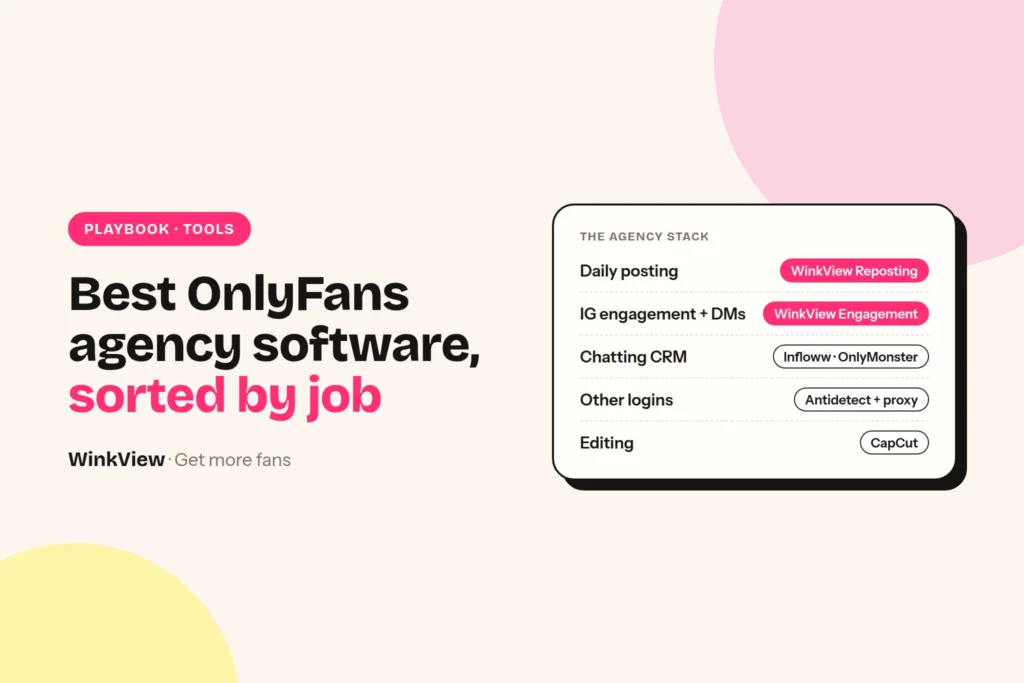
The best OnlyFans agency software is not one tool. It is four jobs, each with its own tool: a chatting CRM for the paid page, an editing and posting tool for public traffic, a DM tool or a person for Instagram comments and DMs, and account safety for every login your team touches. Below you get one pick and one alternative per job, with the price, what you pay per, and what each tool does not do, then three priced stacks for 1, 5 and 20 creators.
The short answer
- Chatting and fan CRM: Infloww (from $40 per creator profile a month, rising with her earnings). Alternative: Supercreator (free Lite plan for up to 10 accounts; CRM Premium from $15 per account a month).
- Traffic and daily posting: WinkView Reposting Agent (from €39 a month per creator). Alternative: Buffer ($5 per channel a month on yearly billing) if your team writes every caption itself.
- Instagram comments and DMs: your own team for real conversations, in her voice. WinkView’s Automated DMs send her link to anyone who writes “link”; it does not follow or like. Alternative: Manychat (from $14 a month billed annually, priced by active contacts) for scripted DM flows. The WinkView plan adds a weekly filming brief per creator.
- Account safety: WinkView posts through official connections and never logs in as her, so it needs no browser profile. For every login your team opens by hand (Instagram for DMs, Reddit, X, email), an antidetect browser such as Multilogin plus residential proxies.
- WinkView is not a CRM. It never touches OnlyFans, Fansly or Fanvue. You still need a chatting tool for the paid page.
Disclosure
We make WinkView, one of the tools on this page. We describe Infloww, Supercreator, OnlyMonster, Buffer, Metricool, Manychat, GoLogin and Multilogin from their own pricing and product pages, not from our own testing. Prices checked 28 September 2026. Vendors change plans often, so confirm on their pages before you buy.
Where each piece of OnlyFans agency software sits in the money chain
Most “best OnlyFans agency tools” lists put a CRM, a video editor and a notes app in one flat list of twenty. That hides the only question that matters: which step of the sale does this tool move? A new paying fan follows the same five steps every time.
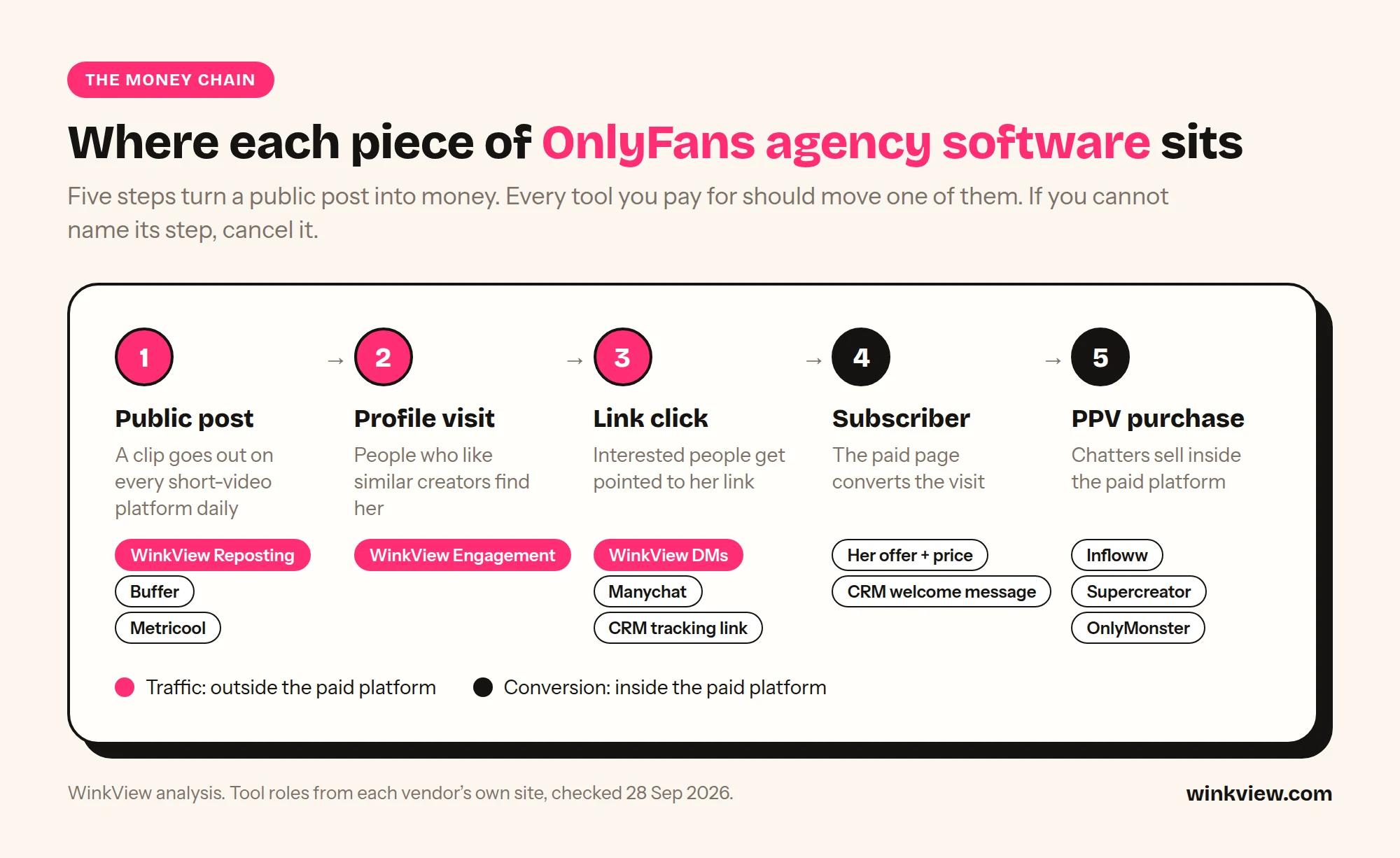
| Step | What has to happen | Tool that touches it |
|---|---|---|
| 1. Public post | A clip goes out on Instagram, TikTok, Shorts, Threads every day | WinkView Video Editor and Reposting Agent, or Buffer / Metricool plus your team. CapCut to make the clip |
| 2. Profile visit | People who like similar creators notice her account | Daily Reels and Trial Reels from WinkView reach non-followers; your team answers comments by hand |
| 3. Link click | Interested people get pointed to the link in her bio | Your team’s DM replies, or Manychat flows. Tracking links in your CRM |
| 4. Subscriber | The paid page converts the visit | The creator’s offer and price; CRM auto-messages for new fans |
| 5. PPV purchase | Chatters sell inside the paid platform | Infloww, Supercreator or OnlyMonster |
Read the table as a split. Steps 1 to 3 happen on public social platforms. Steps 4 and 5 happen inside OnlyFans, Fansly or Fanvue. No tool on this page does both halves well, which is why you need at least two. If you already get clicks but few subscribers, the problem is step 4, not software: start with why views are not turning into subscribers.
Chatting and fan CRM: Infloww, Supercreator, OnlyMonster
This is the tool your chatters live in all day: one inbox across creators, fan notes, scripts, mass messages and sales tracking per chatter. It is the software that earns the PPV money, so it comes first in the buying order below.
| Tool | You pay per | Published price | Does not do |
|---|---|---|---|
| Infloww | Creator profile, per platform, tiered by the creator’s monthly earnings | OnlyFans and Fansly: $40 (under $500 earned) to $500 (over $75,000) a month. Fanvue and MYM: from $50 | No social posting or public-platform engagement listed |
| Supercreator | Account, tiered by the account’s monthly earnings | CRM Lite free (up to 10 accounts); CRM Premium $15 to $249; Super AI $99 to $299 plus 5% of AI net sales; 20+ accounts custom | No social posting listed; pricing page names OnlyFans only |
| OnlyMonster | Account, tiered by the account’s last 30 days of earnings | $30 a month (under $2,500 earned) up to $250 (over $50,000); 3 and 6 month terms cheaper | No social posting listed |
Pick: Infloww. It lists OnlyFans, Fansly, Fanvue and MYM in one place, plus shift scheduling, a message dashboard to review every chatter’s messages, and employee reports on sales, messages sent and PPV sales. Built-in proxies come on the OnlyFans plan. The catch is the billing unit: the price rises with each creator’s earnings, from $40 under $500 a month to $500 above $75,000, so a top earner costs many times what a new creator does.
Alternative: Supercreator, if you are OnlyFans-only and cost-sensitive. CRM Lite is free for up to 10 accounts. CRM Premium adds the AI copilots, chatter analytics and sales tracking, from $15 per account (under $1,000 earned a month) up to $249 (over $25,000). Super AI takes 5% of AI net sales on top of $99, so model it against your PPV revenue before you switch it on.
OnlyMonster sits in between: primary proxies included on every Pro plan and a price that follows each account’s earnings, from $30 to $250 a month. Of the three, only Infloww names Fansly and Fanvue on its pricing page; check the others if you run creators on several paid platforms. Every earnings band, CreatorHero and a CRM cost table for 1, 5 and 10 creators are in our OnlyFans CRM comparison: Infloww vs Supercreator vs OnlyMonster.
Traffic and daily posting: WinkView, Buffer, Metricool
Step 1 of the chain is volume: the same clips going out every day on every short-video platform, with a caption that fits the platform. The cost that matters here is not the licence, it is the hours your team spends uploading and writing captions for each creator.
Pick: WinkView Video Editor and Reposting
- Pay per creator: Solo €39 for 1, Starter €99 for 3, Growth €189 for 6, Pro €279 for 10, custom above 10 (excl. VAT)
- Drop in her raw clips; the Video Editor turns each into a ready-to-post video, and once you tick it, it writes a fresh caption per platform in her language and voice
- Posts daily to Instagram Reels, Trial Reels, a daily Story, TikTok, YouTube Shorts, Facebook Reels, Threads and X, plus Threads text posts
- Unlimited posts on every plan; official posting APIs, no passwords stored
- Does not post to Reddit or the paid platform; editing is done by the WinkView Video Editor before posting
Alternative: Buffer
- Pay per channel: Essentials $5 a month per channel on yearly billing ($60 a year); Team $10 per channel on yearly billing for approval workflows
- Channels above 10 cost less (discount not stated on the page)
- Free plan: 3 channels, 10 scheduled posts each
- AI assistant helps, but your team writes and schedules every caption
- Does not edit raw clips or post to the paid platform
The billing unit decides the maths. One creator on Instagram, TikTok and YouTube is 3 Buffer channels but 1 WinkView creator. At five creators that is 15 channels, so 15 x $5 = $75 a month on Essentials before the volume discount, or 15 x $10 = $150 on Team if you want approvals. Buffer is cheaper per month; WinkView is the one that also edits her raw clips and writes the captions in the same price.
Metricool is the choice if the job is reporting, not posting volume. Starter covers up to 5 brands for €20 a month on monthly billing (€16 on annual); approvals and team roles need Advanced, from €54 a month monthly for 15 brands. X is a $10 add-on per connected account. Use it for the monthly performance deck you send each creator.
All three post through official connections. Instagram’s own content publishing API caps an account at 100 API-published posts in 24 hours, far above what any creator needs, and TikTok’s Content Posting API keeps posts private until the posting app passes an audit. That is why official posting is the low-risk part of the stack.
Instagram comments and DMs: your team, Manychat
Step 2 and 3 are where most agencies burn chatter hours: following fans of similar creators, answering comments, replying to “hi” in the DMs and pointing people to the bio link. Two very different tools cover this.
Pick: your chatters or social manager, by hand. WinkView edits and posts, and its Automated DMs send her link to anyone who writes “link”. It does not follow, like or comment. Profile visits come from the daily Reels, Trial Reels and Stories it posts, and a person answers the comments and DMs those posts bring in, in her voice, pointing interested people to the link in her bio or highlights. That keeps the account inside Instagram’s rules, because Instagram does not approve third-party engagement automation. It also costs chatter hours, so put DMs on the shift plan like any other inbox.
Alternative: Manychat, if the creator already gets many DMs and you want scripted answers and link delivery. Essential is $14 a month billed annually ($168 a year) with 250 active contacts and up to 2 channels; Pro is $29 a month billed annually ($348 a year) with 2,500 contacts and up to 3 channels; contacts above the allowance are billed on top. It answers people who message first. It does not follow, like or bring new people to the profile, and it does not post.
A simple rule: if the account gets too few DMs, you need more daily posts reaching non-followers (WinkView). If it gets too many of the same DMs, you need flows (Manychat). Manychat, Inro and InstantDM are compared, with costs and reply templates, in our Instagram DM automation guide for OnlyFans.
Account safety for many logins
An agency with ten creators may hold forty logins: paid platform, Instagram, TikTok, Reddit, X, email. When several of those open from one laptop and one office IP, platforms can link them. There are three layers, and each covers different logins.
- The paid platform: your CRM usually handles it. Infloww lists built-in proxies on its OnlyFans plan; OnlyMonster includes primary proxies on every Pro plan.
- Instagram: WinkView posts through Instagram’s official connection, so the posting side needs no browser profile or proxy from you, and your laptop can be off. If your team logs into her Instagram by hand to answer DMs, treat that login like the ones below.
- Everything else (Reddit, X, Telegram, email, backup accounts, and Instagram when your team logs in by hand): an antidetect browser with one profile per login, plus residential proxies. Multilogin Pro is $11 a month for 10 profiles on monthly billing ($85 a year on annual) with 1 GB proxy traffic a month; Business starts at $40 a month for 100 profiles with unlimited team seats. GoLogin has a free plan with 3 profiles; Professional is $9 a month for 10 profiles on monthly billing, or $4.50 a month on annual billing (50% off).
Antidetect browsers are the flexible option: any site, any account, your team drives. They also mean your team must keep a proxy per profile, keep each profile on the same IP, and do the work by hand. WinkView does not replace them and does not need one: it edits and posts through official connections. Use the antidetect browser for the logins your team opens by hand, and let WinkView take the editing and uploading off that list.
Content production and team ops
These matter, but they do not move a step of the money chain on their own, so they get one line each. For every category in one list, including content protection and link-in-bio tools, see the 20 best OFM tools.
- Editing: CapCut is the default AI video editor for cutting and captioning clips, with a free online editor. Every posting tool above needs finished clips, and WinkView also has its own AI Video Editor that edits raw clips and sends them straight to posting.
- Docs and SOPs: Notion (Plus is $10 per member a month) for chatter scripts, creator briefs and onboarding.
- Email and files: Google Workspace for a shared Drive and one email per creator account.
- Team chat: Slack or a Telegram group for shift handovers. Keep creator logins out of chat.
Three sample stacks: 1, 5 and 20 creators
Monthly list prices, excluding VAT. WinkView is priced in euros and the US vendors in dollars, so totals are shown per currency rather than converted. Where the vendor gives only a starting price or a quote, it says so.
| Stack | Tools and plan | Arithmetic | Monthly total |
|---|---|---|---|
| 1 creator | WinkView Solo; Supercreator CRM Premium | €39 + (1 x $15) | €39 + $15 (or €39 + $0 on CRM Lite) |
| 5 creators | WinkView Growth (6 seats); Infloww for OnlyFans | €189 + (5 x from $40) | €189 + from $200. With Supercreator Premium instead: €189 + from $75 |
| 20 creators | WinkView Agency; Infloww for OnlyFans; Multilogin Business 100 profiles for Reddit, X and email | quote + (20 x from $40) + $40 | From $840 + WinkView quote (excluded from the total) |
Notes on the maths. Infloww’s $40 and Supercreator’s $15 are their lowest earnings bands; creators who earn more sit on higher bands, so treat the CRM line as a floor. WinkView above 10 creators is a custom Agency price; for reference only, the Pro rate of €27.90 per creator times 20 would be €558, but that is arithmetic, not a quote. Supercreator lists custom pricing for 20+ accounts. Multilogin’s $40 is monthly billing; proxies beyond the included traffic are extra and not in the total.
Example (illustrative)
Northfield Talent is a made-up agency with five creators, two chatters per shift and one social manager (what a social media manager costs per creator is worked out separately). Before, the social manager uploaded each clip to four apps per creator and answered Instagram DMs by hand. The owner sorts the stack by job:
- Steps 1 and 2: WinkView Growth, €189 a month for up to 6 creators, so €189 / 5 = €37.80 per creator today, with a free seat for the next signing.
- Steps 4 and 5: Infloww at from $40 x 5 = $200 a month, because the owner wants shift scheduling and per-chatter sales reports.
- Reddit and X: the social manager keeps doing these by hand in Multilogin Pro 10 ($11 a month monthly), 10 profiles for 5 creators x 2 platforms.
Total: €189 + from $211 a month. What changed is not the price, it is who does what: the social manager now spends the day on Reddit, clip approvals and Instagram DMs instead of uploads.
For the week-to-week routine across several creators, the guide to managing multiple creators has a tracker you can reuse.
Buy in this order, then audit the stack
Buy for the step that is leaking money right now, and in this order:
- A chatting CRM first, once a creator has any paying fans. PPV and renewals are where the money is, and a shared inbox is what lets you add a second chatter. With one OnlyFans creator and one chatter, the free Supercreator Lite plan may be enough to start.
- Daily posting second, when the creator posts fewer than once a day on each short-video platform. If her subscribers are flat, more posts beat a better inbox.
- A DM tool third, once posting is steady and the inbox fills with the same questions every day. A DM flow without daily posts has nobody to answer.
- Antidetect and proxies the day your team logs into more than one creator’s Reddit, X or backup accounts from the same machine. Before that, it is overhead.
- Reporting and ops tools last. Metricool, Notion and Slack make a working system tidier; they do not make it work.
Two rules keep the stack clean. One tool owns each job for each account, so nothing gets posted twice. And every tool must name the step it moves; if you cannot point to its row in the money chain table, cancel it. Just starting? The guide to starting an OnlyFans agency covers the first creator.
Copy this stack audit
OFM STACK AUDIT                 Date: [ ]   Creators: [ ]

JOB                 TOOL        PAY PER        MONTHLY COST   OWNER
Chatting / CRM      [ ]         [creator/acct] [ ]            [ ]
Daily posting       [ ]         [creator/chan] [ ]            [ ]
IG DMs              [ ]         [creator/cont] [ ]            [ ]
Account safety      [ ]         [profile/IP]   [ ]            [ ]
Editing             [ ]         [seat]         [ ]            [ ]
Ops (docs/chat)     [ ]         [seat]         [ ]            [ ]
TOTAL                                          [ ]
Cost per creator (total / creators):           [ ]

MONEY CHAIN CHECK (name the tool, or write GAP)
1 Public post:     [ ]     2 Profile visit:  [ ]
3 Link click:      [ ]     4 Subscriber:     [ ]
5 PPV:             [ ]

OVERLAP CHECK
Two tools posting to the same account?        [yes / no]
Two tools replying to the same DMs?           [yes / no]
Logins shared on one machine and one IP?      [yes / no]

PRICE CHECK
Any tool priced on creator earnings?          [which, next tier at $ ]
Any seats or channels paid but unused?        [count]

DECISION
Cancel: [ ]   Add: [ ]   Review again on: [date]
If WinkView is on your list, your first 7 days with WinkView walks through the trial day by day.
Frequently asked questions
What is the best OnlyFans agency software if I can only buy one tool?
A chatting CRM, because that is where PPV and renewal money is made. Supercreator’s CRM Lite is free for up to 10 accounts, so a one-creator agency can start at zero, and Infloww starts at $40 per creator profile a month (rising with earnings) if you run chatters on shifts or several paid platforms. Add a traffic tool once the paid page converts the visitors it already gets.
Is WinkView a CRM? Can it replace Infloww or Supercreator?
No. WinkView works only on public social platforms: it edits her clips and posts them every day. It does not log into OnlyFans, Fansly or Fanvue, does not chat with fans on the paid platform, send PPV or handle checkout. You run it next to your CRM, not instead of it.
Do I need an antidetect browser if I use WinkView?
Not for WinkView: it posts through official connections and never logs in as her. For the logins your team opens by hand, such as Instagram for DMs, Reddit, X, Telegram and email, yes: one antidetect profile per login with its own proxy is still the standard setup. Your CRM usually covers the paid-platform login with its own proxies.
Why are CRM prices tied to creator earnings?
Infloww, Supercreator and OnlyMonster all price per creator account by that account’s monthly earnings, so the bill grows as the creator grows: Infloww $40 to $500, Supercreator Premium $15 to $249, OnlyMonster $30 to $250 a month. Put the next band into your cost model before you sign a creator whose earnings are about to jump.
Is automated Instagram engagement allowed?
Instagram does not approve third-party engagement automation, so no tool can promise it is allowed or risk-free. WinkView does not like, follow or comment: it edits clips and posts them through official APIs, which WinkView, Buffer and Metricool all use, and that is the low-risk part. Its Automated DMs only answer people who wrote “link” first; every other conversation stays with a person.