In this guide
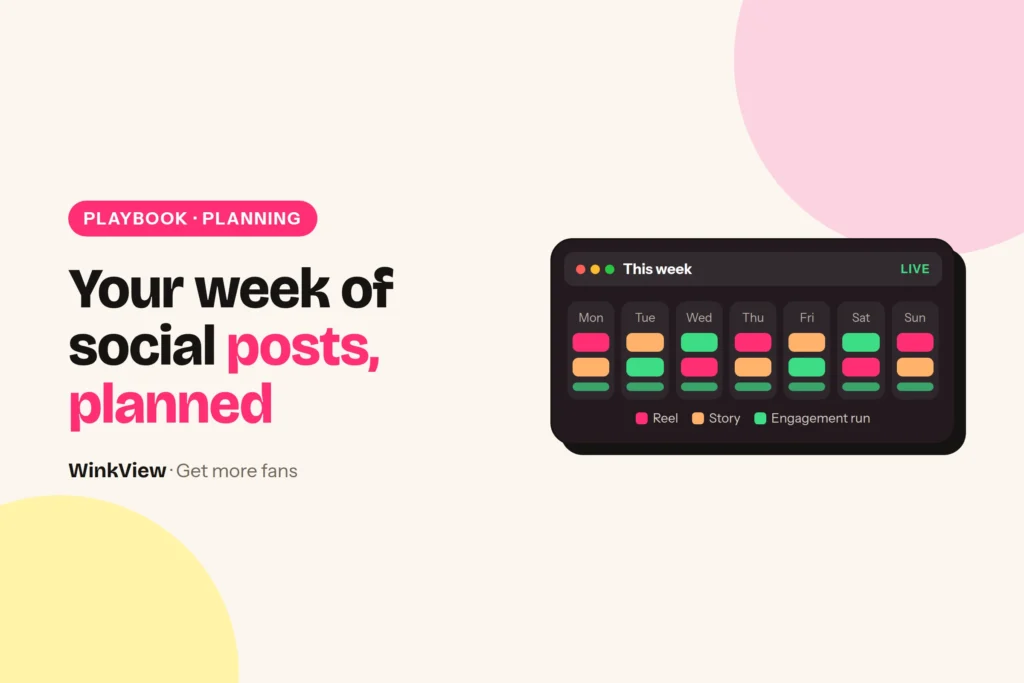
Here is a weekly social media calendar you can copy for an OnlyFans creator: one new clip per day in her content library, a finished edit of each clip from the Video Editor, and daily posts and an Instagram Story that WinkView publishes automatically. Your team’s part is filling the library for next week, answering her DMs and planning the paid page by hand. The filled example and a blank template come first, then four steps to fill next week’s library.
The short answer
- Plan the week around the content library, not around posting times: seven good clips a week keep daily posting fed.
- Automatic every day: posts to Instagram Reels, Trial Reels, TikTok, YouTube Shorts, Facebook Reels, Threads and X, one Instagram Story and her best clips posted again, spread through the day in her time zone.
- Manual: choosing and filming clips, uploading them by a fixed day, replying to comments and DMs, and planning the paid page.
- Paid-page posts and PPV live on OnlyFans, Fansly or Fanvue and stay manual; WinkView never posts there.
- Keep dated clips out of the library, so every clip works on any day.
Copy this weekly calendar
Worked example
Example: Nora, a travel and everyday outfit creator, one week. The clip column is the week’s supply, one per day. WinkView posts from her library every day, so keep clips undated and any order works.
| Day | Source clip | Automatic | Manual (your team) |
|---|---|---|---|
| Mon | Airport outfit: three layers, one bag | Clip edited; Reels, Trial Reel, TikTok, Shorts, FB Reels, Threads; daily Story | Pick next week’s 7 clip ideas. Paid page: subscriber post |
| Tue | Cabin bag packed in 60 seconds | Clip edited; same destinations; daily Story | Film next week’s clips in one session |
| Wed | Answering “where was that café?” | Clip edited; same destinations; daily Story | Paid page: PPV message planned and sent on OnlyFans |
| Thu | Morning walk by the river | Clip edited; same destinations; daily Story | Edit, crop and upload next week’s clips by 6pm |
| Fri | Day to dinner: one outfit swap | Clip edited; same destinations; daily Story | Read upcoming captions if approvals are on |
| Sat | Behind the scenes: editing on the train | Clip edited; same destinations; daily Story | Paid page: subscriber post |
| Sun | Three souvenirs under €10 | Clip edited; same destinations; daily Story | 15-minute weekly review |
Every day, someone also spends a few minutes on inbox threads that need Nora herself. Everything in the “Automatic” column happens without anyone starting it.
Copy this template
WEEKLY SOCIAL CALENDAR
Creator: [name]   Week of: [date]   Owner: [team member]

AUTOMATIC (WinkView, nobody starts these)
Daily posts from the library to: [IG Reels / Trial Reels / TikTok / Shorts / FB Reels / Threads]
Instagram Story: 1 a day
Posting: spread through the day, [time zone]
Raw clips left: [ ]   Edits approved: [ ]

DAY   SOURCE CLIP            MANUAL (TEAM)            PAID PAGE (MANUAL)
Mon   [clip idea]            [pick next week's ideas] [subscriber post / PPV / none]
Tue   [clip idea]            [film session]           [ ]
Wed   [clip idea]            [ ]                      [ ]
Thu   [clip idea]            [upload by: time]        [ ]
Fri   [clip idea]            [read captions if on]    [ ]
Sat   [clip idea]            [ ]                      [ ]
Sun   [clip idea]            [weekly review]          [ ]

DAILY: comments and DMs, answered by hand: [who answers]
Bio link checked on: [date]
What runs by itself every day
Two WinkView tools cover the “Automatic” column. The Video Editor turns each raw clip in her library into a ready-to-post vertical video: best moment first, dead air cut, hook text on screen, music. Nothing posts until your team ticks it. The Reposting Agent then writes a caption for each in her language and voice and posts every day to the destinations you chose, including Trial Reels (shown to non-followers first) and one Instagram Story, spread through the day in her time zone, so posts go out even when your team’s laptops are off.
Comments and DMs are not on the automatic list. Your team answers them by hand, in her voice, and points interested people to the link in her bio or highlights. The details are in Instagram automation for OnlyFans.
WinkView does
- Posts from the library every day, with AI captions
- Posts Trial Reels and one Instagram Story a day
- Edits every raw clip into a ready-to-post video
- Posts her best clips again
- Keeps a posting history; holds posts for approval if you want
You do
- Choose, film, edit and crop next week’s clips
- Upload them to the library by a fixed day
- Answer threads that need the creator
- Plan and send paid-page posts and PPV on the paid platform
- Run the weekly review
Fill next week’s library in four steps
- Monday: pick seven ideas. Take one from each theme in the table below. That takes about fifteen minutes and gives the week variety.
- Tuesday: film in one session. Seven short clips in one sitting is easier for a creator than one clip a day. Each clip shows one clear moment.
- Thursday: edit, crop and upload. Trim the slow start, crop to vertical 9:16 and remove other apps’ watermarks. Raw clips can go through the WinkView Video Editor instead; the Reposting Agent posts what is in her library.
- Friday: read captions if approvals are on. Check facts and tone. Once a creator’s captions are reliably right, you can decide to switch approvals off.
Seven themes that refill any week
| Theme | Nora’s example | Why it helps |
|---|---|---|
| Outfit choice | Airport outfit: three layers | Easy to watch, invites “where is it from?” |
| Quick how-to | Cabin bag in 60 seconds | Useful enough to save or share |
| Fan question | “Where was that café?” | Uses real questions from her DMs and comments |
| A normal moment | Morning walk by the river | Shows her personality, not just the topic |
| Before and after | Day to dinner outfit swap | A clear payoff in a few seconds |
| Behind the scenes | Editing on the train | Makes her feel real and reachable |
| Small list | Three souvenirs under €10 | Simple format she can repeat weekly |
A fitness creator would swap in a workout, a gym bag check and a meal prep clip; a gaming creator a setup tour, a funny fail and a cosplay piece. The themes stay the same. For how one clip gets a different caption on each platform, see reposting one clip across platforms.
Keep the paid page in step (manual)
Public posts do not earn money by themselves. They start a chain, and WinkView only works on its first steps.
Steps 4 and 5 happen on OnlyFans, Fansly or Fanvue, and your team plans them by hand. That is what the “Paid page” column in the template is for: two or three subscriber posts a week, and a note of any PPV message you plan to send. WinkView does not post there, send PPV or handle checkout.
Tip
Match the paid page to the public week. If Nora’s public clips are a Lisbon trip, new subscribers should find the full trip photo set waiting, not last month’s content. A visitor who clicks through from a travel clip expects more of the same.
If people click but do not subscribe, the offer page needs work, which the guide to converting followers into subscribers covers. For how subscriptions and PPV look from the fan’s side, read how much OnlyFans costs.
The 15-minute weekly review
Do this on Sunday, one creator at a time. Answer the questions, then change one thing for next week.
Copy this template
WEEKLY REVIEW: [creator] / week of [date]
Library: clips ready for next week: [number] (target 7)
Posting history: any day or destination missing? [yes/no, which]
Best clip this week (comments, saves, profile visits): [clip]
Weakest clip: [clip] / reason: [e.g. no clear moment]
Inbox: threads that needed the creator: [number] / all answered? [yes/no]
Platform checks this week: [none / what and when cleared]
Paid page: new subscribers [number], PPV sent [yes/no]
One change for next week: [e.g. two more fan-question clips]
If posts go out reliably but profile visits stay low, the problem is the content or the profile, and views but no subscribers helps you find the failing step. With several creators, keep one calendar per creator; the guide to managing several creators’ social media shows how to share the work.
Adding Reddit or Telegram to the week? The Reddit playbook and the Telegram weekly update plan show what to post there by hand. For a day-by-day start, use your first 7 days on autopilot.
Frequently asked questions
How many clips does a creator need each week?
Seven is a comfortable target, because the Reposting Agent posts every day and one new clip per day keeps the library from running dry. Not sure what to film? Briefing writes a weekly filming list for every creator from her top posts and what is going viral in her niche. Posts are unlimited, so more clips simply give you more choice. If a creator can only film four, keep the library topped up earlier in the week and use undated clips so any order works.
Does this calendar schedule posts on OnlyFans?
No, the automatic column covers public social media only: Instagram Reels, Trial Reels, a daily Story, TikTok, YouTube Shorts, Facebook Reels, Threads and X. The paid-page column is a manual plan for your team. WinkView does not post to OnlyFans, Fansly or Fanvue, send PPV messages or handle checkout.
Do I need to post anything myself each day?
No, the Reposting Agent posts every day, spread through the day in the creator’s time zone, whether or not anyone on your team is online. Nothing in the calendar asks you to press publish. Your part is ticking the edits you want posted, replying to comments and DMs, and clearing any check Instagram asks for.
Can an agency use one calendar for every creator?
Use the same template, but make one copy per creator. Each creator has her own library, destinations, language, time zone and paid-page plan, so combining them in one grid leads to mix-ups. Keep upload day and review day the same across the group of creators so the team has one fixed routine.