In this guide
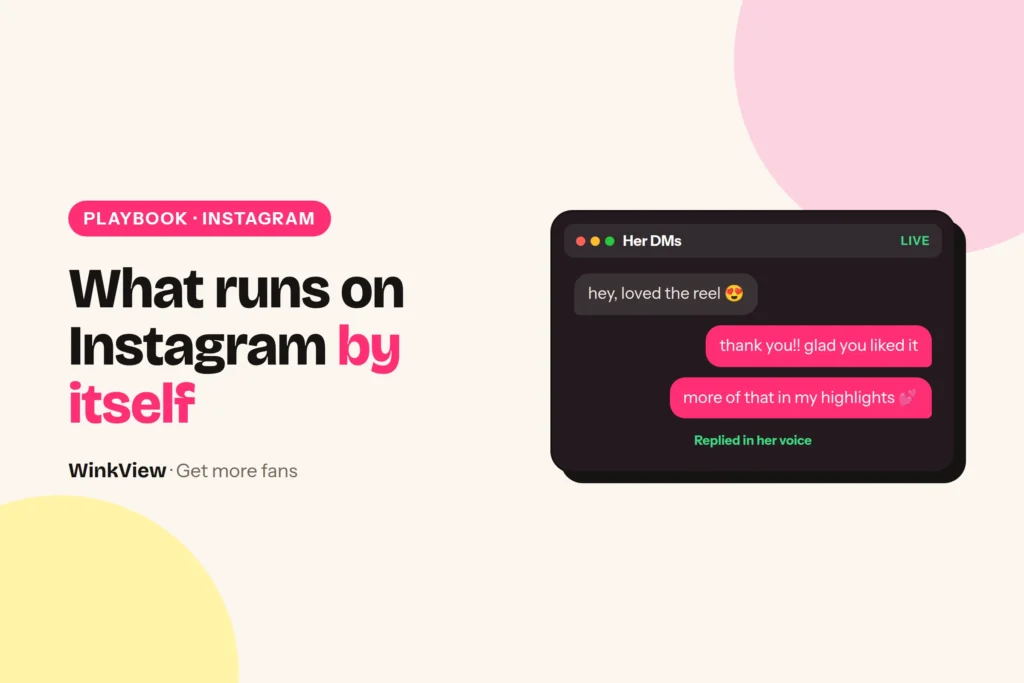
WinkView automates two parts of a creator’s Instagram: editing her clips and posting them. You drop in her raw phone clips; the Video Editor turns each one into a ready-to-post video, and once you tick it, the Reposting Agent writes the caption and posts it every day. Its Automated DMs send her link to anyone who writes “link”; chatting and anything else that needs a person stays with your team. Below you get the split, a setup checklist, one example day and the short list your manager still checks.
The short answer
- The Video Editor turns her raw phone clips into ready-to-post vertical videos: best moment first, dead air cut, hook text on screen, music.
- Nothing posts until the manager ticks it. Then the Reposting Agent posts it to Instagram Reels, Trial Reels and a daily Instagram Story, with AI captions in the creator’s language and voice.
- Posts go out spread through the day in her time zone, so nobody has to press publish and your laptop can be off.
- Your team films the clips, keeps the link page right and does everything that needs a person: replying to comments and DMs, chatting, custom requests, complaints and platform checks.
- Posting uses Instagram’s official connection, which is the low-risk part. WinkView does not like, follow or comment from her account; its Automated DMs only answer people who write “link”.
What each tool does on Instagram
Think of WinkView as two workers under one login. The Video Editor takes the creator’s raw phone clips and turns each one into a finished vertical video. The Reposting Agent writes a caption for every approved video and posts them every day, spread through the day in her time zone.
Video Editor automates
- A ready-to-post vertical edit from every raw clip
- The best moment first, with the dead air cut
- Hook text on screen and music
- Clips where she talks and clips where she doesn’t, handled automatically
- Nothing posts until the manager ticks it
Reposting Agent automates
- Instagram Reels from her approved clips, every day
- Instagram Trial Reels, which Instagram shows to non-followers first
- One Instagram Story a day
- AI captions in her language and voice, written for each post
- Her best clips posted again
- The same clips on TikTok, YouTube Shorts, Facebook Reels, Threads and X, if you add them
- Unlimited posts, plus a posting history of what went out
Both run without anyone’s phone or laptop: posting goes through Instagram’s official connection, and each creator has her own content library, so two creators’ clips never mix. Likes, follows and comments are not automated, and the only DMs WinkView sends are link replies to people who write “link”. Everything else stays with your team.
The daily Story comes from the same library as her Reels. Treat interactive Story extras, such as polls, question boxes or link stickers, as manual work for your team.
Set it up once
- Add the creator. Each creator gets her own content library, separate from everyone else you manage.
- Connect her Instagram for posting. This uses the official connection. Connect TikTok, YouTube, Facebook, Threads and X at the same time if she uses them.
- Upload a batch of raw clips. Start with enough for at least a week of daily posts. Phone clips straight from her camera roll are fine: the WinkView Video Editor turns each one into a ready-to-post vertical video, whether she talks in it or not.
- Fix the link. Put one link in her bio and a highlight that explains it, for example her free WinkView link page. Every post sends people there, so it has to be right.
- Tick the first edits. Nothing posts until you approve it. Watch the first week’s edits and read the captions closely, then keep the daily pass short.
Before the first post, write down how she talks. This is a note for your team to judge the first captions against and to reply to DMs in her voice, not a form inside WinkView.
Copy this template
VOICE SHEET: [creator's public name]
Language(s): [e.g. English, German]
How she sounds in 3 words: [e.g. dry, warm, short]
Phrases she uses: [e.g. "leg day again", "no excuses, just snacks"]
Words she never uses: [e.g. "babe", "hun"]
Emojis: [none / max 1 / her usual 3]
Never mention in public: [e.g. her home town, her family]
Always hand to a person: [custom requests, complaints, press, refunds]
Where to point interested people: [bio link / highlight name]
For what she should post and how her profile should read, use the guide to promoting OnlyFans on Instagram. This page covers what runs by itself.
One Instagram day, start to finish
Worked example
Example: Lena, a gym and fitness creator in Manchester, managed by a two-person agency. The order below is illustrative; posting follows her time zone.
| When | Who | What happens |
|---|---|---|
| Morning | Video Editor | Yesterday’s raw gym clips come back as finished edits: best moment first, hook text on screen, music. The manager ticks the ones to post |
| During the day | Reposting | A Reel (“Leg day in 20 minutes, no machines”) goes out with an AI caption |
| During the day | Reposting | A Trial Reel reaches non-followers first; the daily Story goes up |
| Evening | Your team | Answers comments on today’s Reel and replies to new DMs by hand, in Lena’s voice |
Illustrative replies your team might send in Lena’s voice:
- Comment: “What shoes are those?” Reply: “Old ones I refuse to replace. Flat soles help on squats.”
- DM: “Is this really you? I saw your photos on another page.” Reply: “Yes, it’s me! My only real links are in my bio. Anything else isn’t me.”
- Story reply: “Is the full workout somewhere?” Reply: “New one on my page every day, and the rest is behind the link in my bio.”
The second reply matters more than it looks: copied accounts are common, and a clear “only my bio link is real” protects her fans. Our guide to fake creator account red flags explains what fans should look for.
This is where the money chain starts. WinkView works on the first three steps below; the subscription and any later PPV sale happen on OnlyFans, Fansly or Fanvue, where WinkView does not post or send messages.
If followers reach the link but do not subscribe, the problem is the offer page, not Instagram. The guide to converting followers into subscribers covers that step.
What the manager checks each day
Nobody on your team edits a clip or schedules a post. The manager’s job is to supply raw clips, tick the edits and handle what needs a person.
WinkView does
- Edits every raw clip into a ready-to-post vertical video
- Posts a Reel, Trial Reels and a Story from her approved clips every day
- Writes every caption in her language and voice
- Posts her best clips again
- Flags in the Today tab when she runs out of clips or an account needs reconnecting
You do
- Film and upload raw clips before the library runs low
- Tick the edits you want posted
- Keep the bio link and highlight correct
- Reply to comments and DMs, and answer threads that need a person: custom requests, complaints, money
- Clear any platform check in her account
- Run the paid page: subscriber posts, PPV and chat on OnlyFans
Copy this template
DAILY CHECK: [creator] / [date] / [manager]
[ ] Today tab: no creator out of clips, no account to reconnect
[ ] Edits approved: today's batch ticked
[ ] Posting history: today's Reel, Trial Reel and Story went out
[ ] Captions: nothing wrong or off-voice (update the voice sheet if so)
[ ] Raw clips left: at least [7] days
[ ] Inbox: comments and DMs answered or passed on
[ ] Platform check: any verification prompt cleared by [name]
[ ] Bio link: opens and shows the right pages
With one creator this check should take about ten minutes, not counting the time your team spends replying in her inbox. With a group of creators, run the same list per person; the guide to managing several creators’ social media shows how to split it across a team.
Platform rules and risk
Platform rules
WinkView posts through Instagram’s official connection, which keeps posting the low-risk part. It does not like, follow or comment from her account; its Automated DMs only answer people who write “link”. The risk that stays is the usual one: what she posts and how your team behaves in her inbox.
Three habits keep the rest of the risk down: keep every public post safe for work and within the Instagram Community Guidelines, let a new account start slowly instead of pushing activity in week one, and keep the DMs your team sends friendly and short, not a sales pitch pasted to everyone.
If you add X, it has its own automation rules. Read them before you connect a creator’s X account.
Fixes for the first week
- Captions sound generic. Check that her clips show one clear moment each. A clip with an obvious point gets a clearer caption.
- Viewers end up in the wrong place. Fix the bio link and highlight first; every post points to what is there.
- Posts stopped. Check the Today tab: her account probably needs reconnecting, or Instagram asked for a check. Clear it in her account before doing anything else.
- The library emptied early. Move uploading to a fixed day each week, with a second person as backup.
Once posting runs smoothly for one creator, repeat the setup for the next. To see the full folder-to-post process across every platform, read the guide to automatic reposting.
Want to see the whole first week before you commit? Your first 7 days on autopilot walks through it day by day, and the growth tools comparison shows how WinkView compares with Buffer, Metricool and Manychat.
Frequently asked questions
Does WinkView post to OnlyFans or send PPV messages?
No, WinkView works on public social media: it edits her clips and posts them to Instagram, TikTok, YouTube Shorts, Facebook, Threads and X. It does not post to OnlyFans, Fansly or Fanvue, send paid-platform messages or PPV, or handle checkout. Those sales happen on the paid platform, run by the creator or her team.
Do I have to edit or post the clips myself?
No. You drop in her raw clips, the Video Editor turns each one into a ready-to-post video, and once you tick it, the Reposting Agent posts it, spread through the day in her time zone, even when your team’s laptops are off. Your job is what needs a person: replying to comments and DMs, chatting, custom requests, complaints or a platform check.
Can WinkView post Instagram Stories?
Yes. The Reposting Agent posts one Instagram Story a day from the creator’s content library, alongside her Reels and Trial Reels. Interactive Story extras such as polls, question boxes or link stickers should be treated as manual work, so add them by hand in the app on days when the creator wants them.
Can Instagram restrict an account that uses automation?
Yes, any account can be restricted, but posting through Instagram’s official connection is the low-risk part. WinkView edits and posts, and it does not like, follow or comment, which is the kind of automation Instagram does not approve. Its Automated DMs only answer people who wrote “link” first. Nobody can promise an account will never be restricted. How posting works across her accounts is on the Reposting page, and DM tools are compared in Instagram DM automation for OnlyFans.
Does it work in languages other than English?
Yes. Captions are written in the creator’s own language and voice, whatever language she speaks (English, German, Spanish, Italian and more). Keep a short voice sheet with her usual phrases and the words she never uses, and read the first week’s captions against it before you switch approvals off.