In this guide
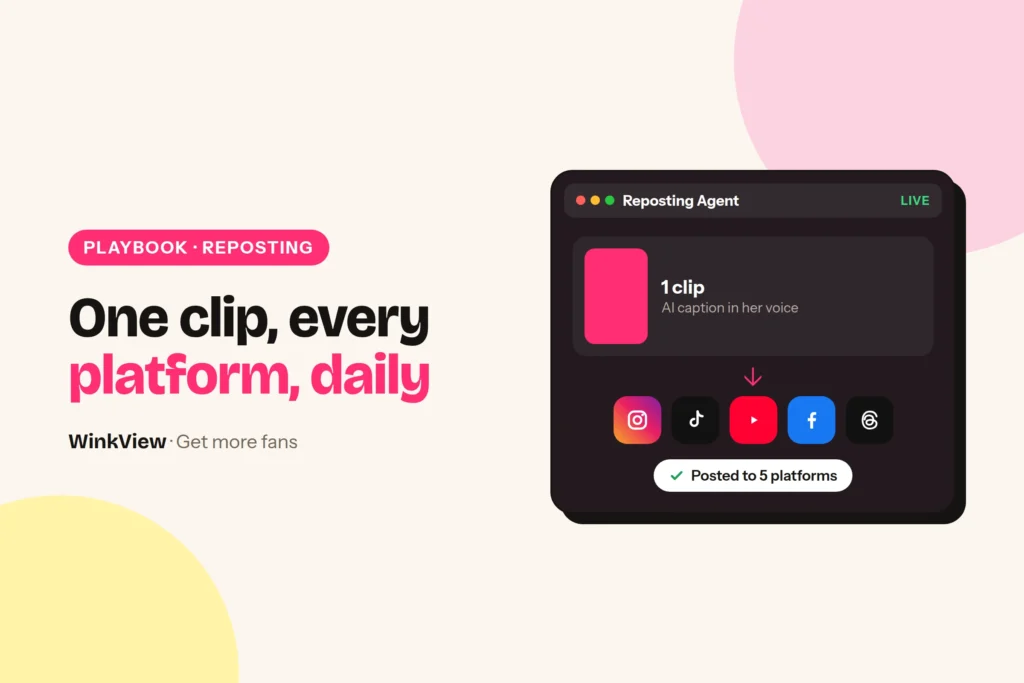
To repost a creator’s content automatically, upload her clips into one content library, connect her social accounts and choose where the clips should go. WinkView’s Reposting Agent then writes a separate AI caption for each platform and posts every day, so nobody uploads the same clip six times. Below, one example clip goes from the library to its captions to the finished posts.
The short answer
- You supply her clips (raw ones go through the Video Editor first), the connected accounts, the choice of destinations and a working link in bio.
- The Reposting Agent writes AI captions for each platform in the creator’s language and voice, and posts every day.
- Destinations: Instagram Reels, Instagram Trial Reels, a daily Instagram Story, TikTok, YouTube Shorts, Facebook Reels, Threads and X, each through the platform’s official connection.
- Posts are unlimited on every plan. Approvals are optional and most useful in the first week.
- WinkView does not post to OnlyFans, Fansly, Fanvue, Reddit or Telegram.
What you supply, what WinkView does
The Reposting Agent is the part of WinkView that turns a folder of a creator’s clips into daily posts with captions. It posts what you give it: it does not film anything, and if her clips are still raw, the WinkView Video Editor edits them first.
WinkView does
- Writes a caption for each post with AI, in her language and voice
- Posts from her library every day, to every destination you chose
- Posts one Instagram Story a day
- Posts Trial Reels, which Instagram shows to non-followers first
- Holds posts for approval, if you turn approvals on
- Keeps a posting history of what went out, and where
You supply
- Her clips: finished, or raw for the Video Editor
- Her social accounts, connected once
- The list of destinations that suit her
- A correct link in her bio and highlights
- New clips before the library runs low
Everything in the right column happens before posting starts or once a week. Everything in the left column happens every day without anyone opening an app.
Step 1: fill her content library
Each creator has her own content library. Think of it as a folder: you upload a batch of clips once, and the Reposting Agent posts from it.
Worked example
Example: Jade, a home cooking creator. On Monday her manager uploads twelve short clips. Five of them:
- 15-minute lemon pasta after work
- Three things I always buy at the market
- Fixing a split sauce in 30 seconds
- What I eat on a lazy Sunday
- Answering “what knife do you use?”
Each clip shows one clear moment. That is what gives the AI something specific to write about.
Before a clip goes into the library, run it past this list. It takes a minute per clip and saves a week of awkward posts.
Copy this template
CLIP READY FOR THE LIBRARY? [clip name]
[ ] Vertical 9:16, cropped and trimmed by the team
[ ] Safe for work on every platform it will go to
[ ] No watermark or burnt-in text from another app
[ ] Makes sense without a caption
[ ] Not tied to a date ("see you Friday", "sale ends tonight")
[ ] Music cleared for every destination, or no music
If the same clip needs very different edits per platform, the guide to adapting one clip for different platforms covers that.
Step 2: connect accounts, pick destinations
Connect each of her accounts once. Posting uses each platform’s official connection. Then choose where her clips should go:
- Instagram Reels: her main feed and Reels tab.
- Instagram Trial Reels: Reels that Instagram shows to non-followers first, useful for reaching new people without filling her grid.
- Instagram Story: one a day, for people who already follow her.
- TikTok: short clips for people scrolling past.
- YouTube Shorts: short clips on YouTube.
- Facebook Reels: the same clips for a broader Facebook audience.
- Threads: a clip with a conversation-style caption.
You do not need all seven. Pick the ones where she has an account she can keep safe for work. Treat Story extras such as polls, question boxes or link stickers as manual work for your team.
Step 3: one clip, six captions
Here is what happens to one clip from Jade’s library. The captions below are illustrative, written for this guide to show how they differ by platform. They are not real WinkView output or a promise of reach.
Worked example
Clip: Jade makes lemon pasta in one pan after work, then tastes it and nods.
| Destination | Illustrative AI caption |
|---|---|
| Instagram Reel | 15 minutes, one pan, zero regrets. Lemon pasta for the nights you can’t be bothered. Would you add chilli? |
| Instagram Trial Reel | New here? I cook fast dinners after work. This one is lemon pasta in 15 minutes. |
| TikTok | POV: it’s 8pm and you refuse to order takeaway #lemonpasta #quickdinner |
| YouTube Shorts | 15-minute lemon pasta (one pan, no cream) |
| Facebook Reels | A weeknight dinner that takes less time than the delivery app. Lemon, garlic, parmesan, done. |
| Threads | Lemon pasta beats every takeaway on a Tuesday. What’s your lazy dinner? |
If Jade posted in German, the captions would come in German, for example: “15 Minuten, eine Pfanne, null Reue.”
Notice what stays the same: the facts (15 minutes, one pan) and her dry, friendly tone. What changes is who the caption talks to. The Trial Reel introduces her to strangers, the Short reads like a title, and the Threads post asks a question people can answer.
Step 4: the posts go out every day
From here the Reposting Agent posts from the library every day, to the destinations you chose, plus one Instagram Story. Over the following days the lemon pasta clip appears as a Reel, a Trial Reel, a TikTok, a Short, a Facebook Reel and a Thread, each with its own caption. Nobody on the team opened six apps. To use those Trial Reels to test hooks before her followers see them, follow the Trial Reels hook-testing method.
Posts are unlimited on every plan, so the only limit is how many good clips you supply. Top the library up on a fixed day each week. A weekly content calendar makes that a habit rather than a rescue job.
Reposting is the top of the funnel. A public post brings a profile visit, the visit brings a link click, and some clicks become paid subscribers who may buy PPV later on the paid platform. For the replies, follows and welcome DMs that move people along that chain on Instagram, see Instagram automation for OnlyFans.
Approvals and checks, after the basics
Once posting runs, add two light checks. Neither is required, but both are worth it in the first week.
- Use approvals for the first batch. Approvals hold posts until someone on your team has read them. Read every caption in week one, then decide whether to keep approvals on.
- Read captions for facts, not style. The usual problems are a wrong detail (“15 minutes” on a 30-minute recipe), a reference to another platform, or anything that reveals where she lives.
- Check posting history daily for a week. Confirm each post went to the right account and destination. After that, a quick look twice a week is enough.
- Fix the clip, not the caption. If captions keep missing the point, the clip probably shows too many things. Trim it to one moment and upload it again.
If you are still choosing between posting tools, the growth tools comparison sets WinkView next to schedulers and messaging tools.
Platform rules for reposted clips
Platform rules
Posting through official connections is the low-risk part of social automation, but every platform’s content rules still apply to every clip. YouTube’s external links policy bans links and directions to pornography, including indirect routes, and TikTok limits sensitive and mature themes. Keep every library clip safe for work, and keep links only where a platform allows them.
A simple rule for agencies: if a clip would be wrong on the strictest platform you post to, it does not go in the library. Keep a separate list of anything that only suits one platform and post that by hand.
The same clips can work on TikTok with a different opening line: the TikTok content ideas guide has a six-post series to copy. For the weekly system behind it, read how to get more OnlyFans subscribers.
Frequently asked questions
Do I have to write the captions myself?
No. The Reposting Agent writes a separate caption for every post with AI, in the creator’s language and voice, whatever language she speaks (English, German, Spanish, Italian and more). Your team’s job is to supply clips that show one clear moment each, and to read the first week’s captions with approvals on to confirm the facts and tone are right.
Can I check posts before they go out?
Yes, approvals are optional: with approvals on, posts wait until someone on your team has read them. They are most useful in the first week, while they confirm the captions sound like the creator. After that, the posting history shows what went out, on which account and on which destination.
Is there a limit on how many posts I can make?
No. Posts are unlimited on every plan, for every creator on it. The practical limit is your supply of good clips: the Reposting Agent posts every day from the creator’s content library, so keep adding new clips on a fixed day each week before the library runs low.
Does WinkView edit or crop my clips?
Yes. The WinkView Video Editor takes her raw clips, cuts them to the best moments, adds a hook, captions and music, and makes them vertical 9:16, ready for the library. Filming stays with her, and watermarks from other apps should come off before upload. Run the short readiness checklist on each clip before uploading it.
Can it post to OnlyFans, Reddit or Telegram?
No, the Reposting Agent posts to Instagram Reels, Trial Reels, a daily Instagram Story, TikTok, YouTube Shorts, Facebook Reels, Threads and X, not to OnlyFans, Fansly, Fanvue, Reddit or Telegram. Paid-page posts, PPV and anything on those other channels stay with the creator or her team.