In this guide
To promote OnlyFans on Instagram, make your profile explain who you are within a few seconds and post Reels that attract people who would want more of you. Below is a complete makeover for an example fitness creator: a vague bio rewritten, three pinned posts, five Reel ideas and one caption before and after, each with the reason it fits her audience.
The short answer
- Instagram’s job is to earn a profile visit and a link tap; the subscription and PPV sales happen on the paid platform.
- A clear bio says what you post, why to follow and what is behind the link, in plain words.
- Pin three posts with different jobs: who you are, your signature series and answers to common questions.
- Build Reels around one recurring theme, so viewers know what they get by following.
- Keep every public post safe-for-work; Instagram is where people meet you, not where you sell.
How Instagram leads to paid subscribers
Instagram does not sell your subscription. It moves a stranger along a chain: a Reel earns a profile visit, the profile earns a tap on the link, the offer page earns a paid subscriber, and a happy subscriber later buys PPV.
Every example below serves one of the first three steps. The people you want are those who like the creator herself, because they are the ones who keep paying after the first month.
Platform rules
Instagram does not allow nudity or sexual content, and it can limit accounts that push adult promotion. Keep every post, caption and bio line safe-for-work, and read Instagram’s Community Guidelines before you change your bio link. A link page makes your official links easy to find; it does not change what Instagram allows.
Meet the example creator
Worked example
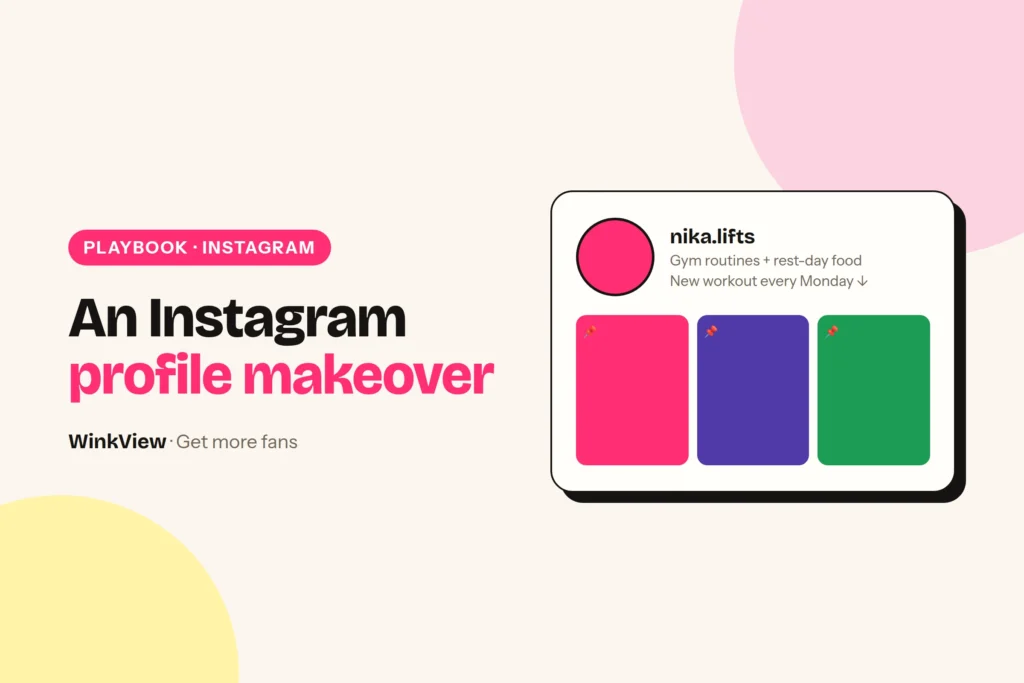
Example: Nika, a fitness creator (fictional). She trains five days a week, mostly at home with a mat and two dumbbells, and posts whatever she happened to film that day.
Her Instagram has a vague bio, three random pinned posts and no recurring theme. Her subscription page offers full-length workout videos, a weekly training diary and more personal updates from her day.
Her best-fit audience is people who like her energy and want to train alongside someone relatable, not elite athletes. They want more of her routine and her personality, which is exactly what the subscription offers, so every change below points there.
Rewrite the bio
Before
Just a girl who loves the gym. Living my best life. New stuff every day, link below.
After
Nika | Home workouts
20-minute routines with two dumbbells, for busy days
New session every Tuesday and Friday
My training diary and full-length sessions: link below
The name field “Nika | Home workouts” helps her appear when people search for home workouts. The second and third lines tell a visitor what they get by following and when, which is a reason to tap Follow now rather than later.
The last line says plainly what sits behind the link, so the tap is expected rather than a surprise. Before you write that line, decide what your offer page actually includes: the guide to converting followers into subscribers has a fill-in offer template.
Copy this template
[Name] | [What you post, 2 to 4 words]
[Why follow: the promise in one line]
[When: how often or which days]
[What is behind the link, in plain words]: link below
Point the bio link at a page that lists only your official accounts, such as the free link page for adult creators. Fans who arrive there find your real links rather than a copycat.
Pin three posts with different jobs
- Who I am in 20 seconds. Nika packs her gym bag and says her name, what she posts and on which days. A visitor from a random Reel meets the person, and the person is what subscribers pay for.
- The routine people save. Her most-saved 20-minute session, with the series name on screen. It proves the promise in the bio and shows what following gets you.
- Your questions answered. Where her official accounts are, how often she posts, and what the link in her bio leads to. It removes the doubts that stop a tap and helps fans spot the fake accounts that copy creators.
Three pins that all say “link in bio” would repeat one message three times. Three different jobs answer three different questions a new visitor has.
Five Reel ideas and why they fit
All five stay inside one theme, home training with a relatable person, but each shows a different side of her. Variety within one theme keeps the account recognisable without repeating the same post.
| Reel idea | What happens | Why it fits her audience |
|---|---|---|
| 20-minute Tuesday, part 4 | A full routine, sped up, moves named on screen | A numbered series gives a reason to follow and come back |
| What is in my gym bag | She unpacks it and rates each item out of 10 | Light and personal, shows her humour |
| Training day dinner | She cooks a quick post-workout meal at home | Shows her day beyond the mat, which the diary continues |
| Which set for leg day? | She holds up two outfits and asks viewers to vote in the comments | Comments start conversations she can reply to |
| Rest day, real version | Groceries, stretching, a nap, a short chat | Followers get to know her, not just her workouts |
Try ideas 2 and 5 as Trial Reels, which Instagram shows to non-followers first. Post them when her fans are awake: the free best time to post Reels checker works it out from where her fans live. You can test personality clips on new people without filling your current followers’ feeds.
One training session a week can supply several of these clips. The weekly plan for turning them into daily posts is in the weekly social media content calendar.
One caption, before and after
Before
Leg day done. Link in bio.
After
20-minute Tuesday, part 4: legs, two dumbbells, no jumping, so your neighbours stay happy. Save it for next week. Parts 1 to 3 are pinned, and my full training diary is in my highlights.
The first words name the series, so returning viewers recognise it at once. “No jumping, so your neighbours stay happy” speaks to people training in a flat, which is her audience, and adds her humour.
“Save it for next week” gives a practical reason to save the post and come back to it. Pointing to the pins and highlights sends people to the profile, where the link does the rest without a hard sell in the caption.
Let WinkView edit and post
Once the plan is set, Nika’s weekly Instagram work becomes one task: drop the week’s raw clips into her folder in WinkView. WinkView handles the editing and the posting.
The Video Editor turns each raw clip into a ready-to-post vertical video: best moment first, dead air cut, hook text on screen, music. Nothing posts until Nika ticks it. Reposting then writes each caption in her language and posts every day to Instagram Reels, Trial Reels and a daily Story, plus TikTok, YouTube Shorts, Facebook Reels, Threads and X if she connects them, spread through the day in her time zone. Replies to comments such as the leg-day vote, and her DMs, stay with her.
WinkView does
- Posts one clip a day from her folder to Reels, Trial Reels and a daily Story
- Writes captions in her voice and language
- Edits each raw clip: best moment first, dead air cut, hook text, music
- Posts her best clips again, so a strong Reel keeps working
- Shows a posting history, with optional approvals before posts go out
You do
- Film the clips and tick which edits go out
- Write the bio and choose the three pins, once
- Decide the series and the theme
- Run the subscription page, PPV and paid-platform messages
- Reply to comments and DMs, and check the posting history
Posting uses Instagram’s official connection. WinkView edits and posts, and its Automated DMs send her link to anyone who writes “link”. It does not like or follow. Connection steps, approvals and posting times are covered in the Instagram automation guide for OnlyFans.
Posting the same clips on TikTok? The TikTok content ideas and routine guide shows how to turn them into a series. The full weekly system is in how to get more OnlyFans subscribers.
Frequently asked questions
Can I put my OnlyFans link in my Instagram bio?
Many creators put a link page in their bio that lists their official accounts, but Instagram restricts adult content and can limit accounts that promote it. Keep your bio wording and every post safe-for-work, read Instagram’s current guidelines, and judge the risk for your own account. A link page also helps fans tell your real accounts from impersonators.
How often should I post Reels to promote OnlyFans?
One Reel a day is a sensible target if you have enough suitable clips, with a daily Story to keep your profile active in between. Steady posting over several weeks matters more than the exact number. Start with a folder of 14 clips around one theme, so two full weeks of posting are ready before you begin.
What should I post on Instagram as an OnlyFans creator?
Post safe-for-work Reels around one recurring theme that shows your personality: a numbered routine series, everyday moments, outfit choices, food, pets or a normal day behind the scenes. The goal is that viewers understand what they get by following you. Keep paid content on your paid page and do not describe it in captions. To test which opening works before it reaches her followers, use Instagram Trial Reels.
Does WinkView create my Instagram content?
It does not film for you: filming stays with her. The WinkView Video Editor turns her raw clips into ready-to-post videos, and Reposting writes captions in your language and posts them to Instagram and other destinations every day. Its Automated DMs send your link to anyone who writes “link”; other comment replies and DMs stay with you. It comes with a 7-day free trial.