In this guide
When your content gets views but no subscribers, one step between the view and the payment is failing, and the fix depends on which step it is. Find your symptom in the table below, run the check, and apply the first fix before you post more. A complete example diagnosis follows the table.
The short answer
- “Views” can mean views of your social posts or views of your OnlyFans profile, and they point to different problems.
- Social views without profile visits usually mean the posts do not show who you are or why to follow.
- OnlyFans profile views without subscribers usually mean the offer is unclear: price, inclusions or what costs extra as PPV.
- More traffic only helps when posting is inconsistent; otherwise it sends more people to the same problem.
- Change one thing at a time and compare the same numbers a week or two later.
Symptom, check, first fix
First decide which views you mean: views on your Reels, TikToks and Shorts point to the top rows of this table, while views of your OnlyFans profile point to the lower rows.
| Symptom | Check | First fix |
|---|---|---|
| Posts go out some days, not others | Count public posts in the last 14 days | Post one clip a day from a prepared folder |
| Social views, few profile visits | Does each clip show who you are and a recurring theme? | Name a series and say who you are in the first line |
| Profile visits, few link taps | Open your profile on a phone as a stranger would | One clearly labelled link that works inside the app |
| Link page visits, few OnlyFans visits | Which buttons are on the page, and in what order? | Put the official OnlyFans button first |
| OnlyFans profile views, few subscribers | Price, inclusions, what costs extra, purchase on a phone | Rewrite the offer with a clear inclusions line |
| Questions in comments and DMs left unanswered | Count unanswered messages from the last 7 days | Answer daily, using the same accurate facts |
| Subscribers, but no later PPV purchases | Does the offer say what costs extra? | State PPV terms before people subscribe |
If several rows match, fix broken links and unclear offers first, because more traffic cannot repair them. Then work from the top of the table down.
For the second and third rows, the Instagram profile makeover for OnlyFans creators shows a finished bio, pinned posts and Reel ideas. For the fourth row, a free link page that lists only official accounts keeps the right button first and helps fans avoid fakes.
Where to find each number
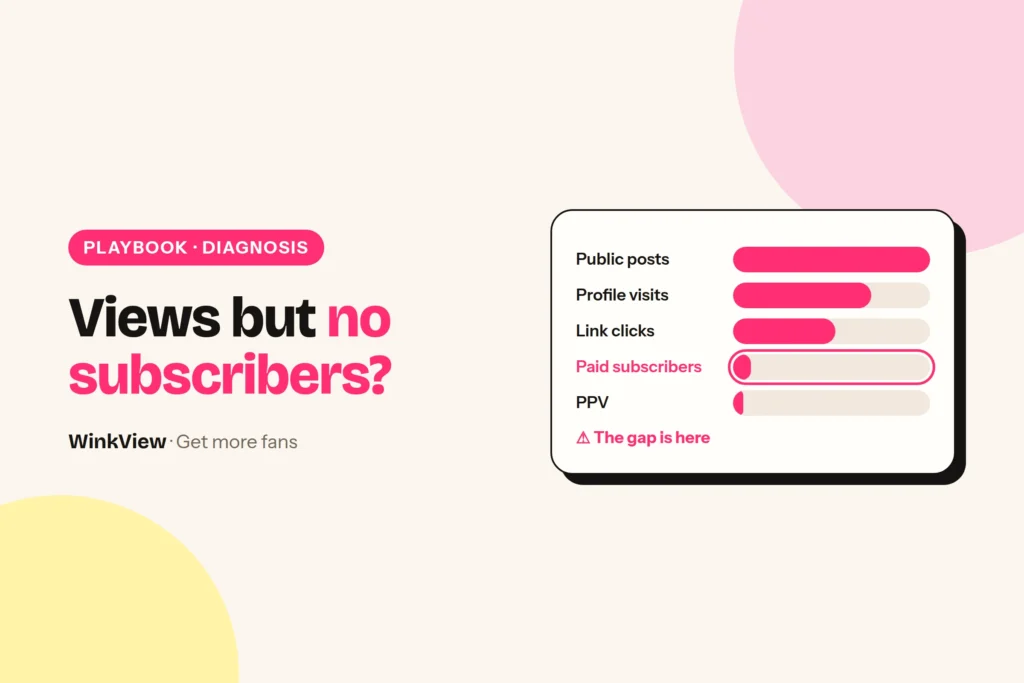
You need one number for each step of the chain from public post to paid subscriber. Later PPV purchases are the last step, and they depend on the subscriber getting what the offer promised.
- Social views and profile visits: the insights for each post and for the account on Instagram, TikTok or YouTube.
- Link taps: your link page’s statistics, or the link taps figure in Instagram’s account insights.
- Offer page views, new subscribers and PPV purchases: the statistics pages on OnlyFans, Fansly or Fanvue.
Use the same seven days for every number. A clip’s lifetime views next to yesterday’s subscribers tell you nothing.
Compare each step with your own previous weeks, not with a percentage from another creator. A step is broken when you look at it and find a concrete problem, such as a dead link or a vague inclusions line, not because a ratio looks low.
A complete example diagnosis
Worked example
Example: Ana, a cosplay and gaming creator (fictional, with made-up numbers). In one week her Reels and TikToks got 18,000 views, Instagram showed 350 profile visits and 60 link taps, her link page sent 52 people to her OnlyFans page, and she gained 1 new paid subscriber.
- Posting: she posted every day that week, so the first row does not apply.
- Views to profile visits: 350 is in line with her previous three weeks, and every Reel belongs to her named “costume in a week” series. Nothing to fix here yet.
- Profile to link taps: on a phone, the bio link opens inside Instagram and is labelled “Official links”. Nothing broken.
- Link page to OnlyFans: 52 of 60 went through, and the official button is first. Nothing broken.
- OnlyFans page to subscriber: 1 of 52. Opened as a new visitor on a phone, her page bio reads “Welcome to my world, everything is here”. It shows the price but not what the price includes, and two DMs that week asked “is it the cosplay stuff?” and “do I pay extra for everything?”.
Conclusion: the failing step is the offer page. The visitors are relevant, because they came through a series about her costumes, but the page does not tell them what they get.
Chosen action: rewrite the page bio with a clear inclusions line and one sentence on what costs extra as PPV, pin a welcome post that shows the kind of costume sets subscribers get, and change nothing else for 14 days. She does not add channels or post more, because extra traffic would reach the same unclear page.
The replacement wording, with a fill-in offer template and a before and after for a vague inclusions line, is in the guide to converting followers into OnlyFans subscribers.
Where WinkView helps, and where it does not
WinkView fits two rows of the table: inconsistent posting, and social views with few profile visits. For the other rows it would only send more people to the same problem, so fix those yourself first.
Inconsistent posting: Reposting
Reposting takes every approved clip, writes captions in her language, and posts every day to Instagram Reels, Trial Reels, a daily Story, TikTok, YouTube Shorts, Facebook Reels, Threads and X, spread through the day in her time zone, and posts her best clips again. Posting uses each platform’s official connection, and the posting history shows what went out. The guide to automatically reposting creator content walks through the setup.
Views without profile visits: the Video Editor
The Video Editor turns her raw phone clips into ready-to-post vertical videos: best moment first, dead air cut, hook text on screen, music. Put the series name and who she is in the hook text, and every clip tells viewers why to visit her profile. Nothing posts until you tick it. WinkView’s Automated DMs send her link to anyone who writes “link”; every other comment and DM stays with you.
WinkView does
- Posts one clip a day from the creator’s folder to each connected destination
- Writes the captions in her voice and language
- Edits her raw clips: best moment first, hook text on screen, music
- Posts her best clips again and flags when clips run low
You do
- Choose which row of the table applies each week
- Fix the bio, the link and the link page order
- Write the offer page, price and inclusions
- Send paid-platform messages and PPV
WinkView does not post to OnlyFans, send PPV or handle checkout. If Ana’s problem is the offer page, as in the example, WinkView is not the fix.
Change one thing, then compare
Make one change, write down the date, and keep everything else as stable as you can for 7 to 14 days. If you change the offer, the posting schedule and the price in the same week, you will not know which change worked.
Copy this template
DIAGNOSIS LOG
Week: [dates]
Which views: [social posts / OnlyFans profile]
Numbers: views [ ] → profile visits [ ] → link taps [ ]
         → offer page views [ ] → new subscribers [ ] → PPV purchases [ ]
Matching row: [symptom from the table]
What I checked: [what you looked at, on a phone]
What I found: [the concrete problem]
One change: [what you changed]
Date changed: [date]
Compare on: [date plus 7 or 14 days]
Result: [same numbers, same number of days]
Fill it in before and after the change. Record anything unusual in the same week, such as a collaboration or a discount, so you do not credit the wrong change.
Fixes that usually waste a week
- Cutting the price first. If visitors do not know what they get, a lower price does not tell them. Clarify the offer, then test the price; this explanation of how subscriptions and PPV work for fans shows what visitors expect to see.
- Posting more when the offer is unclear. Extra views multiply the visitors who leave the same page.
- Chasing one viral clip. A clip outside your theme brings viewers who have no interest in you, and the numbers below it stay flat.
- Adding channels before one works. Get one channel through the whole chain first; the guide to getting more relevant visitors shows where to start.
- Changing everything at once. You lose the ability to see which change helped.
If the numbers look fine but the week felt chaotic, your first 7 days on autopilot has a simple daily tracker. The full system is in how to get more OnlyFans subscribers.
Frequently asked questions
Why does my OnlyFans get views but no subscribers?
Profile views without subscribers usually mean the page does not convince visitors: the price is shown but not what it includes, what costs extra as PPV is unclear, or the page does not match the posts that brought people there. Open your page on a phone as a new visitor, read last week’s DMs for repeated questions, and fix the first concrete problem you find.
What is a good conversion rate from views to subscribers?
There is no reliable universal benchmark, because platforms count views differently and creators have very different audiences and prices. Compare each step with your own previous weeks over the same number of days instead. A step needs work when you look at it and find a concrete problem, such as a broken link or a vague inclusions line, not when a percentage looks low.
Should I post more to get more subscribers?
Only if your posting is inconsistent, with gaps of several days between posts. If you already post daily and visitors reach your offer but do not subscribe, more posts send more people to the same unclear page. Fix the offer or the broken step first, then increase distribution once the page is turning visits into paid subscribers.
Can WinkView fix low OnlyFans conversion?
Only in two cases: when posting is inconsistent, where Reposting posts the creator’s clips every day, and when views do not turn into profile visits, where the Video Editor puts the best moment first and hook text on screen. Beyond sending her link to anyone who writes “link”, it does not answer comments or DMs, and it does not change your offer page, price or PPV, because those live on the paid platform, which WinkView does not touch.