In this guide
To repost one clip across platforms without redoing it, keep a single clean source clip, check that it suits each platform, and change the words around it rather than the clip itself. WinkView’s Reposting Agent writes a different caption for each destination and posts it; your team decides which clips are suitable, and raw clips are edited first by the WinkView Video Editor. Below is one example clip turned into four platform captions, plus a checklist for picking clips that travel well.
The short answer
- Reuse the clip, rewrite the context: people on each platform arrive with different expectations.
- A clip travels well when it makes sense on its own, carries no platform-specific text and is safe for work everywhere.
- WinkView’s Reposting Agent writes a separate AI caption for each destination and posts to Instagram Reels, Trial Reels, a daily Story, TikTok, YouTube Shorts, Facebook Reels, Threads and X.
- Raw clips go through the WinkView Video Editor first (cuts, hook, captions). The Reposting Agent then posts what is in her library.
- Leave a platform out when a clip needs too many changes to fit it.
Same clip, different viewer
A clip does not need to be remade for each platform. The person watching does change, and the caption is how you meet them. This table is the brief behind every caption on the page.
| Destination | Who is watching | What the caption should do |
|---|---|---|
| Instagram Reel | Her followers, plus some new viewers | Sound like her, invite a reply |
| Instagram Trial Reel | Non-followers first | Say who she is in one line |
| TikTok | Strangers scrolling fast | Name the moment in a few words |
| YouTube Shorts | Viewers who may never see her again | Read like a clear title |
| Facebook Reels | People outside her niche | Explain plainly, no insider words |
| Threads | People who came to talk | Start a conversation |
The daily Instagram Story is for people who already follow her, so it needs the least explaining of all.
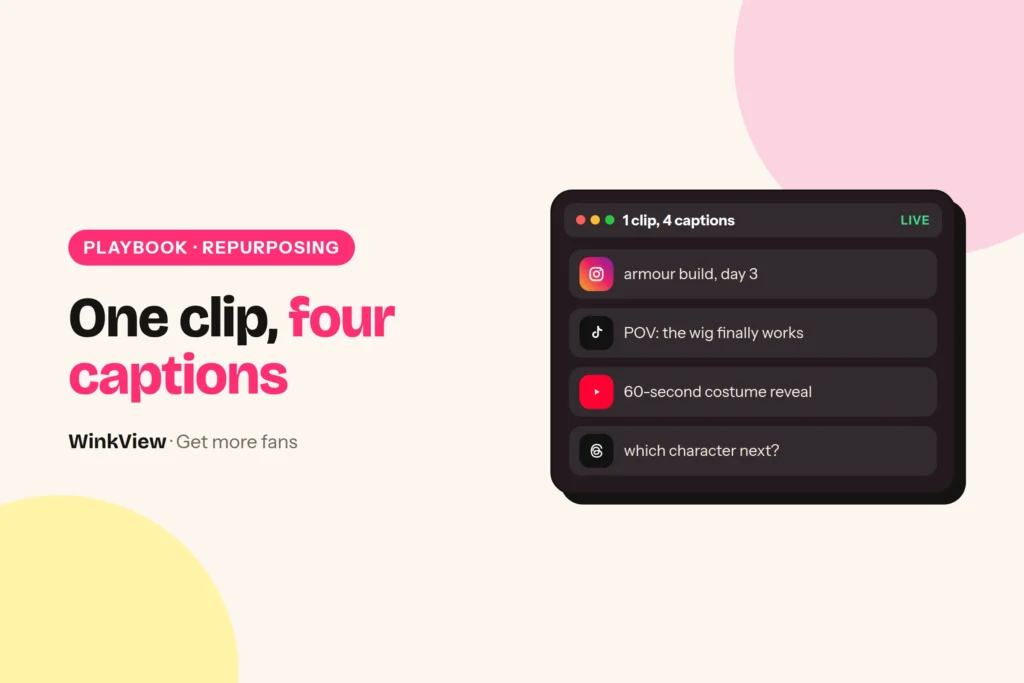
One clip, four captions
Worked example
Example: Ria, a cosplay creator. Source clip, 20 seconds: she starts in a hoodie with her hair tied up, then cuts to the finished convention costume, wig on, final pose with a foam sword.
| Destination | Illustrative caption | Why it differs |
|---|---|---|
| Instagram Reel | Three hours of glue for eight seconds of posing. Worth it? Tell me who I should build next. | Personal, asks followers something they can answer |
| TikTok | hoodie to armour in 20 seconds (it took 3 hours) #cosplay #transformation | The transformation is the hook; tags help discovery |
| YouTube Shorts | Cosplay transformation: everyday outfit to full armour | Reads like a title someone could search for |
| Facebook Reels | From Saturday morning hoodie to convention-ready knight. Every piece made at home. | Plain words for people who do not follow cosplay |
These captions are illustrative, written for this guide. They are not real WinkView output and not a promise of views.
Look at what stayed the same: the clip, the facts (three hours, made at home) and Ria’s slightly self-mocking tone. What changed is the opening words, the question, the tags and how much gets explained. That is the whole job of repurposing, and it is the part the Reposting Agent does for every post.
The captions come in the creator’s own language and voice. If Ria posted in Croatian, all four would be in Croatian.
Pick clips that travel
Many reposts go wrong before anyone reads the caption. The clip itself carries something that only makes sense on one platform.
Before
A clip downloaded from TikTok with its watermark, a “Duet this!” sticker burnt in, and Ria saying “part two is in my Story tonight”. On YouTube Shorts and Facebook, all three are confusing.
After
The original clip, exported clean from her editing app, no on-screen text naming a platform, and no mention of a day. Each platform gets its context from its own caption.
Run every clip through this list before it goes into her library.
Copy this template
SOURCE CLIP CHECK: [clip name] / [creator]
[ ] Makes sense with no caption and the sound off
[ ] No burnt-in text naming a platform ("duet", "link in Story", "subscribe")
[ ] No watermark from another app
[ ] Safe for work on the strictest platform she posts to
[ ] Vertical 9:16, main action away from the edges where buttons sit
[ ] Music: cleared for every destination, or none
[ ] Not tied to a date ("see you Friday")
[ ] Facts the caption may use: [e.g. took 3 hours, made at home]
Destinations: [all] or leave out: [platform + reason]
You check, WinkView does
The Reposting Agent is the part of WinkView that takes clips from a creator’s content library, writes captions and posts them every day. The editorial judgement stays with you.
WinkView does
- Writes a separate caption for each destination, in her language and voice
- Posts every day to the destinations you chose
- Posts Trial Reels, shown to non-followers first
- Posts one Instagram Story a day
- Holds posts for approval, if you want that
- Keeps a posting history
You check
- The clip suits every destination it will go to
- Which clips go out, and a custom cover frame if you want one
- Music rights
- Which platforms to leave out
- The first week of captions, with approvals on
- That the library has clips for next week
Connecting the accounts and filling the library is covered step by step in the guide to automatic reposting across social media. This page is only about adapting one source.
Edit once, then post
The Reposting Agent posts the clip exactly as it is in her library. If the clip is still raw, the WinkView Video Editor cuts it, adds the hook and captions and makes it vertical before it goes in. Anything else a platform needs, like a custom cover frame, do once before uploading.
- Crop once, for the tightest layout. Keep faces and the key action in the middle of a 9:16 frame so no platform’s buttons cover them.
- Cut the slow start. The first second should already show the moment. Ria’s clip opens on the hoodie, not on her walking into shot.
- Keep on-screen text neutral. “3 hours later” works everywhere. “Part 2 on TikTok” works nowhere else.
- Make one version, not four. If a clip needs a different edit per platform, it is four clips. Upload only the ones that are worth it.
Tip
Platform tone differs too. For TikTok-specific ideas, see TikTok for OnlyFans creators; for how her Instagram profile should read around these clips, see promoting OnlyFans on Instagram.
Reuse without repeating yourself
Repurposing is one clip on several platforms, not the same clip on one platform every week. When a clip does well, film a follow-up that adds something new, such as the three-hour build sped up, rather than uploading the original again. A weekly filming brief turns her top performers into the next round of clip ideas.
Leave a platform out when the clip would lose its point there. A clip about a local convention might suit Instagram and TikTok but mean nothing to a broad Facebook audience. Posting fewer, clearer posts beats posting everything everywhere.
Public posts are only the first step: a post leads to a profile visit, the visit to a link click, and some clicks to paid subscribers who may buy PPV later on the paid platform. If one platform brings views but no profile visits, work through views but no subscribers. To plan a steady supply of clips, use the weekly content calendar.
Building a whole series for one platform? TikTok content ideas and posting routine shows six posts from one idea.
Frequently asked questions
Is it a problem to post the same clip on every platform?
Not in itself: the same clip can work on Instagram, TikTok, YouTube Shorts and Facebook if it makes sense on its own and carries no text or watermark tied to one platform. What should change is the caption, because each audience needs different context. Leave out any platform where the clip would need heavy changes to make sense.
Does WinkView crop or resize clips for each platform?
It makes one version for all of them. The WinkView Video Editor turns a raw clip into one clean vertical 9:16 video with captions and music, and the Reposting Agent writes a separate caption for each destination. One version with the key action in the middle of the frame can go to every destination you choose.
Can I repost a clip I downloaded from TikTok?
It is better not to, because a downloaded clip usually carries a watermark and sometimes on-screen stickers that only make sense on TikTok. Export the original clip from the editing app instead, without platform text, and let each destination’s caption supply the context. Keep a clean master of every clip for exactly this reason.
How many captions does WinkView write for one clip?
One per post. When a clip goes to several destinations, the Reposting Agent writes a caption for each, in the creator’s language and voice, so a Reel, a TikTok, a Short and a Facebook Reel each read differently. Turn approvals on in the first week to read them before they post.
Does WinkView repost to Reddit or Telegram?
No. The Reposting Agent posts to Instagram Reels, Trial Reels, a daily Instagram Story, TikTok, YouTube Shorts, Facebook Reels, Threads and X. Reddit, Telegram and paid platforms such as OnlyFans are outside what it does, so plan those channels separately and post there by hand or with another tool.