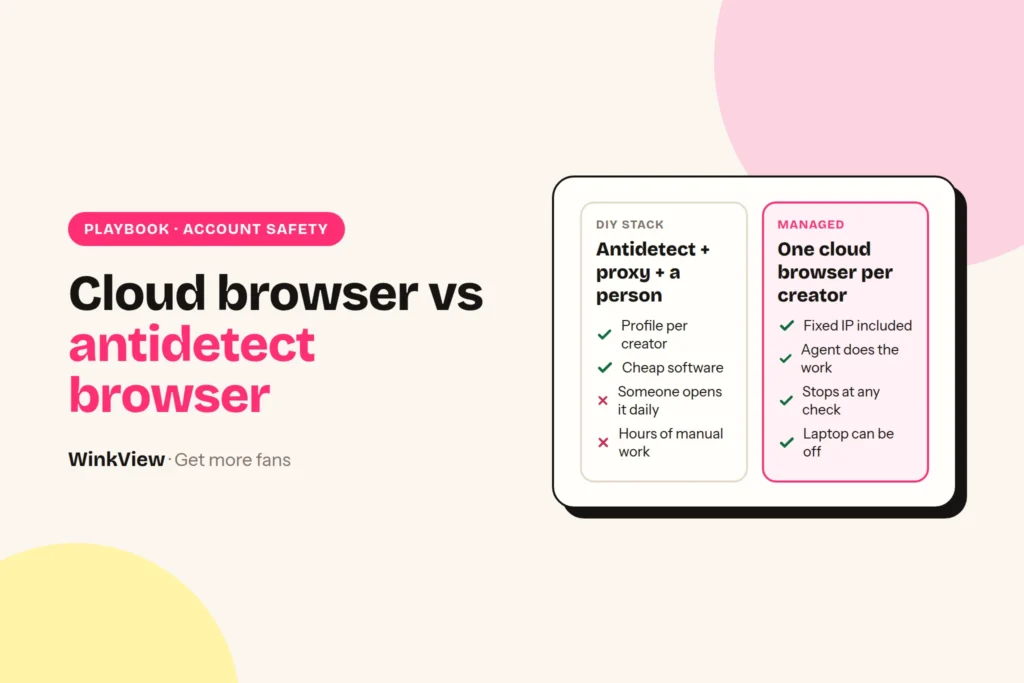
A cloud browser for Instagram agencies gives every creator you manage her own private browser profile on a server, on a fixed residential IP in her country. Her Instagram is used from the same place every day, in her time zone, whichever laptop on your team opens it. This guide explains how that works, what Instagram actually sees when your team logs in, and what the usual setup (an antidetect browser such as GoLogin, Multilogin or AdsPower, plus proxies, plus a person) really costs for 1, 5 and 10 creators.
The short answer
- A cloud browser gives each creator one private browser profile on a server, on a fixed residential IP in her country. Logins and cookies stay isolated, so one creator’s problem does not spread to the rest of your roster.
- When Instagram asks for a check, a person clears it. Isolation lowers avoidable risk; it does not make an account untouchable or automation approved by Instagram.
- The usual setup is three things: an antidetect browser, one static residential proxy per creator and daily staff time. GoLogin, Multilogin and AdsPower all have a 10-profile plan between $9 and $11 a month. The software is cheap. The staff time is the real cost: up to 25 hours per creator per month if your team does the engagement by hand.
- Cut the hours by cutting logins. WinkView’s AI Video Editor turns her raw clips into ready-to-post videos and Reposting posts them everywhere through official platform connections, so nobody opens a browser profile just to post.
Disclosure
We make WinkView, AI video editing and reposting software for agencies. WinkView is not a cloud or antidetect browser and does not sell browsers, proxies or IPs. GoLogin, Multilogin and AdsPower appear here as the tools agencies use for this job. We describe them and IPRoyal from their own pricing pages, not from our own testing. Prices checked 28 September 2026. Vendors change plans often, so confirm on their pages before you buy.
How a cloud browser for Instagram agencies works
A cloud browser is an ordinary web browser that runs on a server instead of on your computer, with its own saved logins and cookies. For an agency, the point is not the browser itself. It is that each creator’s account lives in one fixed place that nobody’s laptop, café Wi-Fi or holiday can move.
- Each creator gets one private browser profile on the vendor’s servers, with its own logins and cookies, separate from everyone else you manage.
- The profile sits on a fixed residential IP in her country. It is the same IP every day and it is not shared with other creators. Some vendors include proxy traffic, others expect you to bring your own.
- Your team logs her in once inside that profile. After that, everyone works from the same saved session instead of logging in from their own device.
- Whoever works the account does it from that profile, ideally in her daytime rather than your office hours, so activity matches where she lives.
- Activity stays at human pace, with natural pauses, and starts low on new accounts.
- When Instagram asks for a check, a person clears it. Never try to get around a verification.
Posting does not need a browser at all. In WinkView, the AI Video Editor turns her raw phone clips into ready-to-post vertical videos, and Reposting posts every approved clip to Instagram Reels, Trial Reels and Stories, TikTok, YouTube Shorts, Facebook Reels, Threads and X through each platform’s official connection, with captions written in her language. That is one less reason for anyone on your team to log in to her account.
What Instagram sees, and why one stable location matters
A typical complaint (a composite, not a real customer): “Her account gets a ‘was this you?’ every week and I don’t know why.” Then you map who logs in. The creator uses her phone in Oslo. The manager checks DMs from Zagreb. A virtual assistant covers nights from Manila. Someone else ran a tool from a laptop in a café on holiday. One account, four countries, several devices, every day.
Every time someone opens a creator’s Instagram, the app or website receives a set of signals. Meta’s privacy policy describes collecting information about the devices and connections people use. For an agency, four of those signals matter most.
- IP address. Where the connection comes from, which network owns it (a home broadband line, a mobile carrier or a data centre) and roughly which city it is in.
- Device and browser fingerprint. Browser version, operating system, screen size, fonts, graphics details, language and time zone. Together these form something close to a device ID, even without cookies.
- Cookies and session tokens. The small files that keep an account logged in. If one browser holds cookies for eight accounts, those accounts share a device.
- Login location consistency. Meta’s help pages describe login alerts as a feature that sends “an alert each time someone logs into your account from a new place”. An account that keeps turning up in new places keeps triggering the same security machinery.
Now picture the usual agency setup: one laptop, one office Wi-Fi, one Chrome window, eight creators switched in and out. To Instagram that is one device and one IP running eight accounts. If one account gets flagged, the others sit on the same device and network, which is exactly the link you do not want reviewed. And if engagement runs on a staff laptop, it stops when the laptop closes.
This is not about hiding anything. It is about stability: one woman’s account, used from one steady place in the country where she lives and logs in herself. Isolation per creator means each account keeps its own IP, its own browser and its own cookies every day. It does not make an account untouchable. It stops one creator’s problem from spreading to the rest of your roster. The warm-up schedule and first-hour recovery steps are in how to run multiple Instagram accounts for OnlyFans creators. Instagram’s own account security page covers the basics you still need on top (strong passwords, two-factor authentication), and its page on disabled accounts explains why accounts get disabled and how to appeal.
The type of IP matters. Here is how the common types differ, based on Oxylabs’ explainer, checked on 29 September 2026:
| IP type | What it is | Fit for a creator’s account |
|---|---|---|
| Datacentre | An address from a hosting company’s server | Poor. It does not look like anyone’s home connection. |
| Rotating residential | Real household addresses, which change often by default | Poor for logins. The location keeps moving. |
| Static residential or ISP | Registered with an internet provider and kept the same for long periods | Good. One steady, home-style address. |
One trap catches many agencies on the DIY route: a browser profile whose time zone and language do not match its proxy. A profile that says “Berlin, German” on an IP in Texas is its own warning sign. Match all three to the creator’s real country.
What it looks like in a week, and what it does not do
Worked example
Fictional creator and agency, illustrative numbers. Mia lives in Norway. Her agency is in Croatia.
- Before: the manager logged in to Mia’s Instagram from Zagreb every afternoon, a night assistant from another country, and Mia from her phone in Oslo. Instagram asked “was this you?” three times in a month.
- Monday: Mia gets her own cloud browser profile on a fixed residential IP in Norway. The manager stops logging in from her own laptop in Zagreb and opens Mia’s account only inside that profile. Mia keeps using her phone as normal.
- Every day: the manager replies to new DMs and comments from the profile in Oslo daytime. Mia’s Reels and Stories go out through WinkView’s official connections, so nobody logs in to post.
- Thursday: the manager’s laptop is in for repair. A colleague opens the same profile from another laptop. Instagram still sees one place.
- Week three: Instagram asks Mia’s account to confirm a login. The manager pauses activity. Mia enters the code, and the account carries on.
A cloud browser does
- Give each creator her own browser profile
- Keep her on a fixed residential IP in her country
- Keep the profile available whichever laptop opens it
- Isolate logins and cookies between creators
- Give your team one place to log in per account
- Make checks easier to trace to one cause
A cloud browser does not
- Get around Instagram checks or verifications
- Do the account work: someone still has to
- Edit or post her videos
- Make automation approved by Instagram
- Protect an account that is also logged in elsewhere
- Promise an account will never be checked
The same discipline applies on Threads and X. X’s automation rules restrict automated likes and replies, and X can limit or suspend accounts. For the wider trade-offs, read our guide to Instagram automation for OnlyFans creators.
The DIY alternative: antidetect browser, proxies and a person
If you would rather operate the setup yourself, the usual route is an antidetect browser. It creates separate browser profiles, each with its own fingerprint and cookie jar, and lets you attach a proxy to each one. It does not supply the IP (unless you buy the vendor’s proxy traffic), and it does nothing inside Instagram by itself. So the full DIY setup has three parts:
- The antidetect browser. One profile per creator account.
- A static residential proxy per creator. Also sold as “ISP proxy”, because it stays the same every day. Rotating residential traffic changes IP, which works against login consistency. We use IPRoyal’s static residential proxies as the example: from $2.70 per IP for 30 days, unlimited bandwidth, ISPs in more than 31 countries. Check your creators’ countries are on the list before you commit. Four providers, ISP vs mobile and the per-creator maths are in our guide to proxies for OnlyFans Instagram accounts.
- A person. Someone opens each profile, checks it is still logged in, clears any security check, keeps the account active and does the actual engagement: follows, likes, comment replies, DMs.
Part three is the one agencies underestimate. The browser and the proxy keep accounts from looking linked. They do not grow anything.
GoLogin vs Multilogin vs AdsPower for an OFM agency
All three do the core job well enough for Instagram. The differences that matter to an agency are the billing unit, team seats, whether proxy traffic is included and where the browser runs. Prices below are monthly billing in US dollars.
| Browser | Entry paid plan | Team seats | Proxies |
|---|---|---|---|
| GoLogin | Professional: 10 profiles $9, 25 for $19, 50 for $29, 100 for $39. Free plan: 3 profiles | 1 member included, extra members $10 each per month. Free plan has no team members | 2 GB of GoLogin residential traffic included, extra 10 GB for $15.90 |
| Multilogin | Pro 10: $11. Pro 20: $19. Pro 50: $29. Business from 100 profiles: $40. Free plan: 5 cloud-only profiles | Pro 10: 1 seat. Pro 20 and Pro 50: 2 seats. Business: unlimited | 1 GB a month on Pro 10, rising to 5 GB on Business. Extra traffic from $2.275 per GB in bulk |
| AdsPower | Professional: 10 profiles $9, 20 for $12, 100 for $36, plus 2 free profiles. Free plan: 2 profiles | 1 super-administrator. Its price calculator adds $5 a month per extra member | Not included on its pricing page. Bring your own |
Where the browser runs. AdsPower is a desktop app that syncs profile data across computers, so a machine has to be on while a profile is in use. GoLogin is a desktop app with cloud browsing, but Professional allows 1 cloud launch at a time (Business 2, Enterprise 3). Multilogin supports local and cloud profiles on paid plans, and also sells Android cloud phones with mobile minutes.
Yearly billing. GoLogin and AdsPower show 50% off for annual billing, Multilogin 35% (Pro 10 is $85 a year).
Which one for Instagram only? For 10 or fewer creator accounts the software price barely differs. Pick on seats: if two or three people share the work, Multilogin Pro 20 includes 2 seats, and AdsPower’s extra members cost less than GoLogin’s. If you want profiles running without a laptop on, Multilogin’s cloud profiles come closest, but you still run every session yourself.
Total cost for 1, 5 and 10 creators
The monthly cost of each route, with every assumption stated so you can swap in your own numbers.
Assumptions
- One Instagram account per creator, so one antidetect profile and one proxy per creator.
- Antidetect browsers on monthly billing, smallest plan that fits, one team seat. 1 creator uses each vendor’s free plan.
- Proxies: IPRoyal static residential at its listed “starting from” price of $2.70 per IP per 30 days. Unlimited bandwidth, so no GB estimate is needed. Small orders or some countries may cost more.
- Staff time, illustrative: 10 minutes per creator per day to open the profile, confirm the login and clear checks (“upkeep”). Doing the engagement by hand adds two 20-minute sessions per creator per day. 30 days a month.
- Dollar prices are shown as listed. We have not converted them.
| Monthly cost | 1 creator | 5 creators | 10 creators |
|---|---|---|---|
| GoLogin + IPRoyal IPs | $0 + $2.70 = $2.70 | $9 + $13.50 = $22.50 | $9 + $27.00 = $36.00 |
| Multilogin + IPRoyal IPs | $0 + $2.70 = $2.70 | $11 + $13.50 = $24.50 | $11 + $27.00 = $38.00 |
| AdsPower + IPRoyal IPs | $0 + $2.70 = $2.70 | $9 + $13.50 = $22.50 | $9 + $27.00 = $36.00 |
| DIY staff time: upkeep only | 5 hours | 25 hours | 50 hours |
| DIY staff time: upkeep + manual engagement | 25 hours | 125 hours | 250 hours |
The maths for the staff lines: 10 minutes × 30 days = 300 minutes, or 5 hours per creator per month. Two 20-minute engagement sessions add 40 minutes a day, or 20 hours a month. So 25 hours per creator when your team does everything, and 250 hours for 10 creators. That is more than one full-time person.
Read the table honestly. On cash alone the stack is cheap: about $3.60 per creator at 10 creators. The hours are the real bill. If you already pay a chatter or assistant who has spare hours, that may be fine. If not, take every task off the list that does not need someone inside her account. What those hours cost at published VA rates is worked out in what an OnlyFans social media manager costs.
If you buy per-GB proxy traffic instead. IPRoyal’s rotating residential traffic costs $7.00 per GB for 1 GB and $5.25 per GB at 10 GB on subscription. Assume 2 GB per Instagram account per month (our assumption, not a vendor figure; image and video browsing uses more). Five creators then need 10 GB, or $52.50 a month, more than five static IPs, and its sticky sessions last up to 7 days rather than holding one IP for good.
Posting is the easiest task to take off the list. WinkView does not replace the browser or the account work. It takes the videos off your team’s plate: the AI Video Editor turns her raw phone clips into ready-to-post vertical videos, nothing posts until the manager ticks it, and Reposting posts every approved clip to Instagram, TikTok, YouTube Shorts, Facebook Reels, Threads and X through official connections. Unlimited posts, no per-post fees. From €39 per creator a month, with a 7-day free trial.
Decision rule: which route fits your agency
The rule turns on what the account work is, not on price. If you are also weighing real phones, see phone farm vs cloud browser for Instagram.
- Choose a desktop antidetect browser (AdsPower, or GoLogin on your own machines) if your team works from fixed computers and also runs non-Instagram accounts (Reddit, OnlyFans logins, email, many throwaway accounts), or you want your own proxy provider per profile.
- Choose cloud profiles (Multilogin’s cloud profiles, or GoLogin’s cloud launch) if your team works from different laptops and you want each creator’s profile to live on a server, not on someone’s desk.
- Take posting out of the browser either way. WinkView edits her raw clips and posts them through official connections, so nobody opens a profile just to upload a Reel.
One rule whichever route you pick: give each Instagram account one home. Do not log the same creator’s Instagram into a second browser or tool on a different IP. Two devices in two places for one account undoes the consistency you are paying for.
Worked example
Fictional agency, illustrative numbers. “Kestrel Management” runs 6 creators. Each has Instagram, a Reddit account and an X account, and the team logs in to each creator’s OnlyFans to manage her page.
- Reddit, X, OnlyFans and Instagram logins: 24 profiles in an antidetect browser, one per account. That needs GoLogin Professional 25 at $19 a month, or AdsPower’s 100-profile tier at $36, plus one static IP per creator: 6 × $2.70 = $16.20.
- Videos: WinkView edits each creator’s raw clips and posts the approved ones to Instagram, TikTok and the rest through official connections.
- Staff time: the team still posts on Reddit by hand. On Instagram they open each profile for DMs and checks, not to upload videos.
Each account has one home, and nobody uploads videos to six Instagram accounts every morning.
Checks, travel and platform rules
Platform rules
Instagram does not approve third-party engagement automation, and its Terms of Use restrict automated access. A stable location, isolated profiles, human pace and low starting limits keep the risk low. They do not make it zero. Treat every check as a signal to slow down: clear it calmly and do not raise activity afterwards. Keep the rest of the team off her account from other countries, or the stable location stops being stable.
When the creator travels. This is the question owners ask next. Her cloud browser stays on its fixed residential IP in her home country while she is away. Her phone does not. When Mia (fictional) opens Instagram on holiday in Spain, that is a login from a new place, and Meta’s login alerts may fire. A real person travelling is normal account behaviour, so one check is not a crisis. What makes it worse is stacking more new places on top.
- Ask for her travel dates and country before she goes. The account manager notes them, so a check during the trip is expected, not a surprise.
- Keep staff off her account while she is away. Her phone abroad plus the cloud browser at home is two places. A manager logging in from a third country makes it three.
- Expect a check early in the trip. If one comes, pause activity on her account. She or your team clears it, usually with a code sent to her phone or email.
- If her account is checked more than once, lower her activity until she is home. Losing a few days of follows costs less than a locked account.
- Posting carries on. With WinkView, Reels, Stories and TikToks go out through official connections, not the browser, so her feed does not go quiet while she is away.
Setup checklist for either route
Copy the half that matches your route into your team’s notes and tick it off per creator.
Copy this template
ACCOUNT SAFETY SETUP, PER CREATOR
Creator: [name]   Country: [ ]   Time zone: [ ]

ROUTE A: CLOUD BROWSER PROFILE (ON THE VENDOR'S SERVER)
[ ] Profile created; time zone, language and IP all in her country
[ ] Instagram logged in once inside the profile
[ ] Instagram NOT also logged in on another browser or IP
[ ] Two-factor authentication on; backup codes stored safely
[ ] Team members with access to the profile: [names]
[ ] Person who clears Instagram checks: [name]
[ ] Her travel dates noted: [ ]

ROUTE B: ANTIDETECT BROWSER (DIY)
[ ] One profile per account. Name it: [creator] / [platform]
[ ] One static residential IP per creator, in HER country
[ ] Proxy country covered by provider? [yes / no]
[ ] Profile time zone, language and geolocation match the IP
[ ] Log in to Instagram only inside this profile, never elsewhere
[ ] Two-factor authentication on; backup codes stored safely
[ ] Owner of the daily check: [person]   Time: [ ]
[ ] Daily: open profile, confirm login, clear any check
[ ] Engagement owner and daily limit written down: [ ]
[ ] Proxy renewal date in calendar: [date]
[ ] Seat count matches people who need access: [ ]

BOTH ROUTES
[ ] Written list: which tool owns which account
[ ] Instagram email and phone belong to the creator or agency, not a VA
[ ] Videos posted through official connections (WinkView), not from the browser
[ ] Raw clips left this week: [ ]
Who runs it
WinkView edits and posts the videos for agencies such as Nyvia, at about €30,000 a month, and Estrella, at about €40,000 a month, as well as the agency behind our 440,000-view case study.
Frequently asked questions
What is a cloud browser for Instagram agencies?
It is a web browser that runs on a server instead of on your computer, with its own saved logins and cookies. For an agency, each creator gets one profile, on a fixed residential IP in her country. Her Instagram is always used from the same place, whichever laptop on your team opens it, and each creator’s profile is kept separate from the others. Multilogin’s cloud profiles and GoLogin’s cloud launch are examples.
Is WinkView a cloud or antidetect browser?
No, and we do not sell one. WinkView is AI video editing and reposting software for agencies: raw clips in, ready-to-post videos out, posted everywhere every day. Posting runs through each platform’s official connection, so it does not need a browser profile at all. For the logins your team still does by hand, cloud and antidetect browsers such as GoLogin are a separate category.
Do I need an antidetect browser to run OnlyFans creators’ Instagram accounts?
You need isolation: each creator’s account on its own IP, browser and cookies. An antidetect browser plus a static residential proxy, operated by your team, is one way to get it. Cloud profiles from the same vendors are another, where the profile lives on a server instead of a laptop. Logging several creators into one normal browser on office Wi-Fi is the setup to avoid.
Can I use the proxy traffic that comes with an antidetect browser?
You can, but check what it is. GoLogin includes 2 GB of residential traffic and Multilogin 1 GB a month on Pro 10. That is metered traffic, and residential traffic typically changes IP, while Instagram accounts do best on the same IP every day. For creator accounts on the DIY route, a static residential IP per creator in her own country is the safer default.
What happens when Instagram asks for a security check?
Whoever opens the profile next clears it, which is why someone has to check every profile daily. Never try to get around a verification. Your team, usually with the creator’s code, clears it. If the same account is checked twice in a short period, lower its activity for a while.
Do I still need GoLogin or AdsPower if I use WinkView?
If your team still logs in to her accounts by hand, yes, a separate profile per account is still the safe way to do it. WinkView does not replace the browser. It takes posting out of it: her videos are edited and posted through official connections, so fewer people need to open her Instagram at all. WinkView does not log in to OnlyFans, Fansly or Fanvue and does not post to Reddit.