Category: Get more fans

Playbooks for creators and agencies: how to get more traffic and more subscribers in 2026.

  • How to convert followers to OnlyFans subscribers: one example journey and an offer template

    How to convert followers to OnlyFans subscribers: one example journey and an offer template

    Followers become paid subscribers when each step answers the question they have at that moment: who is this, is there more, what exactly do I get for the price, and what costs extra. Below, one example creator goes through a public post, her profile, her offer page and a real incoming question. Then you get a fill-in offer template and a before and after for a vague “what’s included” line.

    The short answer

    • A follower decides on the offer page, so it must state the monthly price, what is included and what costs extra as PPV.
    • Your public post, bio, offer page and DM answers should describe the same thing in the same words.
    • Vague lines like “full access to everything” create doubt before the purchase and disappointment when the first PPV message arrives.
    • Answer incoming questions with the facts on your offer page, never with promises it does not make.
    • WinkView edits and posts the public clips and sends her link to anyone who writes “link”; real DM conversations, the subscription, checkout and PPV stay with you and the paid platform.

    The questions a follower asks

    Every follower who subscribes has answered five questions along the way, usually without noticing. Your job at each step is to answer the question in front of them.

    1Public post
    2Profile
    3Offer page
    4Incoming question
    5Paid subscriber
    Stage Follower’s question What answers it
    Public post Why should I care about her? A complete post with a clear theme
    Profile Is there more of this? A bio that names the theme and the link
    Offer page What do I get for the price? Price, inclusions, what costs extra
    Incoming question What if I am still unsure? A short, accurate reply
    After subscribing Was it what I expected? Delivery that matches the offer

    The last row decides later PPV purchases. A subscriber who got exactly what the page described has a reason to trust the next paid message; one who feels misled has a reason to ignore it.

    One creator, from post to answer

    Example: Lina, a dance creator (fictional). She posts trend routines and behind-the-scenes clips from her week, and her subscription page offers full-length dance videos, a weekly photo set and message replies.

    1. The public post

    A Reel shows Lina learning a trending routine in 30 minutes, with a timer on screen and the mistakes left in. Caption: “Learning this trend in 30 minutes, mistakes included. Day 12 of my 30-day dance challenge, the rest are pinned.”

    The post is complete on its own, so it earns attention without a sales line. “Day 12 of 30” gives a reason to visit the profile and see the other days.

    2. The profile

    Bio: “Lina | Dance trends and my 30-day challenge | A new routine every day | Full-length videos and weekly sets: link below”. Highlights: “Challenge”, “FAQ” and “Official links”.

    A visitor from the Reel sees the same challenge named in the bio, and the bio says plainly what is behind the link. The link goes to a free link page with her verified accounts, so fans reach her real page and not one of the fake accounts that copy creators.

    3. The offer page

    On her paid page, Lina’s bio follows the template in the next section. The price below is an example, not a recommendation.

    Worked example

    Hi, I’m Lina, I dance every day and share the full routines here.
    Subscription: $9.99 a month (example price), renews monthly unless you switch off auto-renew.
    Included: 1 full-length dance video every week, a weekly photo set from my week, and replies to your messages within 24 hours.
    Costs extra: longer behind-the-scenes videos, sent as optional pay-per-view messages with the price shown before you buy.
    Not offered: custom requests.
    Help: message me here, I reply within a day.

    4. The incoming question

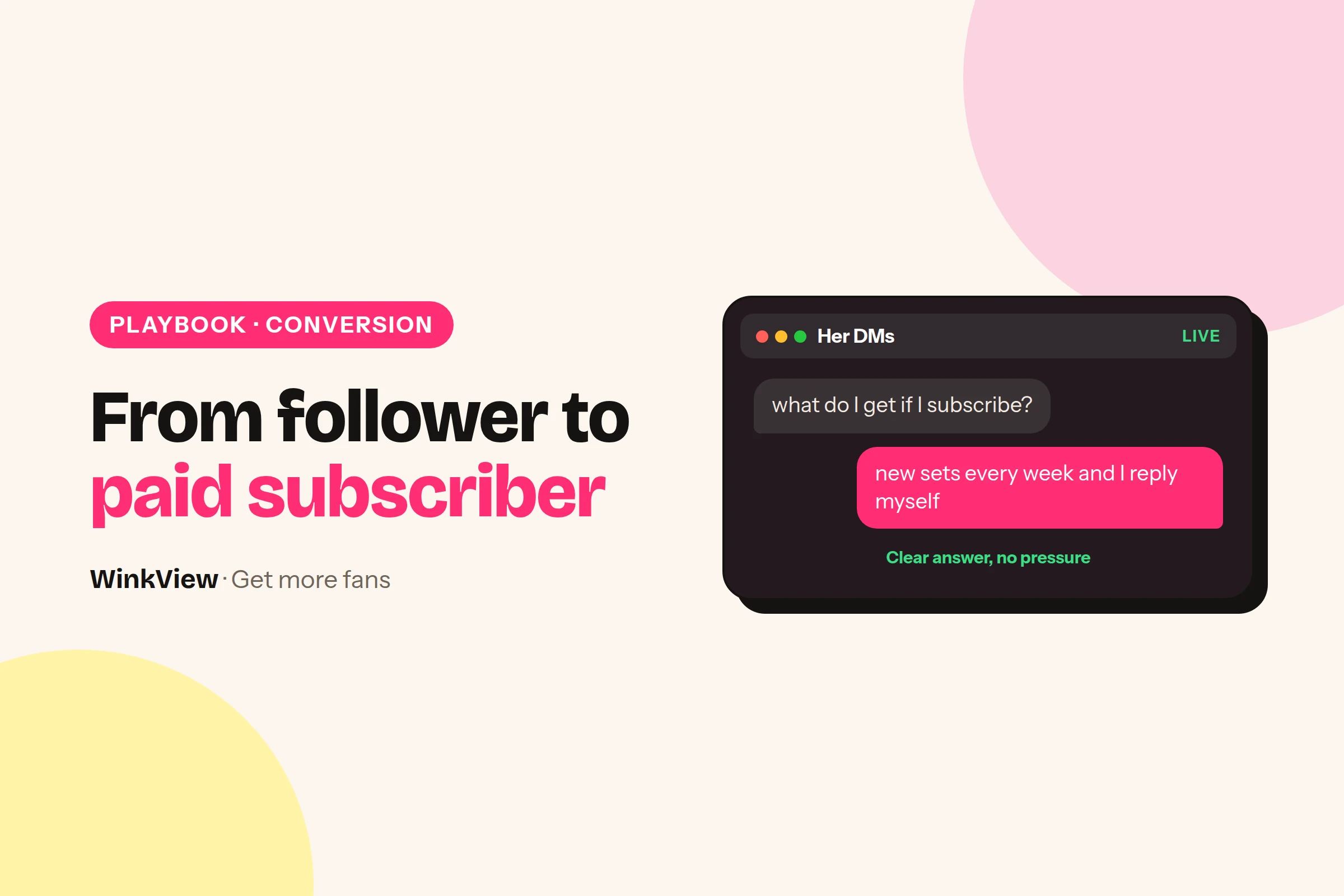
    An Instagram DM arrives after the Reel: “Hey, if I subscribe do I get all your dance videos, or do I have to pay for every one?”

    This is the question that decides the purchase. The follower is interested but worried about hidden costs.

    5. The accurate answer

    Worked example

    “Hi! The subscription includes one full-length dance video every week and a weekly photo set. Some longer behind-the-scenes videos are optional extras, and you always see the price before you buy. Everything is listed on my page, the link is in my highlights.”

    Every claim matches the offer page, it names what costs extra instead of hiding it, and it invents no discount or promise. Whoever answers, Lina herself, a chatter or a DM tool, the answer must match the page.

    Fill-in offer template

    Paste this into your paid page’s bio or welcome post and fill in every bracket. If you cannot fill a line with something concrete, that is probably the line confusing your visitors.

    Copy this template

    Hi, I'm [name]. [One line: what you post and your theme].
    
    Subscription: [price] a month. [Bundle, if any: e.g. 3 months for [price]].
    Renews automatically unless you switch off auto-renew.
    
    Included in the subscription:
    - [Thing 1 + how often, e.g. 1 full-length video a week]
    - [Thing 2 + how often]
    - [Messages: what you reply to and how fast]
    
    Costs extra (pay-per-view):
    - [What is sent as PPV]
    - [How it works: optional, price shown before you buy]
    
    Not offered: [e.g. custom requests]
    
    Help: [how to reach you or your team, and reply time]

    Match the renewal and bundle lines to what your platform actually offers, because OnlyFans, Fansly and Fanvue set these options differently. To see how the price and PPV look from the other side, read how subscriptions and PPV work for fans.

    Fix the vague “what’s included” line

    Before

    Full access to everything! All my best content, daily posts, and I love chatting with you all.

    After

    Included: 1 full-length video and 1 photo set every week, plus replies to your messages within 24 hours. Longer videos are optional pay-per-view messages, with the price shown before you buy.

    “Everything” suggests nothing costs extra, so the first PPV message feels like a broken promise. “Daily posts” commits to a pace that may not hold, and “I love chatting” does not say whether anyone replies.

    The after version gives numbers a visitor can check, names the extras before they appear, and sets a reply time the team can keep. A subscriber who knew about extras from day one has no reason to feel tricked by the first PPV message.

    Answers to repeated questions

    Write these once with the creator, then use the same wording everywhere. Routine questions on Instagram can be answered from these lines by anyone on the team; custom requests and complaints go to the person who knows her best.

    Question Accurate answer
    “Is this really you?” Point to your verified link page and official accounts
    “What’s included?” Quote the inclusions line from your offer
    “Do I pay extra for everything?” Name what costs extra and say the price shows first
    “Can you make something just for me?” Only what the offer says; otherwise a person decides
    “How do I cancel?” Switch off auto-renew; access lasts until the paid period ends

    If the same question keeps coming in, the offer page is not answering it. Add the answer to the page, not only to the replies.

    What WinkView does and what you do

    WinkView handles the first step of Lina’s journey: getting the Reel seen. The DM answer, the offer page and everything after the subscription stay with you.

    The Video Editor turns her raw dance clips into ready-to-post vertical videos: best moment first, dead air cut, hook text on screen, music. Reposting then writes captions in her language and posts every day to Instagram Reels, Trial Reels, a daily Story, TikTok, YouTube Shorts, Facebook Reels, Threads and X, so more of the right people see the challenge and send the question in the first place.

    WinkView does

    • Posts her challenge clips every day with captions in her voice
    • Edits her raw clips: best moment first, hook text, music
    • Posts her best clips again, so a strong Reel keeps working

    You do

    • Film the clips and choose the theme
    • Write the offer page with the template above
    • Agree the answers to repeated questions and reply to DMs
    • Send paid-platform messages and PPV, and deliver what the offer promises

    WinkView posts through official platform connections, and its Automated DMs only send her link to people who write “link”; it does not hold conversations in comments or DMs. It does not post to OnlyFans, send PPV or handle checkout. If you are not sure which step is failing, start with the views but no subscribers diagnosis; for the Instagram side, see the Instagram profile and Reels guide.

    Followers ask the same questions on X and Telegram, so give them the same clear answers there: see the X profile and pinned post templates and the Telegram welcome message. For the full weekly traffic system, read how to get more OnlyFans subscribers.

    Frequently asked questions

    Why do my followers not subscribe to my OnlyFans?

    Most often the offer page does not say what followers get for the price, or your public posts attract people for a theme the paid page does not continue. Check that your post, bio, offer page and DM answers describe the same thing in the same words, and that the page states what is included and what costs extra as PPV.

    Should I list PPV prices on my OnlyFans page?

    You do not need an exact price for every message, but say that some content is sold separately as pay-per-view, what kind of content that is, and that the price is shown before buying. Visitors who know this before subscribing are less likely to feel misled by the first PPV message, which protects later purchases.

    How do I answer “what do I get if I subscribe?” in DMs?

    Quote your offer page: what is included each week, how message replies work, and what is sold separately as PPV. Keep it to two or three sentences and end by pointing to the link in your bio or highlights. Never promise a discount, custom content or a reply time that your page does not state.

    Can WinkView convert my followers into subscribers?

    WinkView handles the public side: the Video Editor turns your raw clips into ready-to-post videos and Reposting posts them daily everywhere with captions in your language, so more interested people find you and ask questions. Answering those questions, the decision to subscribe on your offer page, and subscriptions, checkout and PPV on the paid platform stay with you; WinkView does not touch them.
  • Instagram automation for OnlyFans: what runs by itself and what you still do

    Instagram automation for OnlyFans: what runs by itself and what you still do

    WinkView automates two parts of a creator’s Instagram: editing her clips and posting them. You drop in her raw phone clips; the Video Editor turns each one into a ready-to-post video, and once you tick it, the Reposting Agent writes the caption and posts it every day. Its Automated DMs send her link to anyone who writes “link”; chatting and anything else that needs a person stays with your team. Below you get the split, a setup checklist, one example day and the short list your manager still checks.

    The short answer

    • The Video Editor turns her raw phone clips into ready-to-post vertical videos: best moment first, dead air cut, hook text on screen, music.
    • Nothing posts until the manager ticks it. Then the Reposting Agent posts it to Instagram Reels, Trial Reels and a daily Instagram Story, with AI captions in the creator’s language and voice.
    • Posts go out spread through the day in her time zone, so nobody has to press publish and your laptop can be off.
    • Your team films the clips, keeps the link page right and does everything that needs a person: replying to comments and DMs, chatting, custom requests, complaints and platform checks.
    • Posting uses Instagram’s official connection, which is the low-risk part. WinkView does not like, follow or comment from her account; its Automated DMs only answer people who write “link”.

    What each tool does on Instagram

    Think of WinkView as two workers under one login. The Video Editor takes the creator’s raw phone clips and turns each one into a finished vertical video. The Reposting Agent writes a caption for every approved video and posts them every day, spread through the day in her time zone.

    Video Editor automates

    • A ready-to-post vertical edit from every raw clip
    • The best moment first, with the dead air cut
    • Hook text on screen and music
    • Clips where she talks and clips where she doesn’t, handled automatically
    • Nothing posts until the manager ticks it

    Reposting Agent automates

    • Instagram Reels from her approved clips, every day
    • Instagram Trial Reels, which Instagram shows to non-followers first
    • One Instagram Story a day
    • AI captions in her language and voice, written for each post
    • Her best clips posted again
    • The same clips on TikTok, YouTube Shorts, Facebook Reels, Threads and X, if you add them
    • Unlimited posts, plus a posting history of what went out

    Both run without anyone’s phone or laptop: posting goes through Instagram’s official connection, and each creator has her own content library, so two creators’ clips never mix. Likes, follows and comments are not automated, and the only DMs WinkView sends are link replies to people who write “link”. Everything else stays with your team.

    The daily Story comes from the same library as her Reels. Treat interactive Story extras, such as polls, question boxes or link stickers, as manual work for your team.

    Set it up once

    1. Add the creator. Each creator gets her own content library, separate from everyone else you manage.
    2. Connect her Instagram for posting. This uses the official connection. Connect TikTok, YouTube, Facebook, Threads and X at the same time if she uses them.
    3. Upload a batch of raw clips. Start with enough for at least a week of daily posts. Phone clips straight from her camera roll are fine: the WinkView Video Editor turns each one into a ready-to-post vertical video, whether she talks in it or not.
    4. Fix the link. Put one link in her bio and a highlight that explains it, for example her free WinkView link page. Every post sends people there, so it has to be right.
    5. Tick the first edits. Nothing posts until you approve it. Watch the first week’s edits and read the captions closely, then keep the daily pass short.

    Before the first post, write down how she talks. This is a note for your team to judge the first captions against and to reply to DMs in her voice, not a form inside WinkView.

    Copy this template

    VOICE SHEET: [creator's public name]
    Language(s): [e.g. English, German]
    How she sounds in 3 words: [e.g. dry, warm, short]
    Phrases she uses: [e.g. "leg day again", "no excuses, just snacks"]
    Words she never uses: [e.g. "babe", "hun"]
    Emojis: [none / max 1 / her usual 3]
    Never mention in public: [e.g. her home town, her family]
    Always hand to a person: [custom requests, complaints, press, refunds]
    Where to point interested people: [bio link / highlight name]

    For what she should post and how her profile should read, use the guide to promoting OnlyFans on Instagram. This page covers what runs by itself.

    One Instagram day, start to finish

    Worked example

    Example: Lena, a gym and fitness creator in Manchester, managed by a two-person agency. The order below is illustrative; posting follows her time zone.

    When Who What happens
    Morning Video Editor Yesterday’s raw gym clips come back as finished edits: best moment first, hook text on screen, music. The manager ticks the ones to post
    During the day Reposting A Reel (“Leg day in 20 minutes, no machines”) goes out with an AI caption
    During the day Reposting A Trial Reel reaches non-followers first; the daily Story goes up
    Evening Your team Answers comments on today’s Reel and replies to new DMs by hand, in Lena’s voice

    Illustrative replies your team might send in Lena’s voice:

    • Comment: “What shoes are those?” Reply: “Old ones I refuse to replace. Flat soles help on squats.”
    • DM: “Is this really you? I saw your photos on another page.” Reply: “Yes, it’s me! My only real links are in my bio. Anything else isn’t me.”
    • Story reply: “Is the full workout somewhere?” Reply: “New one on my page every day, and the rest is behind the link in my bio.”

    The second reply matters more than it looks: copied accounts are common, and a clear “only my bio link is real” protects her fans. Our guide to fake creator account red flags explains what fans should look for.

    This is where the money chain starts. WinkView works on the first three steps below; the subscription and any later PPV sale happen on OnlyFans, Fansly or Fanvue, where WinkView does not post or send messages.

    1Reel or Story
    2Profile visit
    3Link in bio
    4Paid subscriber
    5Later PPV purchase

    If followers reach the link but do not subscribe, the problem is the offer page, not Instagram. The guide to converting followers into subscribers covers that step.

    What the manager checks each day

    Nobody on your team edits a clip or schedules a post. The manager’s job is to supply raw clips, tick the edits and handle what needs a person.

    WinkView does

    • Edits every raw clip into a ready-to-post vertical video
    • Posts a Reel, Trial Reels and a Story from her approved clips every day
    • Writes every caption in her language and voice
    • Posts her best clips again
    • Flags in the Today tab when she runs out of clips or an account needs reconnecting

    You do

    • Film and upload raw clips before the library runs low
    • Tick the edits you want posted
    • Keep the bio link and highlight correct
    • Reply to comments and DMs, and answer threads that need a person: custom requests, complaints, money
    • Clear any platform check in her account
    • Run the paid page: subscriber posts, PPV and chat on OnlyFans

    Copy this template

    DAILY CHECK: [creator] / [date] / [manager]
    [ ] Today tab: no creator out of clips, no account to reconnect
    [ ] Edits approved: today's batch ticked
    [ ] Posting history: today's Reel, Trial Reel and Story went out
    [ ] Captions: nothing wrong or off-voice (update the voice sheet if so)
    [ ] Raw clips left: at least [7] days
    [ ] Inbox: comments and DMs answered or passed on
    [ ] Platform check: any verification prompt cleared by [name]
    [ ] Bio link: opens and shows the right pages

    With one creator this check should take about ten minutes, not counting the time your team spends replying in her inbox. With a group of creators, run the same list per person; the guide to managing several creators’ social media shows how to split it across a team.

    Platform rules and risk

    Platform rules

    WinkView posts through Instagram’s official connection, which keeps posting the low-risk part. It does not like, follow or comment from her account; its Automated DMs only answer people who write “link”. The risk that stays is the usual one: what she posts and how your team behaves in her inbox.

    Three habits keep the rest of the risk down: keep every public post safe for work and within the Instagram Community Guidelines, let a new account start slowly instead of pushing activity in week one, and keep the DMs your team sends friendly and short, not a sales pitch pasted to everyone.

    If you add X, it has its own automation rules. Read them before you connect a creator’s X account.

    Fixes for the first week

    • Captions sound generic. Check that her clips show one clear moment each. A clip with an obvious point gets a clearer caption.
    • Viewers end up in the wrong place. Fix the bio link and highlight first; every post points to what is there.
    • Posts stopped. Check the Today tab: her account probably needs reconnecting, or Instagram asked for a check. Clear it in her account before doing anything else.
    • The library emptied early. Move uploading to a fixed day each week, with a second person as backup.

    Once posting runs smoothly for one creator, repeat the setup for the next. To see the full folder-to-post process across every platform, read the guide to automatic reposting.

    Want to see the whole first week before you commit? Your first 7 days on autopilot walks through it day by day, and the growth tools comparison shows how WinkView compares with Buffer, Metricool and Manychat.

    Frequently asked questions

    Does WinkView post to OnlyFans or send PPV messages?

    No, WinkView works on public social media: it edits her clips and posts them to Instagram, TikTok, YouTube Shorts, Facebook, Threads and X. It does not post to OnlyFans, Fansly or Fanvue, send paid-platform messages or PPV, or handle checkout. Those sales happen on the paid platform, run by the creator or her team.

    Do I have to edit or post the clips myself?

    No. You drop in her raw clips, the Video Editor turns each one into a ready-to-post video, and once you tick it, the Reposting Agent posts it, spread through the day in her time zone, even when your team’s laptops are off. Your job is what needs a person: replying to comments and DMs, chatting, custom requests, complaints or a platform check.

    Can WinkView post Instagram Stories?

    Yes. The Reposting Agent posts one Instagram Story a day from the creator’s content library, alongside her Reels and Trial Reels. Interactive Story extras such as polls, question boxes or link stickers should be treated as manual work, so add them by hand in the app on days when the creator wants them.

    Can Instagram restrict an account that uses automation?

    Yes, any account can be restricted, but posting through Instagram’s official connection is the low-risk part. WinkView edits and posts, and it does not like, follow or comment, which is the kind of automation Instagram does not approve. Its Automated DMs only answer people who wrote “link” first. Nobody can promise an account will never be restricted. How posting works across her accounts is on the Reposting page, and DM tools are compared in Instagram DM automation for OnlyFans.

    Does it work in languages other than English?

    Yes. Captions are written in the creator’s own language and voice, whatever language she speaks (English, German, Spanish, Italian and more). Keep a short voice sheet with her usual phrases and the words she never uses, and read the first week’s captions against it before you switch approvals off.

  • How to automatically repost creator content across social media

    How to automatically repost creator content across social media

    To repost a creator’s content automatically, upload her clips into one content library, connect her social accounts and choose where the clips should go. WinkView’s Reposting Agent then writes a separate AI caption for each platform and posts every day, so nobody uploads the same clip six times. Below, one example clip goes from the library to its captions to the finished posts.

    The short answer

    • You supply her clips (raw ones go through the Video Editor first), the connected accounts, the choice of destinations and a working link in bio.
    • The Reposting Agent writes AI captions for each platform in the creator’s language and voice, and posts every day.
    • Destinations: Instagram Reels, Instagram Trial Reels, a daily Instagram Story, TikTok, YouTube Shorts, Facebook Reels, Threads and X, each through the platform’s official connection.
    • Posts are unlimited on every plan. Approvals are optional and most useful in the first week.
    • WinkView does not post to OnlyFans, Fansly, Fanvue, Reddit or Telegram.

    What you supply, what WinkView does

    The Reposting Agent is the part of WinkView that turns a folder of a creator’s clips into daily posts with captions. It posts what you give it: it does not film anything, and if her clips are still raw, the WinkView Video Editor edits them first.

    WinkView does

    • Writes a caption for each post with AI, in her language and voice
    • Posts from her library every day, to every destination you chose
    • Posts one Instagram Story a day
    • Posts Trial Reels, which Instagram shows to non-followers first
    • Holds posts for approval, if you turn approvals on
    • Keeps a posting history of what went out, and where

    You supply

    • Her clips: finished, or raw for the Video Editor
    • Her social accounts, connected once
    • The list of destinations that suit her
    • A correct link in her bio and highlights
    • New clips before the library runs low

    Everything in the right column happens before posting starts or once a week. Everything in the left column happens every day without anyone opening an app.

    Step 1: fill her content library

    Each creator has her own content library. Think of it as a folder: you upload a batch of clips once, and the Reposting Agent posts from it.

    Worked example

    Example: Jade, a home cooking creator. On Monday her manager uploads twelve short clips. Five of them:

    • 15-minute lemon pasta after work
    • Three things I always buy at the market
    • Fixing a split sauce in 30 seconds
    • What I eat on a lazy Sunday
    • Answering “what knife do you use?”

    Each clip shows one clear moment. That is what gives the AI something specific to write about.

    Before a clip goes into the library, run it past this list. It takes a minute per clip and saves a week of awkward posts.

    Copy this template

    CLIP READY FOR THE LIBRARY? [clip name]
    [ ] Vertical 9:16, cropped and trimmed by the team
    [ ] Safe for work on every platform it will go to
    [ ] No watermark or burnt-in text from another app
    [ ] Makes sense without a caption
    [ ] Not tied to a date ("see you Friday", "sale ends tonight")
    [ ] Music cleared for every destination, or no music

    If the same clip needs very different edits per platform, the guide to adapting one clip for different platforms covers that.

    Step 2: connect accounts, pick destinations

    Connect each of her accounts once. Posting uses each platform’s official connection. Then choose where her clips should go:

    • Instagram Reels: her main feed and Reels tab.
    • Instagram Trial Reels: Reels that Instagram shows to non-followers first, useful for reaching new people without filling her grid.
    • Instagram Story: one a day, for people who already follow her.
    • TikTok: short clips for people scrolling past.
    • YouTube Shorts: short clips on YouTube.
    • Facebook Reels: the same clips for a broader Facebook audience.
    • Threads: a clip with a conversation-style caption.

    You do not need all seven. Pick the ones where she has an account she can keep safe for work. Treat Story extras such as polls, question boxes or link stickers as manual work for your team.

    Step 3: one clip, six captions

    Here is what happens to one clip from Jade’s library. The captions below are illustrative, written for this guide to show how they differ by platform. They are not real WinkView output or a promise of reach.

    Worked example

    Clip: Jade makes lemon pasta in one pan after work, then tastes it and nods.

    Destination Illustrative AI caption
    Instagram Reel 15 minutes, one pan, zero regrets. Lemon pasta for the nights you can’t be bothered. Would you add chilli?
    Instagram Trial Reel New here? I cook fast dinners after work. This one is lemon pasta in 15 minutes.
    TikTok POV: it’s 8pm and you refuse to order takeaway #lemonpasta #quickdinner
    YouTube Shorts 15-minute lemon pasta (one pan, no cream)
    Facebook Reels A weeknight dinner that takes less time than the delivery app. Lemon, garlic, parmesan, done.
    Threads Lemon pasta beats every takeaway on a Tuesday. What’s your lazy dinner?

    If Jade posted in German, the captions would come in German, for example: “15 Minuten, eine Pfanne, null Reue.”

    Notice what stays the same: the facts (15 minutes, one pan) and her dry, friendly tone. What changes is who the caption talks to. The Trial Reel introduces her to strangers, the Short reads like a title, and the Threads post asks a question people can answer.

    Step 4: the posts go out every day

    1Upload clips once
    2AI writes captions
    3Daily posts go out
    4Check posting history

    From here the Reposting Agent posts from the library every day, to the destinations you chose, plus one Instagram Story. Over the following days the lemon pasta clip appears as a Reel, a Trial Reel, a TikTok, a Short, a Facebook Reel and a Thread, each with its own caption. Nobody on the team opened six apps. To use those Trial Reels to test hooks before her followers see them, follow the Trial Reels hook-testing method.

    Posts are unlimited on every plan, so the only limit is how many good clips you supply. Top the library up on a fixed day each week. A weekly content calendar makes that a habit rather than a rescue job.

    Reposting is the top of the funnel. A public post brings a profile visit, the visit brings a link click, and some clicks become paid subscribers who may buy PPV later on the paid platform. For the replies, follows and welcome DMs that move people along that chain on Instagram, see Instagram automation for OnlyFans.

    Approvals and checks, after the basics

    Once posting runs, add two light checks. Neither is required, but both are worth it in the first week.

    1. Use approvals for the first batch. Approvals hold posts until someone on your team has read them. Read every caption in week one, then decide whether to keep approvals on.
    2. Read captions for facts, not style. The usual problems are a wrong detail (“15 minutes” on a 30-minute recipe), a reference to another platform, or anything that reveals where she lives.
    3. Check posting history daily for a week. Confirm each post went to the right account and destination. After that, a quick look twice a week is enough.
    4. Fix the clip, not the caption. If captions keep missing the point, the clip probably shows too many things. Trim it to one moment and upload it again.

    If you are still choosing between posting tools, the growth tools comparison sets WinkView next to schedulers and messaging tools.

    Platform rules for reposted clips

    Platform rules

    Posting through official connections is the low-risk part of social automation, but every platform’s content rules still apply to every clip. YouTube’s external links policy bans links and directions to pornography, including indirect routes, and TikTok limits sensitive and mature themes. Keep every library clip safe for work, and keep links only where a platform allows them.

    A simple rule for agencies: if a clip would be wrong on the strictest platform you post to, it does not go in the library. Keep a separate list of anything that only suits one platform and post that by hand.

    The same clips can work on TikTok with a different opening line: the TikTok content ideas guide has a six-post series to copy. For the weekly system behind it, read how to get more OnlyFans subscribers.

    Frequently asked questions

    Do I have to write the captions myself?

    No. The Reposting Agent writes a separate caption for every post with AI, in the creator’s language and voice, whatever language she speaks (English, German, Spanish, Italian and more). Your team’s job is to supply clips that show one clear moment each, and to read the first week’s captions with approvals on to confirm the facts and tone are right.

    Can I check posts before they go out?

    Yes, approvals are optional: with approvals on, posts wait until someone on your team has read them. They are most useful in the first week, while they confirm the captions sound like the creator. After that, the posting history shows what went out, on which account and on which destination.

    Is there a limit on how many posts I can make?

    No. Posts are unlimited on every plan, for every creator on it. The practical limit is your supply of good clips: the Reposting Agent posts every day from the creator’s content library, so keep adding new clips on a fixed day each week before the library runs low.

    Does WinkView edit or crop my clips?

    Yes. The WinkView Video Editor takes her raw clips, cuts them to the best moments, adds a hook, captions and music, and makes them vertical 9:16, ready for the library. Filming stays with her, and watermarks from other apps should come off before upload. Run the short readiness checklist on each clip before uploading it.

    Can it post to OnlyFans, Reddit or Telegram?

    No, the Reposting Agent posts to Instagram Reels, Trial Reels, a daily Instagram Story, TikTok, YouTube Shorts, Facebook Reels, Threads and X, not to OnlyFans, Fansly, Fanvue, Reddit or Telegram. Paid-page posts, PPV and anything on those other channels stay with the creator or her team.

  • Weekly social media content calendar for OnlyFans creators

    Weekly social media content calendar for OnlyFans creators

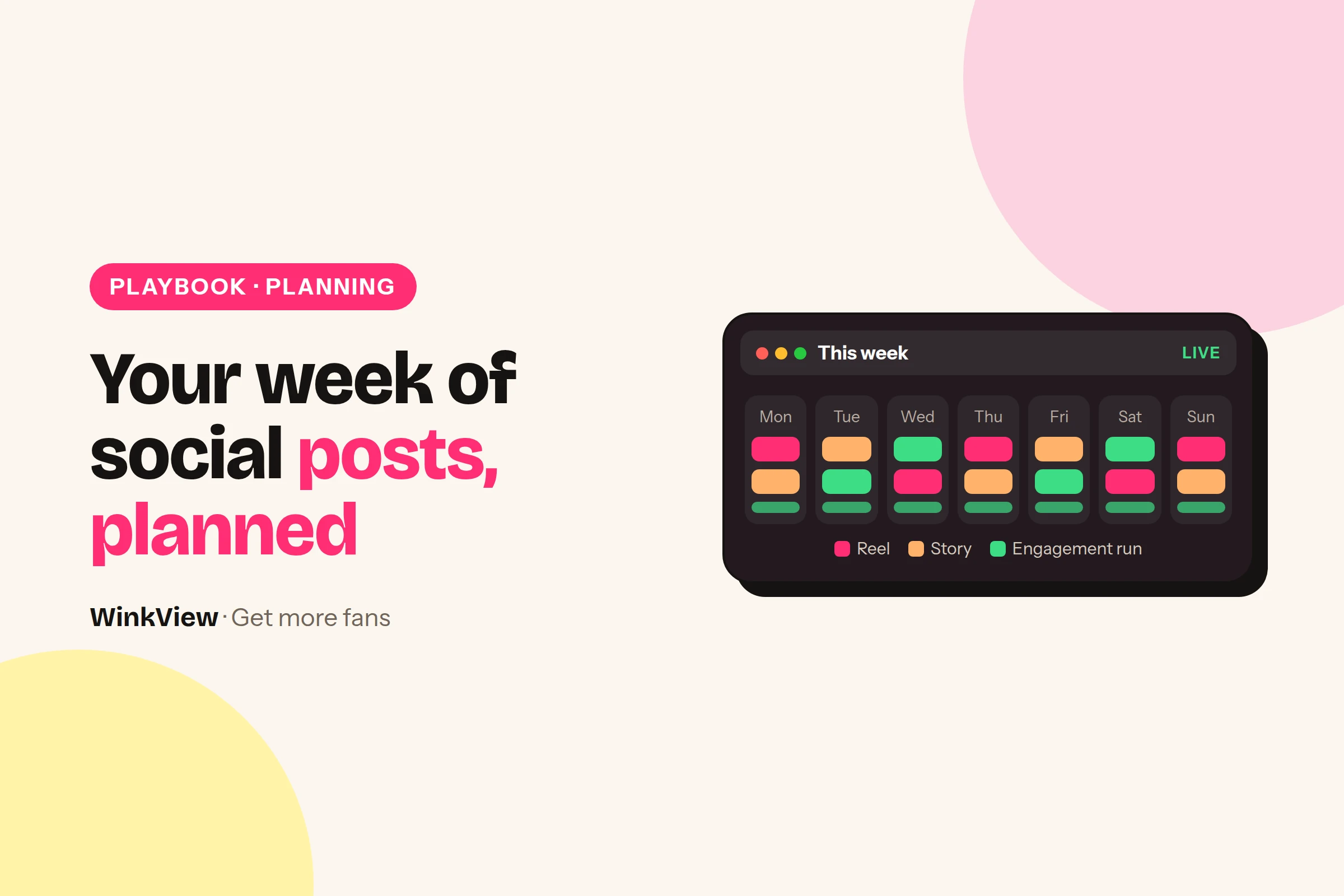
    Here is a weekly social media calendar you can copy for an OnlyFans creator: one new clip per day in her content library, a finished edit of each clip from the Video Editor, and daily posts and an Instagram Story that WinkView publishes automatically. Your team’s part is filling the library for next week, answering her DMs and planning the paid page by hand. The filled example and a blank template come first, then four steps to fill next week’s library.

    The short answer

    • Plan the week around the content library, not around posting times: seven good clips a week keep daily posting fed.
    • Automatic every day: posts to Instagram Reels, Trial Reels, TikTok, YouTube Shorts, Facebook Reels, Threads and X, one Instagram Story and her best clips posted again, spread through the day in her time zone.
    • Manual: choosing and filming clips, uploading them by a fixed day, replying to comments and DMs, and planning the paid page.
    • Paid-page posts and PPV live on OnlyFans, Fansly or Fanvue and stay manual; WinkView never posts there.
    • Keep dated clips out of the library, so every clip works on any day.

    Copy this weekly calendar

    Worked example

    Example: Nora, a travel and everyday outfit creator, one week. The clip column is the week’s supply, one per day. WinkView posts from her library every day, so keep clips undated and any order works.

    Day Source clip Automatic Manual (your team)
    Mon Airport outfit: three layers, one bag Clip edited; Reels, Trial Reel, TikTok, Shorts, FB Reels, Threads; daily Story Pick next week’s 7 clip ideas. Paid page: subscriber post
    Tue Cabin bag packed in 60 seconds Clip edited; same destinations; daily Story Film next week’s clips in one session
    Wed Answering “where was that café?” Clip edited; same destinations; daily Story Paid page: PPV message planned and sent on OnlyFans
    Thu Morning walk by the river Clip edited; same destinations; daily Story Edit, crop and upload next week’s clips by 6pm
    Fri Day to dinner: one outfit swap Clip edited; same destinations; daily Story Read upcoming captions if approvals are on
    Sat Behind the scenes: editing on the train Clip edited; same destinations; daily Story Paid page: subscriber post
    Sun Three souvenirs under €10 Clip edited; same destinations; daily Story 15-minute weekly review
    What one week of 7 clips turns intoFrom the calendar above: every clip is edited once and goes to six destinations, plus a daily Story.
    Public posts (7 clips × 6)42
    Finished edits7
    Instagram Stories7

    Every day, someone also spends a few minutes on inbox threads that need Nora herself. Everything in the “Automatic” column happens without anyone starting it.

    Copy this template

    WEEKLY SOCIAL CALENDAR
    Creator: [name]   Week of: [date]   Owner: [team member]
    
    AUTOMATIC (WinkView, nobody starts these)
    Daily posts from the library to: [IG Reels / Trial Reels / TikTok / Shorts / FB Reels / Threads]
    Instagram Story: 1 a day
    Posting: spread through the day, [time zone]
    Raw clips left: [ ]   Edits approved: [ ]
    
    DAY   SOURCE CLIP            MANUAL (TEAM)            PAID PAGE (MANUAL)
    Mon   [clip idea]            [pick next week's ideas] [subscriber post / PPV / none]
    Tue   [clip idea]            [film session]           [ ]
    Wed   [clip idea]            [ ]                      [ ]
    Thu   [clip idea]            [upload by: time]        [ ]
    Fri   [clip idea]            [read captions if on]    [ ]
    Sat   [clip idea]            [ ]                      [ ]
    Sun   [clip idea]            [weekly review]          [ ]
    
    DAILY: comments and DMs, answered by hand: [who answers]
    Bio link checked on: [date]

    What runs by itself every day

    Two WinkView tools cover the “Automatic” column. The Video Editor turns each raw clip in her library into a ready-to-post vertical video: best moment first, dead air cut, hook text on screen, music. Nothing posts until your team ticks it. The Reposting Agent then writes a caption for each in her language and voice and posts every day to the destinations you chose, including Trial Reels (shown to non-followers first) and one Instagram Story, spread through the day in her time zone, so posts go out even when your team’s laptops are off.

    Comments and DMs are not on the automatic list. Your team answers them by hand, in her voice, and points interested people to the link in her bio or highlights. The details are in Instagram automation for OnlyFans.

    WinkView does

    • Posts from the library every day, with AI captions
    • Posts Trial Reels and one Instagram Story a day
    • Edits every raw clip into a ready-to-post video
    • Posts her best clips again
    • Keeps a posting history; holds posts for approval if you want

    You do

    • Choose, film, edit and crop next week’s clips
    • Upload them to the library by a fixed day
    • Answer threads that need the creator
    • Plan and send paid-page posts and PPV on the paid platform
    • Run the weekly review

    Fill next week’s library in four steps

    1. Monday: pick seven ideas. Take one from each theme in the table below. That takes about fifteen minutes and gives the week variety.
    2. Tuesday: film in one session. Seven short clips in one sitting is easier for a creator than one clip a day. Each clip shows one clear moment.
    3. Thursday: edit, crop and upload. Trim the slow start, crop to vertical 9:16 and remove other apps’ watermarks. Raw clips can go through the WinkView Video Editor instead; the Reposting Agent posts what is in her library.
    4. Friday: read captions if approvals are on. Check facts and tone. Once a creator’s captions are reliably right, you can decide to switch approvals off.

    Seven themes that refill any week

    Theme Nora’s example Why it helps
    Outfit choice Airport outfit: three layers Easy to watch, invites “where is it from?”
    Quick how-to Cabin bag in 60 seconds Useful enough to save or share
    Fan question “Where was that café?” Uses real questions from her DMs and comments
    A normal moment Morning walk by the river Shows her personality, not just the topic
    Before and after Day to dinner outfit swap A clear payoff in a few seconds
    Behind the scenes Editing on the train Makes her feel real and reachable
    Small list Three souvenirs under €10 Simple format she can repeat weekly

    A fitness creator would swap in a workout, a gym bag check and a meal prep clip; a gaming creator a setup tour, a funny fail and a cosplay piece. The themes stay the same. For how one clip gets a different caption on each platform, see reposting one clip across platforms.

    Keep the paid page in step (manual)

    Public posts do not earn money by themselves. They start a chain, and WinkView only works on its first steps.

    1Daily public post
    2Profile visit
    3Link in bio
    4Paid subscriber
    5Later PPV purchase

    Steps 4 and 5 happen on OnlyFans, Fansly or Fanvue, and your team plans them by hand. That is what the “Paid page” column in the template is for: two or three subscriber posts a week, and a note of any PPV message you plan to send. WinkView does not post there, send PPV or handle checkout.

    Tip

    Match the paid page to the public week. If Nora’s public clips are a Lisbon trip, new subscribers should find the full trip photo set waiting, not last month’s content. A visitor who clicks through from a travel clip expects more of the same.

    If people click but do not subscribe, the offer page needs work, which the guide to converting followers into subscribers covers. For how subscriptions and PPV look from the fan’s side, read how much OnlyFans costs.

    The 15-minute weekly review

    Do this on Sunday, one creator at a time. Answer the questions, then change one thing for next week.

    Copy this template

    WEEKLY REVIEW: [creator] / week of [date]
    Library: clips ready for next week: [number] (target 7)
    Posting history: any day or destination missing? [yes/no, which]
    Best clip this week (comments, saves, profile visits): [clip]
    Weakest clip: [clip] / reason: [e.g. no clear moment]
    Inbox: threads that needed the creator: [number] / all answered? [yes/no]
    Platform checks this week: [none / what and when cleared]
    Paid page: new subscribers [number], PPV sent [yes/no]
    One change for next week: [e.g. two more fan-question clips]

    If posts go out reliably but profile visits stay low, the problem is the content or the profile, and views but no subscribers helps you find the failing step. With several creators, keep one calendar per creator; the guide to managing several creators’ social media shows how to share the work.

    Adding Reddit or Telegram to the week? The Reddit playbook and the Telegram weekly update plan show what to post there by hand. For a day-by-day start, use your first 7 days on autopilot.

    Frequently asked questions

    How many clips does a creator need each week?

    Seven is a comfortable target, because the Reposting Agent posts every day and one new clip per day keeps the library from running dry. Not sure what to film? Briefing writes a weekly filming list for every creator from her top posts and what is going viral in her niche. Posts are unlimited, so more clips simply give you more choice. If a creator can only film four, keep the library topped up earlier in the week and use undated clips so any order works.

    Does this calendar schedule posts on OnlyFans?

    No, the automatic column covers public social media only: Instagram Reels, Trial Reels, a daily Story, TikTok, YouTube Shorts, Facebook Reels, Threads and X. The paid-page column is a manual plan for your team. WinkView does not post to OnlyFans, Fansly or Fanvue, send PPV messages or handle checkout.

    Do I need to post anything myself each day?

    No, the Reposting Agent posts every day, spread through the day in the creator’s time zone, whether or not anyone on your team is online. Nothing in the calendar asks you to press publish. Your part is ticking the edits you want posted, replying to comments and DMs, and clearing any check Instagram asks for.

    Can an agency use one calendar for every creator?

    Use the same template, but make one copy per creator. Each creator has her own library, destinations, language, time zone and paid-page plan, so combining them in one grid leads to mix-ups. Keep upload day and review day the same across the group of creators so the team has one fixed routine.

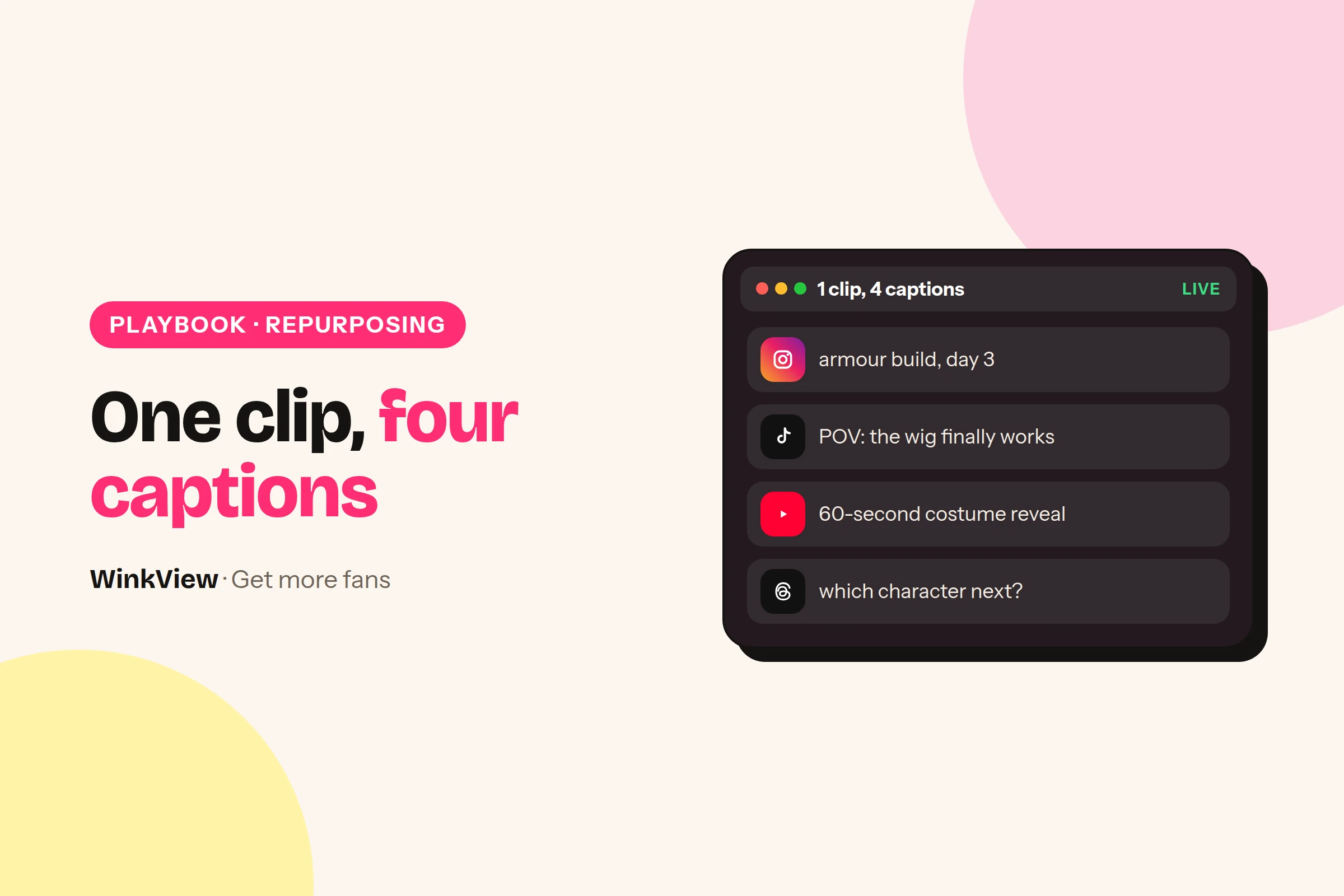
  • How to repost one clip across platforms: four captions from one source

    How to repost one clip across platforms: four captions from one source

    To repost one clip across platforms without redoing it, keep a single clean source clip, check that it suits each platform, and change the words around it rather than the clip itself. WinkView’s Reposting Agent writes a different caption for each destination and posts it; your team decides which clips are suitable, and raw clips are edited first by the WinkView Video Editor. Below is one example clip turned into four platform captions, plus a checklist for picking clips that travel well.

    The short answer

    • Reuse the clip, rewrite the context: people on each platform arrive with different expectations.
    • A clip travels well when it makes sense on its own, carries no platform-specific text and is safe for work everywhere.
    • WinkView’s Reposting Agent writes a separate AI caption for each destination and posts to Instagram Reels, Trial Reels, a daily Story, TikTok, YouTube Shorts, Facebook Reels, Threads and X.
    • Raw clips go through the WinkView Video Editor first (cuts, hook, captions). The Reposting Agent then posts what is in her library.
    • Leave a platform out when a clip needs too many changes to fit it.

    Same clip, different viewer

    A clip does not need to be remade for each platform. The person watching does change, and the caption is how you meet them. This table is the brief behind every caption on the page.

    1One source clip
    2Four audiences
    3Four captions
    4Posted daily
    Destination Who is watching What the caption should do
    Instagram Reel Her followers, plus some new viewers Sound like her, invite a reply
    Instagram Trial Reel Non-followers first Say who she is in one line
    TikTok Strangers scrolling fast Name the moment in a few words
    YouTube Shorts Viewers who may never see her again Read like a clear title
    Facebook Reels People outside her niche Explain plainly, no insider words
    Threads People who came to talk Start a conversation

    The daily Instagram Story is for people who already follow her, so it needs the least explaining of all.

    One clip, four captions

    Worked example

    Example: Ria, a cosplay creator. Source clip, 20 seconds: she starts in a hoodie with her hair tied up, then cuts to the finished convention costume, wig on, final pose with a foam sword.

    Destination Illustrative caption Why it differs
    Instagram Reel Three hours of glue for eight seconds of posing. Worth it? Tell me who I should build next. Personal, asks followers something they can answer
    TikTok hoodie to armour in 20 seconds (it took 3 hours) #cosplay #transformation The transformation is the hook; tags help discovery
    YouTube Shorts Cosplay transformation: everyday outfit to full armour Reads like a title someone could search for
    Facebook Reels From Saturday morning hoodie to convention-ready knight. Every piece made at home. Plain words for people who do not follow cosplay

    These captions are illustrative, written for this guide. They are not real WinkView output and not a promise of views.

    Look at what stayed the same: the clip, the facts (three hours, made at home) and Ria’s slightly self-mocking tone. What changed is the opening words, the question, the tags and how much gets explained. That is the whole job of repurposing, and it is the part the Reposting Agent does for every post.

    The captions come in the creator’s own language and voice. If Ria posted in Croatian, all four would be in Croatian.

    Pick clips that travel

    Many reposts go wrong before anyone reads the caption. The clip itself carries something that only makes sense on one platform.

    Before

    A clip downloaded from TikTok with its watermark, a “Duet this!” sticker burnt in, and Ria saying “part two is in my Story tonight”. On YouTube Shorts and Facebook, all three are confusing.

    After

    The original clip, exported clean from her editing app, no on-screen text naming a platform, and no mention of a day. Each platform gets its context from its own caption.

    Run every clip through this list before it goes into her library.

    Copy this template

    SOURCE CLIP CHECK: [clip name] / [creator]
    [ ] Makes sense with no caption and the sound off
    [ ] No burnt-in text naming a platform ("duet", "link in Story", "subscribe")
    [ ] No watermark from another app
    [ ] Safe for work on the strictest platform she posts to
    [ ] Vertical 9:16, main action away from the edges where buttons sit
    [ ] Music: cleared for every destination, or none
    [ ] Not tied to a date ("see you Friday")
    [ ] Facts the caption may use: [e.g. took 3 hours, made at home]
    Destinations: [all] or leave out: [platform + reason]

    You check, WinkView does

    The Reposting Agent is the part of WinkView that takes clips from a creator’s content library, writes captions and posts them every day. The editorial judgement stays with you.

    WinkView does

    • Writes a separate caption for each destination, in her language and voice
    • Posts every day to the destinations you chose
    • Posts Trial Reels, shown to non-followers first
    • Posts one Instagram Story a day
    • Holds posts for approval, if you want that
    • Keeps a posting history

    You check

    • The clip suits every destination it will go to
    • Which clips go out, and a custom cover frame if you want one
    • Music rights
    • Which platforms to leave out
    • The first week of captions, with approvals on
    • That the library has clips for next week

    Connecting the accounts and filling the library is covered step by step in the guide to automatic reposting across social media. This page is only about adapting one source.

    Edit once, then post

    The Reposting Agent posts the clip exactly as it is in her library. If the clip is still raw, the WinkView Video Editor cuts it, adds the hook and captions and makes it vertical before it goes in. Anything else a platform needs, like a custom cover frame, do once before uploading.

    • Crop once, for the tightest layout. Keep faces and the key action in the middle of a 9:16 frame so no platform’s buttons cover them.
    • Cut the slow start. The first second should already show the moment. Ria’s clip opens on the hoodie, not on her walking into shot.
    • Keep on-screen text neutral. “3 hours later” works everywhere. “Part 2 on TikTok” works nowhere else.
    • Make one version, not four. If a clip needs a different edit per platform, it is four clips. Upload only the ones that are worth it.

    Tip

    Platform tone differs too. For TikTok-specific ideas, see TikTok for OnlyFans creators; for how her Instagram profile should read around these clips, see promoting OnlyFans on Instagram.

    Reuse without repeating yourself

    Repurposing is one clip on several platforms, not the same clip on one platform every week. When a clip does well, film a follow-up that adds something new, such as the three-hour build sped up, rather than uploading the original again. A weekly filming brief turns her top performers into the next round of clip ideas.

    Leave a platform out when the clip would lose its point there. A clip about a local convention might suit Instagram and TikTok but mean nothing to a broad Facebook audience. Posting fewer, clearer posts beats posting everything everywhere.

    Public posts are only the first step: a post leads to a profile visit, the visit to a link click, and some clicks to paid subscribers who may buy PPV later on the paid platform. If one platform brings views but no profile visits, work through views but no subscribers. To plan a steady supply of clips, use the weekly content calendar.

    Building a whole series for one platform? TikTok content ideas and posting routine shows six posts from one idea.

    Frequently asked questions

    Is it a problem to post the same clip on every platform?

    Not in itself: the same clip can work on Instagram, TikTok, YouTube Shorts and Facebook if it makes sense on its own and carries no text or watermark tied to one platform. What should change is the caption, because each audience needs different context. Leave out any platform where the clip would need heavy changes to make sense.

    Does WinkView crop or resize clips for each platform?

    It makes one version for all of them. The WinkView Video Editor turns a raw clip into one clean vertical 9:16 video with captions and music, and the Reposting Agent writes a separate caption for each destination. One version with the key action in the middle of the frame can go to every destination you choose.

    Can I repost a clip I downloaded from TikTok?

    It is better not to, because a downloaded clip usually carries a watermark and sometimes on-screen stickers that only make sense on TikTok. Export the original clip from the editing app instead, without platform text, and let each destination’s caption supply the context. Keep a clean master of every clip for exactly this reason.

    How many captions does WinkView write for one clip?

    One per post. When a clip goes to several destinations, the Reposting Agent writes a caption for each, in the creator’s language and voice, so a Reel, a TikTok, a Short and a Facebook Reel each read differently. Turn approvals on in the first week to read them before they post.

    Does WinkView repost to Reddit or Telegram?

    No. The Reposting Agent posts to Instagram Reels, Trial Reels, a daily Instagram Story, TikTok, YouTube Shorts, Facebook Reels, Threads and X. Reddit, Telegram and paid platforms such as OnlyFans are outside what it does, so plan those channels separately and post there by hand or with another tool.

  • OnlyFans promotion on autopilot: your first 7 days with WinkView

    OnlyFans promotion on autopilot: your first 7 days with WinkView

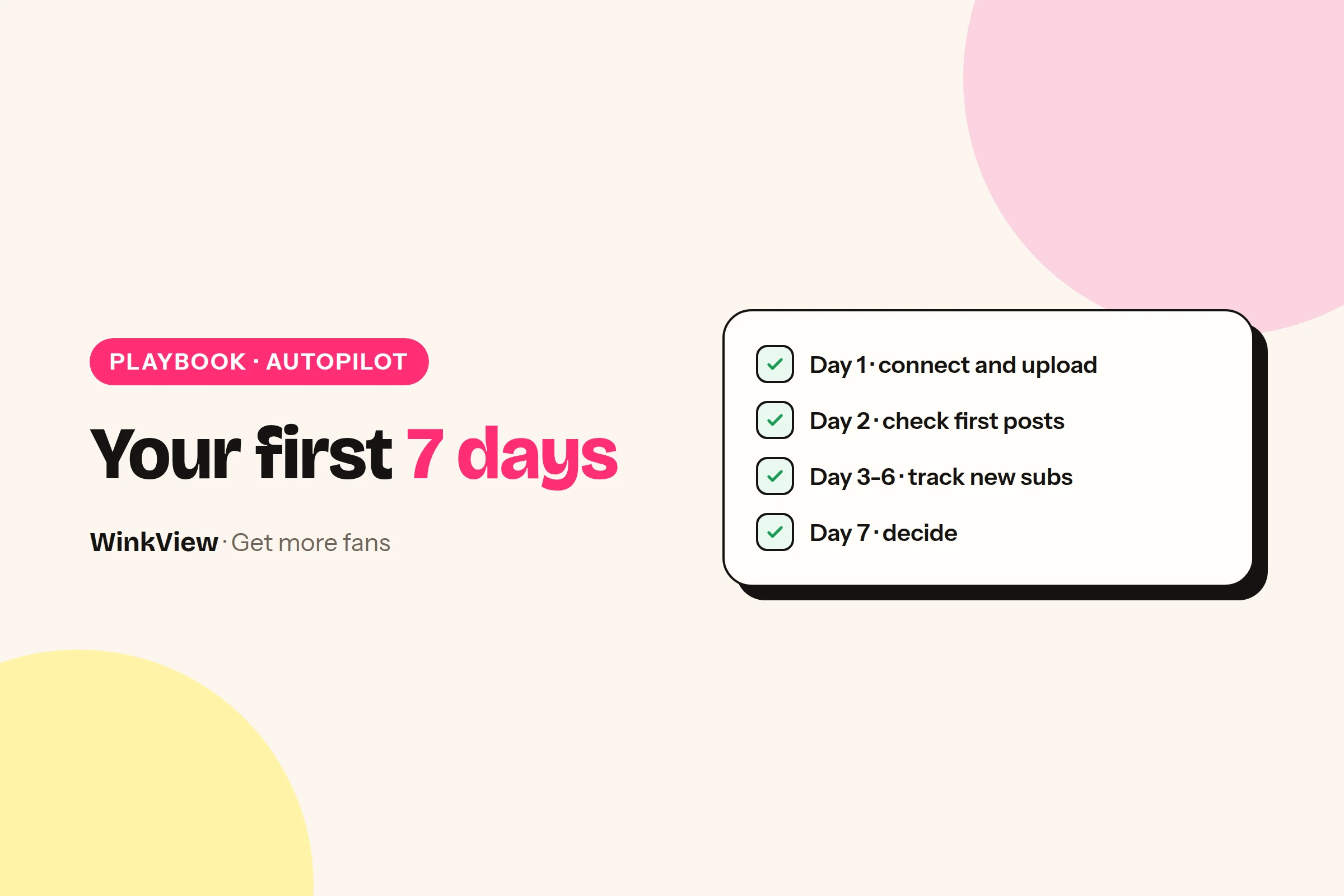
    OnlyFans promotion on autopilot means you drop in a creator’s raw clips, WinkView edits them into ready-to-post videos and posts them everywhere, every day, while you check in for a few minutes. Your first 7 days are simple: set up on day 1, check the first posts on day 2, track new paying subscribers on days 3 to 6. On day 7, compare the extra revenue you kept with the plan cost and decide.

    The short answer

    • Day 1: connect the creator’s accounts, upload a batch of raw clips and set her language and voice.
    • From day 2, editing and posting run by themselves; you spend a few minutes a day ticking edits and checking.
    • Track two numbers each day: new paying subscribers and PPV bought by those new subscribers.
    • Day 7: if the extra revenue you kept is higher than the plan cost, the week has paid for itself.
    • The first 7 days are a free trial.

    What runs by itself and what you check

    WinkView works on the first steps of the money chain. A public post brings a profile visit, the visit brings a link click, and the click can become a paid subscriber who later buys PPV.

    1Daily posts
    2Profile visits
    3Link clicks
    4Paid subscribers
    5Later PPV

    The Video Editor turns her raw clips into ready-to-post vertical videos: best moment first, dead air cut, hook text on screen, music. Reposting posts every approved clip, every day, with captions in her language, spread through the day in her time zone. Steps four and five happen on her paid page, which you run as usual.

    WinkView does

    • Writes captions and posts every day to Reels, Trial Reels, a daily Story, TikTok, Shorts, Facebook Reels, Threads and X
    • Edits each raw clip: best moment first, dead air cut, hook text, music
    • Posts her best clips again, so they keep working
    • Flags when she runs out of clips or an account needs reconnecting

    You do

    • Drop in raw clips, tick the edits and top up the folder
    • Glance at posting history each day
    • Note new paying subscribers and PPV
    • Run the paid page: pricing, messages, PPV

    Day 1: connect and add content

    Have these ready before you start: 10 to 20 safe-for-work public clips, three captions she likes, her languages and time zone, and her link page. Raw phone clips are fine: the WinkView Video Editor edits them before they go out.

    1. Add the creator. Create her profile and set her language, voice and time zone.
    2. Connect her accounts. Link Instagram, TikTok, YouTube, Facebook, Threads and X through their official connections.
    3. Upload the batch. Put the clips in her content library. Example: Mia, a fitness creator, adds 15 clips from her gym routines and rest-day meal prep.
    4. Turn approvals on. Nothing posts until you tick it. For the first days, check each edit and caption before you approve.
    5. Check the link. Make sure her bio points to one working link, such as a free link page with her real paid-page links.

    Write down one number today: how many new paying subscribers she gets in a normal week. That is your comparison point on day 7.

    Day 2: check the first edits and posts

    Open posting history and then the apps themselves. Confirm that posts went out on every destination, the daily Story is live, and the captions sound like her rather than like a brand.

    Then watch the first edits closely: does the best moment come first, is the hook text right, does the music fit her? Each clip should look like her and point to the link, not push a hard sale. Fix anything off before you tick it and add a better sample caption if needed.

    Tip

    Results will look small at first. Most short videos do little and one does very well, so the first few days say more about whether posts go out than about growth. Keep the clips coming.

    Days 3 to 6: watch and track

    Editing and posting now run by themselves. Your daily job takes a few minutes: tick the new edits, check posting history for failures, reconnect any account the Today tab flags, and top up the folder if clips are running low.

    Then fill one row of the tracker. Count only new paying subscribers and PPV bought by those new subscribers, because that is the extra revenue this week can show. If her paid platform offers tracking links, put one on her link page so social visitors are counted separately.

    Worked example

    Example numbers for Mia, whose subscription costs $10 a month. A normal week brings her about 5 new paying subscribers.

    Day Posts out New paying subs PPV from new subs
    1 Setup 0 $0
    2 7 1 $0
    3 7 1 $0
    4 7 2 $15
    5 7 2 $0
    6 7 2 $15
    7 7 1 $0
    Total 42 9 $30

    These are illustrative figures, not a promise or a customer result.

    Example: Mia’s new paying subscribers, day by dayIllustrative figures from the worked example above, not a customer result.
    Day 10
    Day 21
    Day 31
    Day 42
    Day 52
    Day 62
    Day 71

    Copy this template

    7-DAY TRACKER: [creator name]
    Subscription price: [$]   Normal week new subs: [ ]
    
    Day | Posts out | New paying subs | PPV from new subs | Notes
    1   | setup     | [ ]             | [ ]               | [ ]
    2   | [ ]       | [ ]             | [ ]               | [ ]
    3   | [ ]       | [ ]             | [ ]               | [ ]
    4   | [ ]       | [ ]             | [ ]               | [ ]
    5   | [ ]       | [ ]             | [ ]               | [ ]
    6   | [ ]       | [ ]             | [ ]               | [ ]
    7   | [ ]       | [ ]             | [ ]               | [ ]
    Total new subs: [ ]   Extra vs normal week: [ ]
    Total PPV from new subs: [ ]
    Optional: minutes spent each day: [ ]

    Day 7: keep or cancel

    Work out the extra revenue you actually kept, then set it against the monthly plan cost shown in the offer box below. Use this three-line sum:

    1. Extra subscribers: this week’s new paying subscribers minus a normal week.
    2. Extra revenue: extra subscribers times the subscription price, plus PPV bought by new subscribers, minus what new subscribers buy in a normal week.
    3. Revenue kept: minus the platform fee, and minus the creator’s share if you are an agency.

    With Mia’s example: 9 new subscribers minus a normal 5 gives 4 extra. That is 4 x $10 plus $30 of PPV (her normal week has none), so $70 of extra revenue. After OnlyFans’ 20% fee, $56 is kept, before any agency split.

    • Kept revenue is higher than the plan cost: the first week has paid for the month. Keep it and add more clips.
    • Lower, but edits and posts work and new subscribers are rising: keep going for the month.
    • Posts are failing or nothing is going out: fix setup with support, or cancel before the trial ends.

    One week is an early signal, not proof of stable growth. A strong clip or a price change can move the numbers either way.

    After week one: what to change

    Look at which posts brought profile visits and replies, then ask the creator for more clips like those. Keep Trial Reels running, because they show her posts to people who do not follow her yet.

    If visitors arrive but few subscribe, the gap is on her paid page, not in the posting. The guide to views but no subscribers helps you find the failing step, and converting followers into subscribers gives you the copy to fix it.

    Ready to add more creators? The guide to managing multiple creators has a tracker and a daily check. For what runs on Instagram in detail, read the Instagram automation guide.

    Frequently asked questions

    What happens during the WinkView free trial?

    The 7-day free trial runs the full product. On day 1 you connect the creator’s accounts and upload a batch of raw clips. From day 2 the Video Editor turns them into ready-to-post videos and Reposting posts every approved clip daily with captions in her language. You tick edits and check posting history for a few minutes daily, then decide on day 7 using your own numbers.

    Can seven days prove that WinkView works?

    Seven days show whether posts go out, whether the edits look right and whether new paying subscribers rise compared with a normal week. They do not prove stable long-term growth, because one strong clip or a price change can move a single week. Treat day 7 as an early signal and keep tracking weekly.

    How do I know which subscribers came from WinkView?

    Compare this week’s new paying subscribers with a normal week before you started, and count only the difference as extra. If her paid platform offers tracking links, put one on her link page so visitors from social posts are counted on their own. Count each sale once, and mark anything with an unclear source as unconfirmed rather than claiming it.

    Does WinkView post to OnlyFans or send PPV?

    No. WinkView works on public social platforms: it posts to Instagram, TikTok, YouTube Shorts, Facebook Reels, Threads and X, from her raw clips edited by the Video Editor. It does not post to OnlyFans, Fansly or Fanvue, send paid-platform messages or PPV, or handle checkout. Subscriptions and PPV sales happen on the creator’s paid page, which you run as usual.